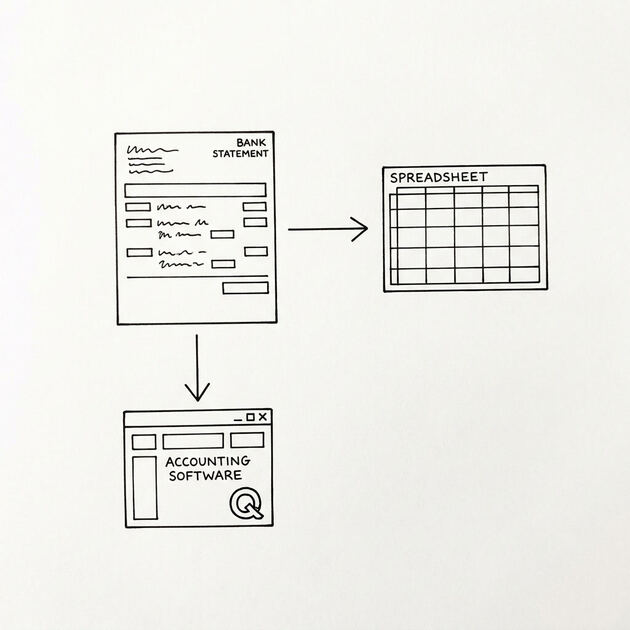

You formed an LLC in March, you have been running business through it for 9 months, and your CPA needs Form 1065 ready by March 15. You have business checking at Chase with 4 months of statements, business savings at Ally with 8 months, a business credit card at Amex with 9 months, and you forgot about the Stripe account.
The CPA wants everything converted to a spreadsheet, organized so they can prepare Form 1065 (partnership return for multi-member LLCs) or Schedule C (single-member LLCs default to sole prop). You don’t want to accidentally treat your $12,000 member distribution as an operating expense, and you don’t want to miss the $4,500 guaranteed payment to your partner.
LLC bank statement conversion is the annual or monthly workflow for Limited Liability Company owners to convert their statements into spreadsheets organized for LLC tax filing. The critical distinction from sole proprietor or 1099 contractor workflows is the separation of member distributions from operating expenses, and the correct Schedule C vs Form 1065 vs Form 1120-S decision based on how the LLC is structured.
The end goal is the same as other workflows: get transactions into structured columns. The categorization and reporting are LLC-specific.
Quick Answers: LLC bank statement conversion is the workflow for converting LLC bank statements into spreadsheets organized for LLC tax filing. Single-member LLCs file Schedule C by default (treated as sole proprietor). Multi-member LLCs file Form 1065 (partnership return) unless S-corp election is made (then Form 1120-S). The critical distinction is separating member distributions (not deductible) from operating expenses (deductible).
The 6-step workflow takes 4-8 hours for a multi-member LLC with 8-12 accounts. State-level LLC reporting varies (California $800 franchise tax minimum, Delaware franchise tax, etc.). Members of multi-member LLCs should also track guaranteed payments separately as those are deductible to the LLC but taxable to the recipient.
What “LLC Bank Statement Conversion” Means
LLC bank statement conversion is the process of taking your LLC’s bank statements, credit card statements, and payment processor statements (Stripe, PayPal, Square), and converting them into a spreadsheet organized for LLC tax filing. The result is typically a CSV or Excel file per account, with transactions tagged with their Schedule C, Form 1065, or Form 1120-S line category.
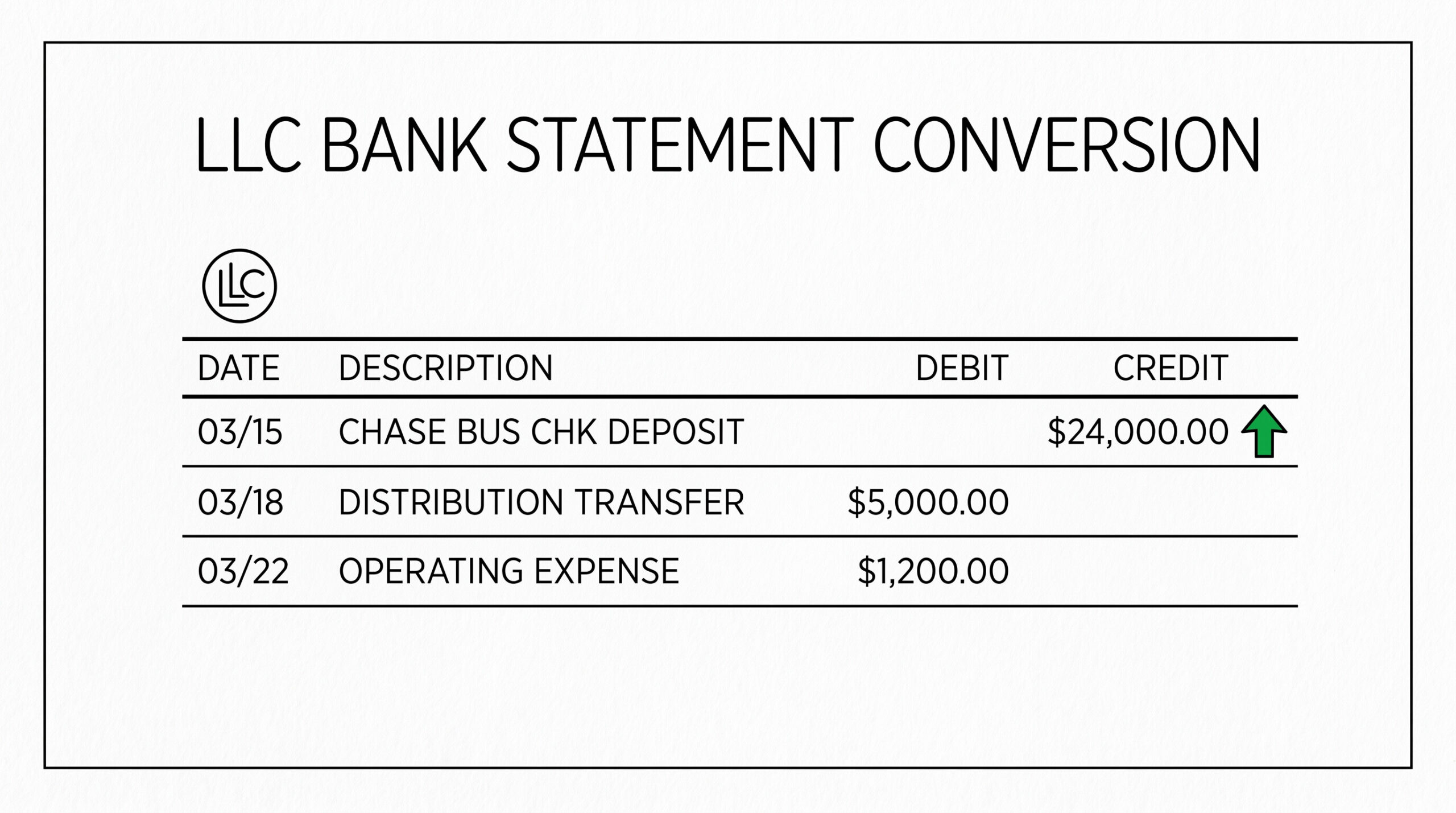
Imagine you are the manager of a 2-member LLC consulting firm. The Chase business checking has 9 months of activity including monthly transfers from clients (revenue), payments to subcontractors (operating expense), 3 quarterly distributions of $15,000 to each member (member distributions), and one $24,000 guaranteed payment to your partner (guaranteed payment, which is deductible).
The conversion produces one CSV with all 4 transaction types tagged, so the CPA can see at a glance what is revenue, what is deductible operating expense, and what is member distribution.
What LLC bank statement conversion does NOT cover is state-level reporting (handled separately by your CPA or accountant) or the actual preparation of Form 1065 (that is the CPA’s job, not the conversion workflow’s). The conversion workflow produces the data the CPA needs; the CPA does the tax preparation.
Which Form Does Your LLC File
The IRS form your LLC files depends on the number of members and any S-corp election. This decision determines what the conversion workflow needs to produce.
Single-member LLC, no election: Schedule C. Treated as a sole proprietor for tax purposes. The single owner reports LLC income and expenses on their personal Schedule C (Profit or Loss from Business). Approximately 70% of LLCs are single-member. The conversion workflow is identical to the sole proprietor workflow, and categorizing expenses into Schedule C lines.
Multi-member LLC, no election: Form 1065. Treated as a partnership for tax purposes. The LLC files Form 1065 (U.S. Return of Partnership Income) annually, and each member receives a Schedule K-1 showing their share of income and deductions. The conversion workflow must distinguish member distributions from operating expenses (distributions are not deductible on Form 1065, but operating expenses are).
LLC with S-corp election: Form 1120-S. Treated as an S-corporation for tax purposes. The LLC files Form 1120-S (U.S. Income Tax Return for an S Corporation). The S-corp election adds the requirement to pay the owner-employee a “reasonable salary” through payroll, with the remaining pass-through income as distributions. The conversion workflow must separate payroll (W-2 wages) from distributions.
LLC with C-corp election: Form 1120. Rare for small LLCs. The LLC is treated as a C-corporation and files Form 1120. C-corp election means double taxation (entity pays corporate tax, owners pay tax on dividends). The conversion workflow is closer to a corporation workflow, not an LLC pass-through workflow.
Turn PDF Bank Statements Into Workable Spreadsheets
Your bank statement is a mess of numbers, but your books shouldn't be. Use our converter to get Excel, CSV, or QBO files — ready for QuickBooks.
Try It Free NowThe 6-Step LLC Conversion Workflow
The 6-step LLC conversion workflow takes 4-8 hours for a multi-member LLC with 8-12 accounts. Each step has a specific deliverable and the total workflow produces a CPA-ready spreadsheet.
Step 1: Gather all LLC statements (45-90 minutes). The first step is collecting all the statements that arrived during the prior calendar year for LLC accounts. For a typical multi-member LLC, this includes: business checking (1-3 accounts), business savings (0-2 accounts), business credit cards (1-4 cards per member), payment processor accounts (Stripe, PayPal, Square), and any LLC-owned investment or escrow accounts.
Create a checklist of LLC accounts and mark each one off as you retrieve it.
Step 2: Convert all PDFs to CSV or spreadsheet format (60-120 minutes). A bank statement converter reads both digital PDFs and scanned paper forms, producing one CSV per PDF. For an LLC with 12 accounts and 144 statements (12 months × 12 accounts), the conversion produces 144 CSV files in about 60-120 minutes of total processing time.
Step 3: Separate member distributions from operating expenses (30-60 minutes). This is the critical LLC-specific step. Review the converted CSV files and tag each transaction as one of: revenue (money in), operating expense (money out for business purposes), member distribution (transfer to a member’s personal account), guaranteed payment (compensation to a member for services), or owner draw (single-member LLC transfer).
The distributions and draws are NOT deductible operating expenses; they are pass-through.
Step 4: Categorize operating expenses to Schedule C, Form 1065, or Form 1120-S lines (60-180 minutes). Apply the appropriate tax line to each operating expense. For multi-member LLCs filing Form 1065, the categories are: advertising, car and truck, contract labor, depreciation, employee benefits, insurance, interest, legal and professional, office expense, pension, rent and lease, supplies, taxes and licenses, travel, meals, utilities, wages, and other.
For single-member LLCs filing Schedule C, the categories are the same Lines 8-27.
Step 5: Reconcile against prior year and expected totals (15-30 minutes). Verify that total revenue and total expenses per category are reasonable. If the LLC had $200K revenue last year and the current conversion shows $50K, double-check the missing statements. If utilities are zero but you paid $400/month, double-check the categorization.
Step 6: Deliver to CPA with LLC context (15-30 minutes). Send the consolidated CSVs to your CPA along with a summary of categories, member distribution totals per member, guaranteed payment amounts, and any LLC-specific notes (such as “LLC made S-corp election effective Jan 1, 2026” or “LLC has 2 members, both 50/50”).
Most CPAs accept CSVs via email attachment or secure portal; very few want PDFs because they need to be re-typed.
Member Distributions vs Operating Expenses (The Critical Separation)
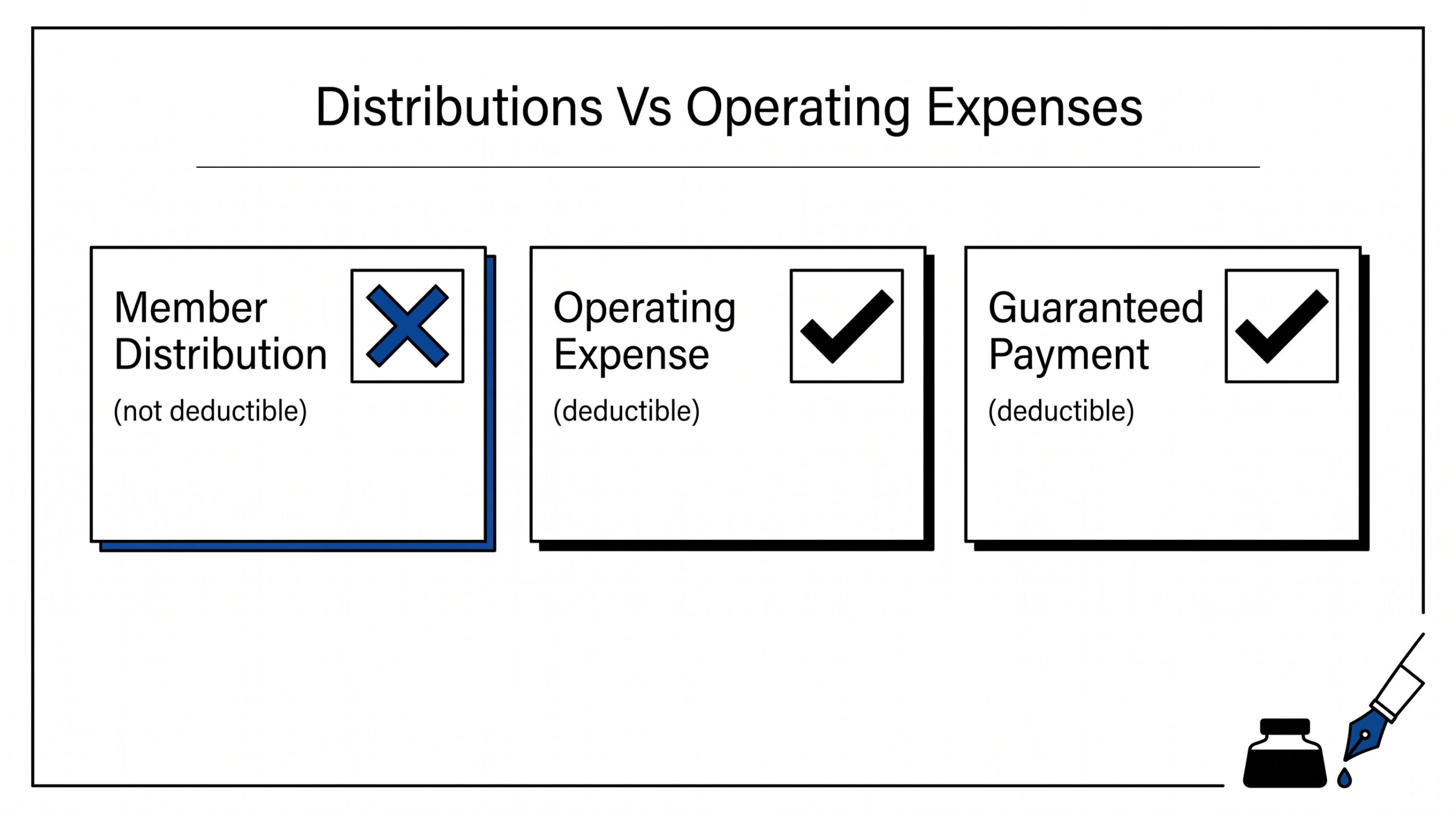
Member distributions and operating expenses look similar on a bank statement: both are money flowing out of the LLC account. The accounting treatment is fundamentally different. Operating expenses reduce the LLC’s taxable income. Member distributions do not.
Operating expenses are payments for goods or services the LLC consumes to generate revenue. Office rent, software subscriptions, contractor payments, advertising, equipment purchases, utilities, professional services: these are deductible. They appear on Form 1065 Line 20 (Other deductions) or the specific line that matches the expense category.
Member distributions are transfers of LLC profit to the members. They don’t reduce LLC taxable income because they are not business expenses: they are the way LLC profit gets distributed to members who will pay tax on it personally. They appear on Form 1065 Schedule K (Partners’ Distributive Share Items), not on the expense lines.
The confusion happens when a member takes a transfer from the LLC account that LOOKS like an expense but is actually a distribution. The bookkeeper sees “transfer to John Smith $15,000” and might categorize it as “owner compensation” or “professional services”. For a multi-member LLC, this categorization is wrong: the transfer is a distribution (Schedule K, not Schedule C or Form 1065 expense).
The IRS audit risk is significant for mis-categorization. If an LLC deducts member distributions as expenses, the LLC’s taxable income is artificially low. The IRS catches this in Schedule K vs. expense line comparison.
The practical fix: separate LLC bank accounts by purpose. The operating account pays expenses; the distribution account holds profit for member distributions. Transfers between operating and distribution accounts are not expenses; they are internal movements. Many CPAs recommend this for LLCs above $200K annual revenue.
Guaranteed Payments for Multi-Member LLCs
Guaranteed payments are compensation that a multi-member LLC pays to a member for services or capital, regardless of the LLC’s profit. They are deductible to the LLC (Line 10 of Form 1065) and taxable income to the recipient member (reported on their personal return with a K-1).
Guaranteed payments differ from member distributions in three ways: they are for services or capital use (not for ownership share), they are fixed amounts regardless of profit, and they require estimated tax payments by the recipient. A common guaranteed payment is $5,000/month to a managing member for management services.
The conversion workflow should tag guaranteed payments separately from member distributions. The CPA needs to see both clearly to prepare Form 1065 and the individual K-1s correctly. Most bank statements show the payments as regular transfers to the member’s personal account; the categorization depends on the LLC’s records of what the payment is for.
For multi-member LLCs with guaranteed payments, the conversion workflow includes verifying that the recipient received a 1099-NEC from the LLC for the guaranteed payment amount. The 1099-NEC is required for guaranteed payments over $600/year.
LLC Bookkeeping Software: QuickBooks, Xero, Wave
LLCs have 3 main bookkeeping software options. Each handles LLC-specific workflows differently. The right choice depends on the LLC’s size, complexity, and budget.
QuickBooks Online (QBO) is the most common for multi-member LLCs. It has built-in chart of accounts that maps directly to Form 1065 and Schedule C categories. The LLC-specific features include member equity tracking, guaranteed payment handling, and direct integration with Form 1065 preparation. Cost: $30-$200/month depending on tier.
Xero has cleaner LLC workflows for smaller LLCs. The interface is simpler than QuickBooks. LLC-specific features include partnership accounting modules and K-1 preparation tools. Cost: $13-$70/month.
Wave is free and works for single-member LLCs. Limited LLC-specific features but sufficient for sole-prop-style Schedule C filing. Best for LLCs under $100K annual revenue. Cost: free for basic; payroll add-on $35/month + per-employee fees.
The conversion workflow integrates with each platform differently. QBO accepts CSV imports with custom field mapping. Xero has bank feed integration that pulls transactions automatically. Wave accepts CSV imports but requires more manual mapping.
State-Level LLC Reporting Requirements
LLCs are subject to state-level reporting that varies by state. The federal tax return (Schedule C, Form 1065, or Form 1120-S) is one part; the state filing is separate. State requirements may include an annual report, franchise tax, or statement of information.
California has the strictest LLC reporting. Annual $800 minimum franchise tax (LLCs with income over $250K pay additional fees). Statement of Information every 2 years. Late fees are $250 per filing. The conversion workflow should account for CA-specific expenses (franchise tax payment, registered agent fee) separately from operating expenses.
Delaware has high LLC franchise tax for corporations but lower for LLCs. Annual $300 flat LLC franchise tax (technically Authorized LLC Tax). LLCs in Delaware but operating elsewhere often have to file both Delaware and the operating state’s franchise tax.
Other states vary widely. Some states have no franchise tax (no LLC annual fee beyond the federal return). Some have annual report fees ($25-$500). New York has a $9 LLC biennial filing fee. Texas has no franchise tax but has a public information report ($0 for non-profit entities, but standard annual fee for LLCs).
The conversion workflow should include state-specific expenses in the appropriate category (Line 23, Taxes and Licenses on Schedule C). State filings beyond federal are the CPA’s responsibility, not the conversion workflow’s.
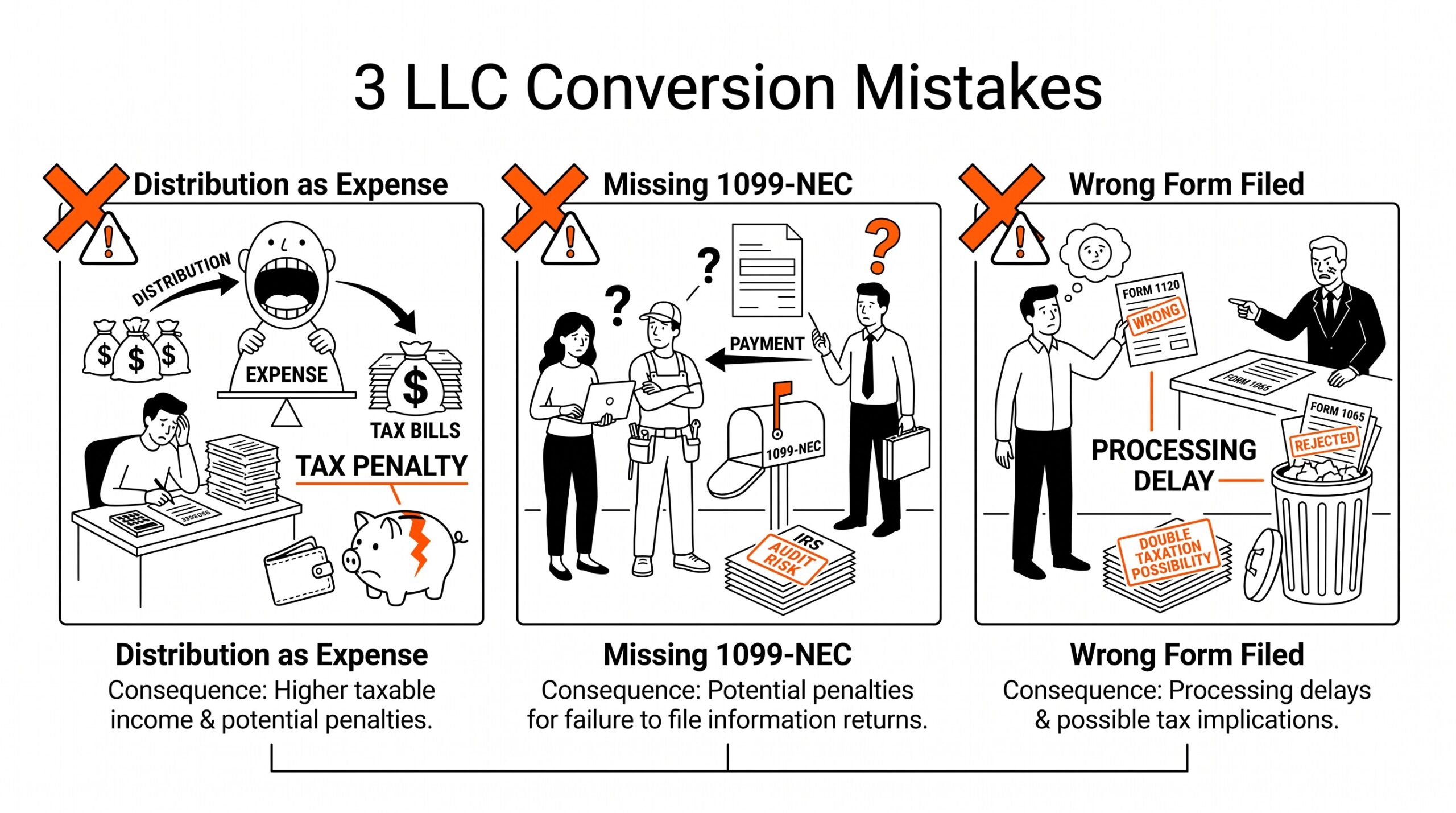
Common LLC Conversion Mistakes
A few common mistakes cause LLC conversions to fail or produce incorrect results. Recognizing these mistakes saves time during the conversion process.
Treating member distributions as expenses. The most common LLC conversion mistake. A member transfer looks like an expense in the bank statement but is not deductible. The conversion workflow must tag distributions separately or the LLC’s taxable income is artificially low.
Missing guaranteed payment separation. Multi-member LLCs with guaranteed payments must categorize them as Line 10 of Form 1065, not as member distributions. Conflating guaranteed payments with distributions produces incorrect K-1s and incorrect member-level tax.
Missing 1099-NEC issuance. LLCs that pay $600+ to non-member contractors (or guaranteed payments to members) must issue 1099-NEC forms. The conversion workflow tracks the amounts but does not generate 1099-NEC; that’s a separate workflow typically done by the CPA.
Filing wrong form. Single-member LLCs default to Schedule C but can elect to be taxed as S-corp (Form 1120-S) or C-corp (Form 1120). The election must be made within 75 days of formation or by March 15 of the tax year. The conversion workflow depends on which form the LLC actually files.
Forgetting payment processor statements. Stripe, PayPal, Square, and other payment processors generate monthly statements that the LLC must convert and categorize. These often contain both the gross revenue (transaction total) and the processor fees (deductible expense), which must be separated correctly.
Annual LLC Filing Timeline
LLCs have an annual filing timeline that varies by entity type. The conversion workflow feeds into this timeline.
Single-member LLC (Schedule C). Annual deadline is April 15, same as personal return. Extension to October 15 available via Form 4868 (personal extension) or Form 7004 (business extension). The conversion workflow happens January through March; CPA delivers the return by April 15.
Multi-member LLC (Form 1065). Annual deadline is March 15, two months earlier than Schedule C. Extension to September 15 available via Form 7004. The conversion workflow needs to be complete by early March (CPA deadline typically March 5-10). Quarterly estimated tax payments for the LLC are due April 15, June 15, September 15, and January 15.
LLC with S-corp election (Form 1120-S). Annual deadline is March 15, same as Form 1065. Extension to September 15 available. Quarterly estimated tax payments for the S-corp are due the 15th of April, June, September, and December.
The conversion workflow for LLCs typically needs to be complete 2-3 weeks before the filing deadline to give the CPA time to review, prepare, and file. For a March 15 Form 1065 deadline, the conversion is complete by late February.
See also
For entity-specific workflows, see the self-employed tax filing workflow for Schedule C specifics, the 1099 contractor bookkeeping guide for 1099-specific workflows, and the broader annual tax preparation workflow.
For format-specific conversion, see the Xero conversion workflow for Xero-specific setup, the QuickBooks conversion workflow for QBO-specific setup, the CSV export guide for the CSV format, and the business categorization workflow for categorization context. The bank transaction categorization guide covers how to apply consistent categories across all imported transactions. For monthly recurring workflows, see the monthly close workflow.
Turn That PDF Into a Spreadsheet in Minutes
You've seen how to do it manually — now let the tool handle the heavy lifting. Upload your bank statement and get Excel, CSV, or QBO in a few clicks.
Try It Free