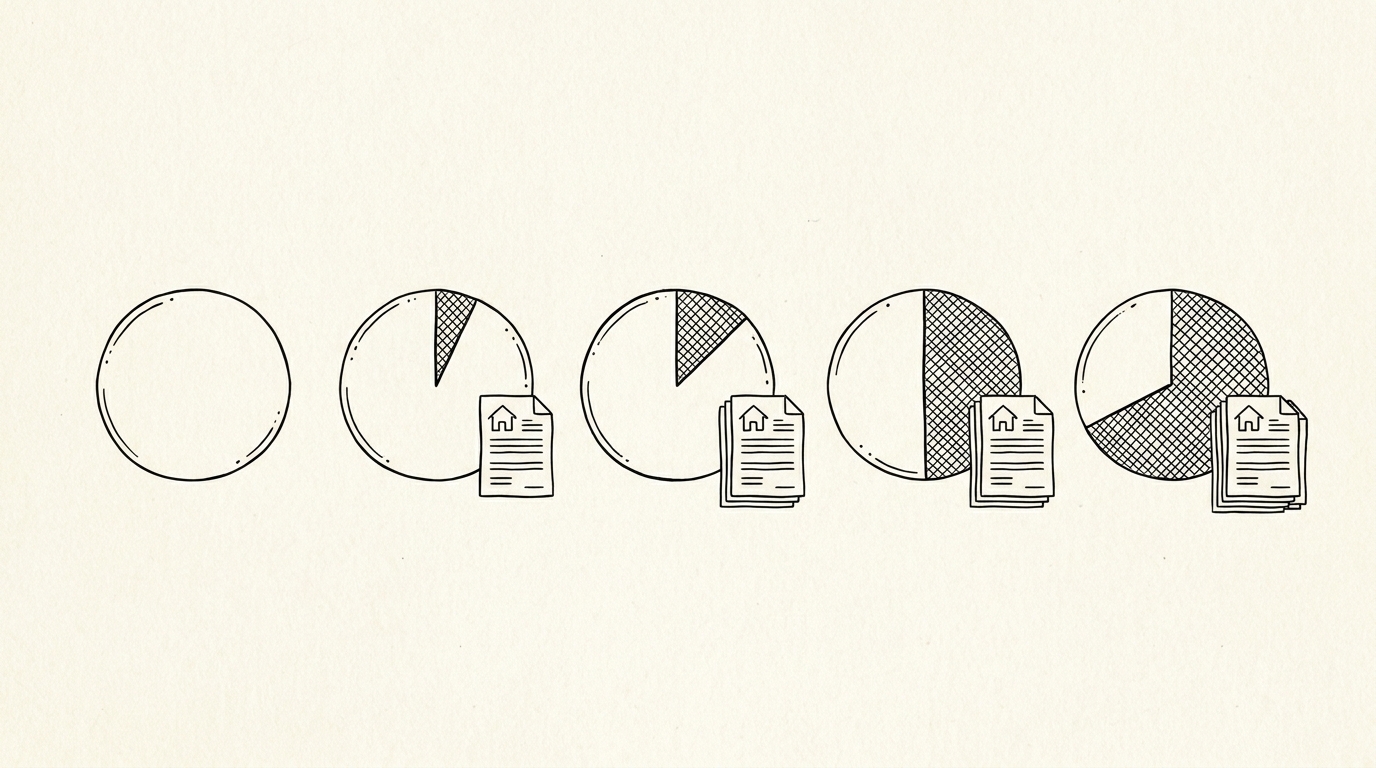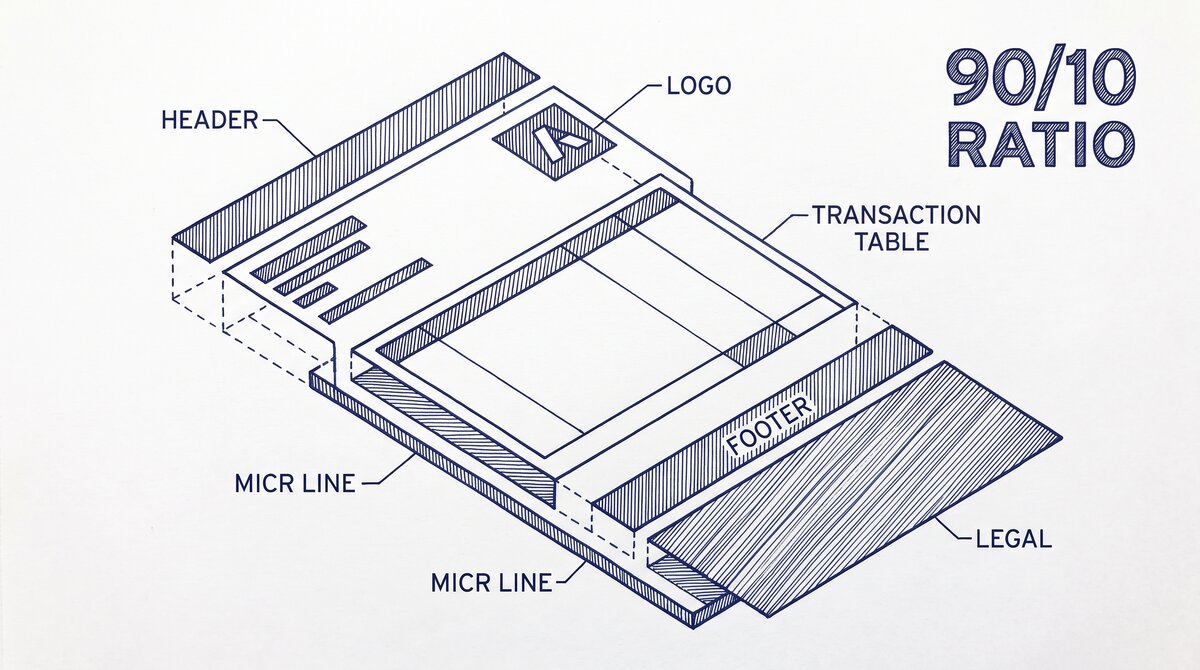

A US bank statement has 6 core components: header, transaction table, footer, MICR line, logo/branding, and legal disclosures. The header, transaction table, and footer carry 90% of the conversion value. The other parts (logo, marketing, legal) are noise that good converters ignore. Knowing which parts matter for conversion saves 10+ minutes per statement and avoids the 5 common mistakes that lead to mis-extracted data.
TL;DR. A bank statement has 6 components, but 3 carry 90% of the conversion value: the header (account info, period, opening balance), the transaction table (date, description, amount, balance), and the footer (closing balance, fees, disclosures). The other 3 components (MICR line, logo, legal) are noise that converters skip. The 5 conversion mistakes: ignoring the period dates, missing the opening/closing balance, splitting multi-line transactions, mangling negative amounts, and skipping fee disclosures.
What “Bank Statement Anatomy” Means
The anatomy of a bank statement is the set of structural components that every US bank statement contains, in a predictable order. Different banks have different layouts (Chase looks different from Wells Fargo, which looks different from a credit union), but the underlying anatomy is the same. Every statement has the same 6 components in roughly the same order.
The 6 Core Components
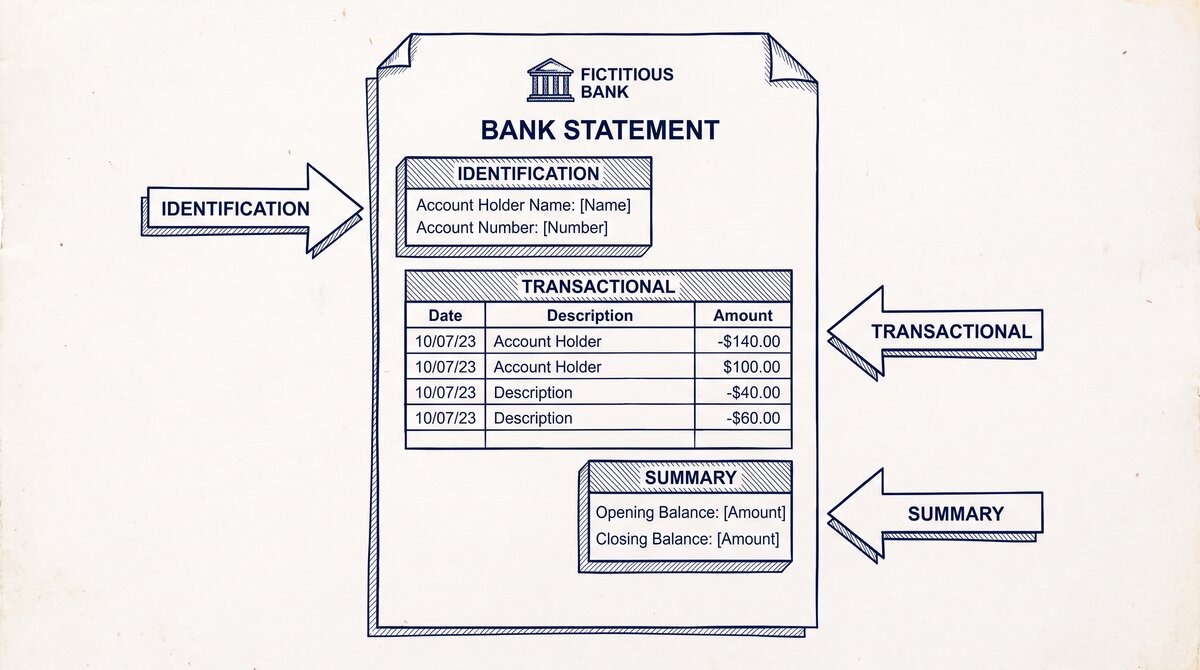
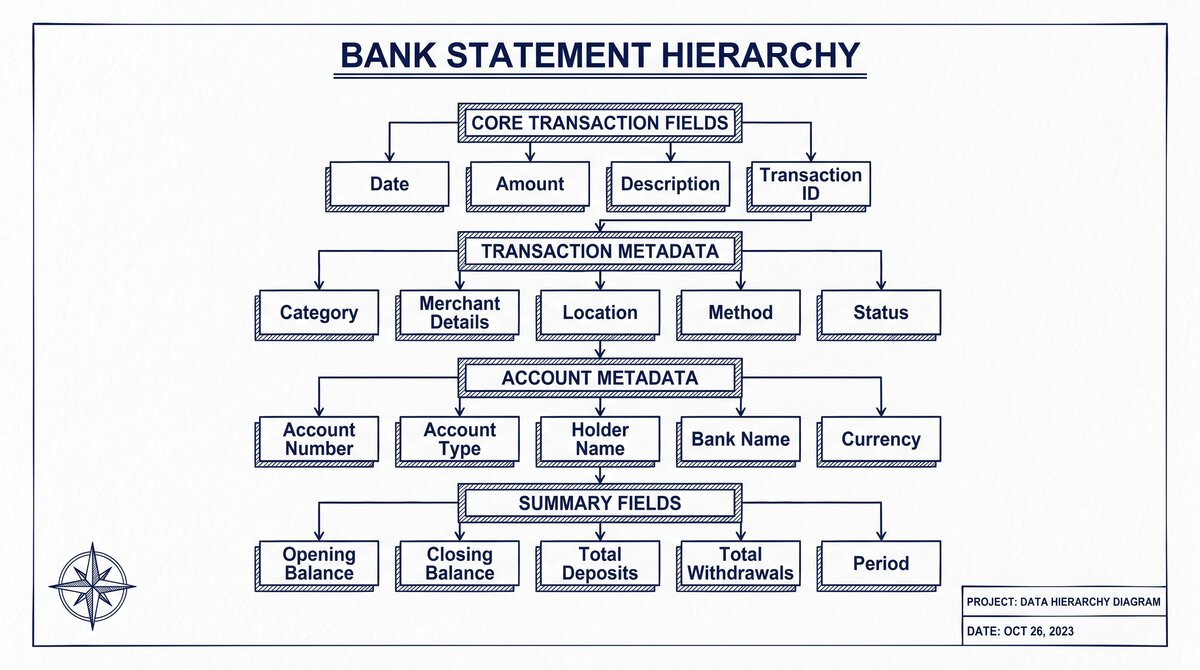
Header: account holder name, account number (often partially masked), statement period (date range), opening balance
Transaction table: one row per transaction, with columns for date, description, amount, and running balance
Footer: closing balance, total deposits, total withdrawals, fees, interest charged, year-to-date totals
MICR line: the routing number, account number, and check number encoded in magnetic ink at the bottom of checks (not always on statements, but commonly included)
Logo and branding: bank name, logo, marketing messages (e.g., “Switch to our premium account”), contact information
Legal disclosures: FDIC notice, regulatory disclosures, customer service contact, error resolution procedures
The 90/10 Split
For conversion purposes, the 3 components that matter are:
- Header (10% of the conversion value): the account holder, account number, and statement period. These are needed for record identification but contain little transactional data.
- Transaction table (80%): the core of the statement. This is what the user wants from a conversion.
- Footer (10%): the totals, fees, and year-to-date figures. Needed for verification (does the sum of transactions match the closing balance?) but not for the main conversion.
The other 3 components (MICR line, logo, legal) are typically ignored by converters. They contain information that is not transactional and is usually extractable from the header (account number) or footer (FDIC info) when needed.
The Header: Account Info and Statement Period
The header occupies the top 15-25% of the first page of a bank statement. It contains the metadata that identifies the account and the time period.
What’s in the Header
- Account holder name: the legal name of the account owner. For personal accounts, this is the customer’s name. For business accounts, this is the business name.
- Account number: the account number, often partially masked for security (e.g., “**1234″). Some statements show the full number; some show only the last 4 digits.
- Account type: checking, savings, money market, credit card, line of credit. The type affects which transactions are reported and which fees apply.
- Statement period: the date range the statement covers (e.g., “January 1 – January 31, 2025”). The period is critical for record-keeping and tax purposes.
- Opening balance: the account balance at the start of the period. This anchors the transaction table and the closing balance.
What Converters Use from the Header
Converters use the header for:
- File naming: many converters auto-name the output file based on the account holder and period (e.g., “Chase_John_Smith_Jan_2025.xlsx”).
- Record identification: the user can search and find the file later based on the header info.
- Reconciliation: the opening balance must match the closing balance of the prior statement.
The header is rarely the source of conversion errors. The information is consistent and easy to extract.
From PDF to Excel in one click
Forget retyping line by line. Upload any bank statement, get a spreadsheet you can actually use. Your files are never stored, and you can test the converter with 3 free conversions.
Try it freeThe Transaction Table: The Data That Actually Matters
The transaction table is the body of the statement, occupying the middle 60-75% of the page. It is the most important component for conversion.
The Standard Columns
Every US bank statement has these 4 columns in the transaction table:
- Date: the date the transaction posted to the account. Often the same day the user initiated the transaction, but not always (checks can take 1-3 days to post).
- Description: the merchant name, payee, or transaction memo. Can be truncated for long names. May include check numbers for check transactions.
- Amount: the dollar amount of the transaction. Can be positive (deposit) or negative (withdrawal). Some banks use a single column with signs; some use separate debit and credit columns.
- Balance: the running balance after the transaction. Optional in some bank statements; mandatory in others.
What Converters Use from the Table
Converters use the table for the actual conversion. The output file (Excel, CSV, QBO) is essentially the transaction table with the header info added for context.
The conversion is straightforward when the table is clean: one row per transaction, with clear column boundaries. The conversion is hard when the table has:
- Merged cells: a “debit/credit” column that spans two cells
- Multi-line transactions: a transaction with a long merchant name that wraps to two visual lines
- Subtotals or section breaks: the table is split into “deposits” and “withdrawals” with subtotals
- Unbalanced rows: rows where the amount or balance is missing
A good converter handles these edge cases. A bad converter (or manual extraction) loses data or mangles rows.
The Footer: Totals, Fees, and Disclosures
The footer occupies the bottom 10-15% of the last page of a bank statement. It contains summary information for the period.
What’s in the Footer
- Closing balance: the account balance at the end of the period. This must match the sum of opening balance + deposits – withdrawals + fees + interest.
- Total deposits: sum of all deposits in the period.
- Total withdrawals: sum of all withdrawals in the period.
- Total fees: sum of all fees charged (overdraft, monthly maintenance, ATM, wire).
- Interest earned (or charged): for savings or credit accounts.
- Year-to-date totals: total fees, total interest for the calendar year.
- Days in period: typically 30 or 31 for monthly statements.
What Converters Use from the Footer
Converters use the footer for verification, not as primary data. The verification step checks:
- Does the sum of transactions in the table match the closing balance minus opening balance?
- Are the total deposits and total withdrawals consistent with the table?
- Are the fees captured in the table (or are they separate rows)?
If the numbers do not balance, the converter flags the statement for manual review. This is the source of the “5 conversion mistakes” mentioned in the TL;DR: missing transactions, missing fees, or misaligned rows all show up as balance mismatches.
The 3 Optional Parts Most Statements Include
The other 3 components (MICR line, logo, legal) are present in most statements but contain little conversion value.
MICR Line
The MICR (Magnetic Ink Character Recognition) line is the string of numbers at the bottom of a check. The line contains the routing number (9 digits), account number (varies by bank), and check number. Some bank statements include the MICR line; some do not.
For conversion, the MICR line is useful only if the statement is a check image (some banks include check images in the statement). For text-based statements, the MICR line is irrelevant.
Logo and Branding
The bank name, logo, and marketing messages occupy the top and bottom of some statements. They are not transactional data. Converters skip them.
The exception: the bank name is useful for file naming and for the user to verify the statement is from the right bank. The logo is decorative.
Legal Disclosures
The FDIC notice, regulatory disclosures, and customer service contact are required by law on US bank statements. They are not transactional data. Converters skip them.
The exception: the disclosure may mention the routing number, the bank’s SWIFT/BIC code, or other info that is useful for the user’s record-keeping. The user can extract this manually if needed.
How Converters Use the Anatomy
A good converter follows the 90/10 rule: extract the header, transaction table, and footer; ignore the MICR line, logo, and legal disclosures.
The 3-Step Conversion Process
Locate the components: the converter identifies the header (top of page 1), the transaction table (middle of statement), and the footer (bottom of last page). The other components are identified and ignored.
Extract the table: the converter reads the transaction table, handling the column boundaries, row alignment, and merged cells. This is the hard part; this is where most conversion errors happen.
Verify with the footer: the converter checks that the sum of the table matches the closing balance minus opening balance. If it does, the conversion is good. If not, the statement is flagged.
The 5 Common Mistakes
The 5 common conversion mistakes that the anatomy understanding helps avoid:
Ignoring the period dates: a “January 2025” statement that includes the December 31 closing balance and the January 31 closing balance. Converting both as January transactions gives 2 months of duplicates.
Missing the opening/closing balance: a converter that does not extract the header loses the ability to verify the table. The user has to manually check that the sum of transactions matches.
Splitting multi-line transactions: a transaction that wraps to two visual lines gets split into two rows. The fix: look for the row that has no date and merge it with the row above.
Mangling negative amounts: some banks use parentheses for negatives, some use a minus sign, some use a separate debit/credit column. The converter has to handle all 3 conventions.
Skipping fee disclosures: fees are often listed in the footer, not in the table. The converter has to extract the fees and add them as table rows, or the user loses visibility into the fee structure.
When the Anatomy Fails
The anatomy assumption fails for some non-standard statements:
- Investment statements: brokerage statements (Schwab, Fidelity) have a different anatomy, with positions and transactions as separate tables.
- Credit card statements: credit card statements have a similar anatomy but with payment information and APR in the footer.
- International statements: some international banks use a different order or column structure.
For these cases, the converter has to be reconfigured or the user has to use a different tool. The standard 6-component anatomy applies to US bank checking and savings statements, not to all financial documents.
The bank statement converter is the main pillar this supports. The bank statement data extraction covers the broader data extraction workflow. The bank statement CSV format is the typical output format. The convert scanned bank statement to Excel is the OCR workflow for paper statements. The bank statement workflow for bookkeepers is the bookkeeper use case. For the related bank statement anatomy: 6 core terms every reader should know page, see the linked article. For the 11 standard transaction categories used in bookkeeping, see the bank transaction categorization guide. For the 5 security questions to ask any bank statement converter before uploading, see the is a bank statement converter safe guide.
For more on this, see the how to read a bank statement page.
For deeper understanding, see: Bank Statement Anatomy Expanded, Credit Union Statement Specifics. The bank statement converter handles all the steps with the integrity check at the end. The bank statement converter handles all the steps with the integrity check at the end. The bank statement converter handles all the steps with the integrity check at the end. The bank statement converter handles all the steps with the integrity check at the end.
From PDF to Excel in one click
Forget retyping line by line. Upload any bank statement, get a spreadsheet you can actually use. Your files are never stored, and you can test the converter with 3 free conversions.
Try it free