
Bank transaction categorization is the process of assigning each transaction in a bank statement to 1 of 11 standard categories: income, cost of goods sold,
The 11 categories map to the chart of accounts, which is the foundation of bookkeeping, tax prep, and financial reporting.
This page covers the 11 standard transaction categories, the 3 categorization methods (manual, rules-based, automatic), how to build a category map for a small business, how to apply categories to personal accounts, the 6 common categorization mistakes that lead to bad books, and how to handle edge cases (transfers, refunds, owner draws). For the broader workflow that turns a bank statement PDF into a categorized spreadsheet, see the bank statement converter. For the data cleaning that comes before categorization, see the bank transaction data cleaning workflow.
TL;DR. Categorization is the process of assigning each bank transaction to 1 of 11 standard categories that map to the chart of accounts. The 11 categories: income, COGS, operating expenses, payroll, taxes, owner draws, transfers, refunds, fees, capital expenses, and uncategorized. The 3 methods: manual (2-4 hours per statement, most accurate), rules-based (30-60 minutes, repeatable), and automatic (15-30 minutes, depends on the tool). The 6 common mistakes: not creating a transfer category, mixing personal and business, ignoring refunds, misclassifying owner draws as income, misclassifying capital expenses as operating, and not handling the “uncategorized” bucket. For a 200-transaction statement, expect 2-4 hours manual, 30-60 minutes with rules, or 15-30 minutes with a good automatic tool.
Why Categorize Bank Transactions
Categorization is what turns a raw bank statement into useful financial data. A statement with 200 transactions is just a list of dates, descriptions, and amounts until each transaction is assigned a category that says what the money was for. Without categorization, the statement cannot be reconciled against the chart of accounts, the profit and loss cannot be generated, and the tax filing cannot be prepared. Categorization is the bridge between the raw bank data and the structured financial records that the IRS, the bank, and the bookkeeper all need.
For bookkeepers doing month-end close, categorization is the most time-consuming step. A typical small business with 200-300 monthly transactions can take 4-6 hours to categorize, and most of that time is mechanical: opening each transaction, reading the description, and clicking the right category. This is why rules-based automation (where the bookkeeper sets a rule like “all transactions containing ‘AMZN’ are Office Expenses”) and automatic categorization (where the tool guesses the category based on the merchant name) are so valuable. They turn 4 hours of clicking into 30-60 minutes of review.
For self-employed borrowers using bank statement loans, categorization matters because the lender uses the categorized transactions to verify income (deposits in the Income category) and to assess the borrower’s business stability (consistent Operating Expenses, no unusual Transactions). A well-categorized statement signals to the lender that the borrower is organized, which matters because the bank statement loan approval depends on the lender’s confidence in the deposit pattern. For the broader self-employed mortgage context, see the self-employed mortgage application page.
The 11 Standard Transaction Categories
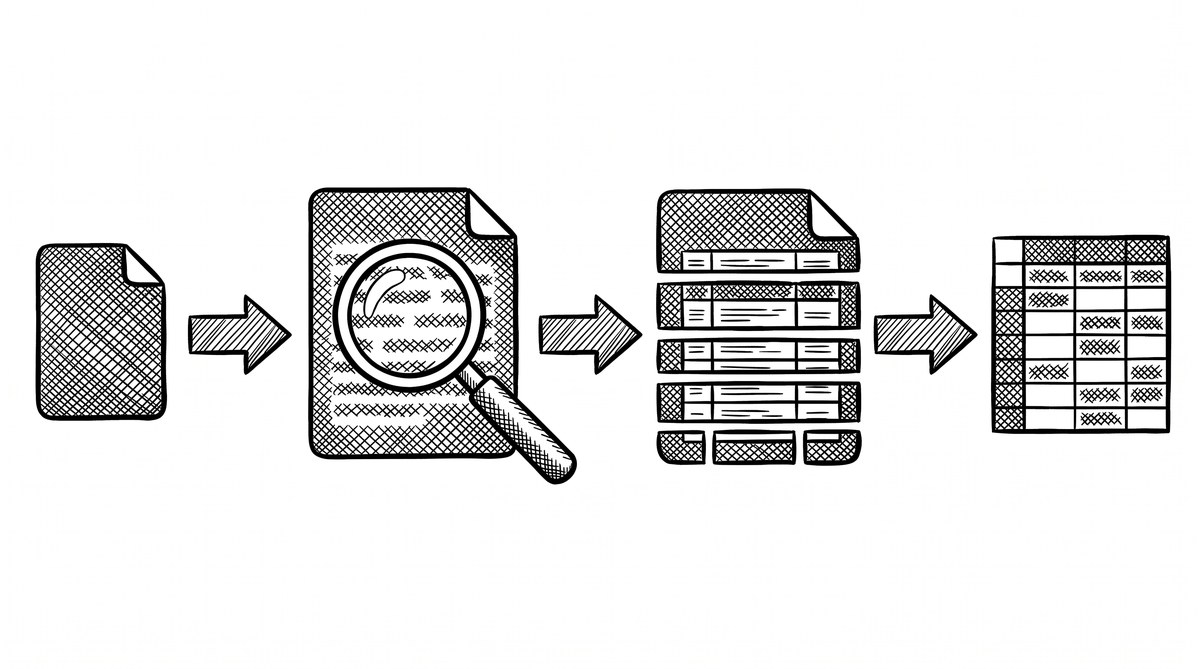
The 11 standard categories map directly to the chart of accounts used in bookkeeping and tax prep. The categories are:
1. Income. Money received from customers, clients, or sales. For a small business, this is the gross revenue. For a personal account, this is salary, freelance payments, and gifts received. Income is the source of all other categories, which is why every deposit that is not a transfer, refund, or loan must be classified here.
2. Cost of Goods Sold (COGS). The direct cost of producing the goods or services sold. For a retailer, this is inventory purchases. For a consultant, this is the direct labor or subcontractor cost. For a restaurant, this is food and beverage. COGS is the most important category for understanding gross margin, which is why it is separated from Operating Expenses.
3. Operating Expenses. The indirect costs of running the business that are not directly tied to the product or service. This includes rent, utilities, software subscriptions, marketing, professional services, office supplies, and travel. Operating Expenses is typically the largest category by transaction count for most small businesses.
4. Payroll. Salaries, wages, and contractor payments to people who work for the business. This includes direct deposit payroll, contractor payments via ACH, and any tax payments made on behalf of employees. Payroll is separated from Operating Expenses because it has different tax treatment and is reported differently on the tax return.
5. Taxes. Federal, state, and local tax payments, including income tax, self-employment tax, sales tax, and property tax. For a small business, this is typically the quarterly estimated tax payments. For a personal account, this is the annual tax bill paid via IRS direct pay or quarterly estimates.
6. Owner Draws / Distributions. Money taken out of the business by the owner for personal use. For a sole proprietor or single-member LLC, this is typically a transfer from the business account to the personal account. For an S-corp, this is a distribution. For a partnership, this is a guaranteed payment or a draw. Owner Draws is critical to track because it is not an expense (it does not reduce the business’s taxable income) but it is also not income to the owner (it is not subject to self-employment tax).
7. Transfers. Money moved between the business’s own accounts, or between accounts owned by the same person. For example, a transfer from the business checking to the business savings, or from a personal checking to a personal savings. Transfers are critical to identify because they are double-counted if not flagged: the deposit in one account and the withdrawal from the other both look like real activity, but they cancel out.
8. Refunds. Money returned to the business or person. For a small business, this is customer refunds (reversing income). For a personal account, this is merchant refunds, returned purchases, and IRS refunds. Refunds are typically coded with the same category as the original transaction but with a negative amount, which is why many bookkeeping systems have a separate Refunds category to make it visible.
9. Fees. Bank fees, payment processor fees, and service charges. For a small business, this includes monthly bank account fees, credit card processing fees, Stripe fees, PayPal fees, and wire transfer fees. Fees are often overlooked because they are small, but they add up: a business processing $50,000/month through Stripe pays approximately $1,450/year in processing fees.
10. Capital Expenses. Money spent on long-term assets like equipment, vehicles, buildings, and major software purchases. For tax purposes, capital expenses are typically depreciated over multiple years rather than deducted in the year of purchase, which is why they are separated from Operating Expenses. Examples: a $5,000 laptop for the business, a $30,000 vehicle, a $50,000 piece of equipment.
11. Uncategorized. The placeholder for transactions that do not fit any other category or that the bookkeeper has not yet reviewed. A healthy Uncategorized bucket at month-end is small (typically under 5% of transactions). A large Uncategorized bucket signals either a gap in the category map or a backlog of review work. For the workflow that prevents Uncategorized from growing, see the bookkeeper workflow.
From Bank Statement to QuickBooks-Ready File
That manual cleanup you just read about? This tool skips it. Turn your PDF into QBO for QuickBooks without storing your data anywhere.
Start ConvertingThe 3 Categorization Methods
3 methods for categorizing bank transactions, with different tradeoffs:
1. Manual categorization. The bookkeeper reviews each transaction one at a time and assigns the category. This is the most accurate method (the bookkeeper knows the context) but the slowest (2-4 hours per 200-transaction statement). Manual is best for small transaction volumes (under 100/month), high-stakes transactions (large dollar amounts that need careful review), and end-of-month reconciliation when accuracy matters more than speed.
2. Rules-based categorization. The bookkeeper sets rules like “AMZN = Office Expenses” or “any transaction over $5,000 = Flag for Review.” The tool applies the rules automatically, and the bookkeeper reviews the exceptions. Rules-based is faster than manual (30-60 minutes per 200-transaction statement) and more consistent (the same description always gets the same category), but requires upfront setup time to build the rules. Rules-based is best for recurring merchants (Amazon, Starbucks, utility companies) and for businesses with consistent transaction patterns.
3. Automatic categorization. The tool guesses the category based on the merchant name, transaction description, and historical patterns. This is the fastest method (15-30 minutes per 200-transaction statement, mostly review time) but the least accurate (the tool can mis-categorize unfamiliar merchants or unusual transactions). Automatic is best for high-volume personal accounts and for businesses with many small transactions. The accuracy improves over time as the tool learns from corrections.
For most small business bookkeepers, the right answer is a combination: automatic categorization with rules-based overrides for known patterns, plus manual review of the exceptions and large transactions. The bank statement converter produces a clean spreadsheet that any of these 3 methods can be applied to, depending on the tool the bookkeeper uses.
How to Build a Category Map for a Small Business
5 steps to build a category map for a small business:
1. Start with the IRS Schedule C categories. If the business files a Schedule C (sole proprietor), the categories on Schedule C are the starting point. The Schedule C categories cover most of what a small business needs: advertising, car expenses, contract labor, depreciation, insurance, interest, legal/professional services, office expenses, rent, repairs, supplies, taxes, travel, utilities, wages. These map directly to 8 of the 11 standard categories above.
2. Add business-specific categories. Beyond Schedule C, most businesses need 2-5 business-specific categories. A restaurant might add Food Cost, Beverage Cost, and Labor Cost. A consultant might add Subcontractor Cost and Travel Reimbursement. A retailer might add Inventory and Shipping. The point is to make the categories meaningful for the business’s decision-making, not just tax filing.
3. Define the rules for ambiguous transactions. The most common categorization disputes are: (1) Is this a transfer or an expense? (2) Is this a refund or a contra-income? (3) Is this an owner draw or a salary? The category map should include explicit rules for these, with examples. The rules prevent inconsistency between bookkeepers and over time.
4. Set up the rules-based automation. Once the categories and rules are defined, set up rules in the bookkeeping software. The most common rules are: recurring merchants (utilities, software subscriptions), payroll (specific payroll processor names), and tax payments (IRS, state tax agencies). The rules should cover at least 60% of transactions; the rest get manual or automatic review.
5. Review the Uncategorized bucket weekly. The Uncategorized bucket is the indicator of categorization health. A small bucket (under 5% of transactions) means the rules are working. A growing bucket means the rules are missing patterns or the business is doing new things.
Review the Unca
tegorized bucket every week to keep it small, which matters because a large bucket at month-end means hours of catch-up work.
Personal Account Categorization
For personal accounts, the 11 categories collapse to 7 because COGS, Payroll, Owner Draws, and Capital Expenses are typically not relevant. The personal categories: Income, Operating Expenses (renamed Household Expenses for personal use), Taxes, Transfers, Refunds, Fees, and Uncategorized. Most personal finance apps (Mint, YNAB, Personal Capital) use this 7-category structure as the default, which is why the standard exists.
For personal budgeting, the most important categories are Housing (within Household Expenses), Food, Transportation, and Savings. These 4 categories cover approximately 70% of personal spending for most households, which is why personal finance apps highlight them in their dashboards.
For mortgage applications, the personal account categorization is used by the lender to verify the borrower’s income (deposits in Income) and to assess financial stability (consistent Household Expenses, no unusual large transactions). For the broader mortgage application context, see the mortgage application bank statement guide.
The 6 Common Categorization Mistakes
6 mistakes that consistently lead to bad books:
1. Not creating a Transfer category. Without a Transfer category, money moved between the business’s own accounts looks like income (the deposit in one account) and an expense (the withdrawal from the other). The books then overstate both income and expenses, which overstates the tax bill. The fix: always categorize inter-account transfers as Transfer, not as Income or any expense category.
2. Mixing personal and business in the same account. When the owner uses the business account for personal purchases, those purchases should be categorized as Owner Draws, not as Operating Expenses. Categorizing them as Operating Expenses inflates the business expenses and reduces the taxable income, which is illegal. The fix: keep personal and business separate, and use Owner Draws to record any personal use of business funds.
3. Ignoring refunds. A customer refund is a negative sale, not a separate expense. If a $1,000 sale is refunded, the books should show -$1,000 in Income (or +$1,000 in Refunds), not $1,000 in some expense category. The fix: always tie refunds back to the original income category, or use a dedicated Refunds category with clear sign convention.
4. Misclassifying Owner Draws as Income. An owner draw is not income. It is the owner taking money out of the business. Categorizing it as Income inflates the business revenue, which inflates the tax bill. The fix: use the Owner Draws / Distributions category, and never mix draws with revenue.
5. Misclassifying Capital Expenses as Operating Expenses. A $5,000 piece of equipment is a capital expense, not an operating expense. Categorizing it as Operating Expenses deducts the full $5,000 in the year of purchase, but the IRS requires depreciation over multiple years. Misclassifying leads to underpayment of taxes in year 1 and overpayment in years 2-5, which can trigger IRS adjustments. The fix: use the Capital Expenses category for any single purchase over a threshold (typically $1,000-$2,500, depending on the business’s capitalization policy).
6. Letting the Uncategorized bucket grow. A small Uncategorized bucket (under 5% of transactions) is normal. A large bucket (over 10%) signals a problem: the rules are missing patterns, the business is doing new things, or the bookkeeper is behind on review. The fix: review the Uncategorized bucket weekly, add new rules for patterns, and never let it grow past 10%.
Edge Cases: Transfers, Refunds, and Owner Draws
3 edge cases that trip up most bookkeepers:
Transfers between linked accounts. A transfer from a Chase business checking to a Chase business savings typically shows as 2 separate transactions (a withdrawal and a deposit, often on the same day). The bookkeeping tool should auto-detect these as transfers (matching amount, same day, linked accounts) and categorize both as Transfer. If the tool does not auto-detect, the bookkeeper must manually mark both transactions as Transfer to avoid the double-counting problem.
Refunds from vendors. A vendor refund (the vendor sends money back for a returned item or a billing error) is typically categorized as a negative entry in the original expense category. For example, a $200 refund from a supplier goes in COGS as -$200. Some bookkeeping systems have a dedicated Refunds category, which is fine as long as the sign convention is consistent (negative for refund, positive for original). The fix: pick one convention and apply it consistently.
Owner draws and contributions. An owner draw (the owner takes money out) is categorized as Owner Draws / Distributions. An owner contribution (the owner puts money in) is categorized as Owner Equity or Owner’s Investment, which is different from Owner Draws. Most small business books lump these together, but a clean separation matters for the S-corp or partnership tax filings where the difference is reportable.
Start with the Workflow
The fastest path is to start with the conversion step, which produces the data that every other step needs. The bank statement converter handles the PDF-to-Excel step in 2-5 minutes, with no upload to a server.
For a complete reference of the terms used throughout this article, see the bank statement glossary.
For more on this, see the accountant workflow page.
For more on this, see the is a bank statement converter safe page.
For more on this, see the organize statements for tax page.
From PDF to Excel in one click
Forget retyping line by line. Upload any bank statement, get a spreadsheet you can actually use. Your files are never stored, and you can test the converter with 3 free conversions.
Try it free