
The 6-step reconciliation process catches 99 percent of bank-to-book discrepancies in 30 to 90 minutes per month.
The short answer: bank statement reconciliation (also called reconcile bank statement, bank reconciliation process, bank account reconciliation, bank statement reconcile, monthly reconciliation, or monthly bank reconciliation) is the 6-step process of matching the transactions in your books against the transactions in the bank statement, identifying discrepancies, and resolving them.
The 6 steps are: gather the data, sort by date, match transactions, identify discrepancies, investigate, and resolve.
For a typical month, the process takes 30 to 90 minutes manually, or 5 to 15 minutes when starting from a converted statement.
TL;DR. Bank statement reconciliation is the 6-step process of matching transactions in the books against transactions in the bank statement, identifying discrepancies, and resolving them. The 6 steps: gather data, sort by date, match transactions, identify discrepancies, investigate, resolve. Total time: 30 to 90 minutes manually per month, or 5 to 15 minutes with a converted statement. The 4 discrepancy types: missing in books, missing in bank, amount mismatch, date mismatch.
This page covers the 6 steps, the 4 types of reconciliation discrepancies, the difference between monthly and annual reconciliation, and the difference between bank reconciliation and account reconciliation. If you want to skip the manual work, see the bank statement converter. For the verification step before reconciliation, see bank transaction validation checklist. For the bank reconciliation cutoff (a related but different topic), see bank reconciliation cutoff.
Bank statement reconciliation is the 6-step process of matching the transactions in your books against the transactions in the bank statement. The 6 steps are: gather the data (5 minutes), sort by date (1 minute), match transactions (10 to 30 minutes), identify discrepancies (5 to 15 minutes), investigate (5 to 20 minutes), and resolve (5 to 10 minutes). The full process covers the monthly statement period for a single account statement, account statement, or bank account statement. Total time: 30 to 90 minutes manually per month, or 5 to 15 minutes when starting from a converted statement. The 4 types of discrepancies are: missing in books (most common), missing in bank, amount mismatch, and date mismatch.
Discrepancy Types at a Glance
| Discrepancy Type | Frequency | Common Cause | Fix |
|---|---|---|---|
| Missing in books | 50 to 70% | Auto-charge not recorded | Add transaction |
| Missing in bank | 10 to 20% | Pending transaction | Wait or investigate |
| Amount mismatch | 10 to 20% | Data entry error | Correct amount |
| Date mismatch | 5 to 10% | Timing difference | Reclassify period |
The goal of reconciliation is a zero-discrepancy match between the books and the bank.
For the pre-reconciliation validation, see bank transaction validation checklist. For the conversion step (getting the bank statement into a usable format), see convert bank statement to Excel. For the cutoff date (which sets the reconciliation boundary), see bank reconciliation cutoff. The bank statement converter handles the conversion step, leaving the matching and resolution steps for the bookkeeper.
Common Reconciliation Errors and How to Spot Them
Reconciliation errors fall into six patterns. Knowing the pattern is half the fix.
Timing errors (most common). A check written on March 28 clears the bank on April 3. Both records are correct, but the timing creates a temporary imbalance. Always verify the dates on both records are within 5-7 business days of each other before assuming a discrepancy. Most reconciliation software flags timing differences automatically.
Amount errors. $100.00 in the books, $100.05 on the bank statement. Almost always a transposition error or a fee. Check your entry character by character. Bank fees are common culprits because they’re easy to overlook in a busy ledger.
Missing entries. A transaction appears on one side but not the other. Either you forgot to record something, or the bank made an error. The bank almost never makes errors, so the missing entry is usually yours. Common culprits: automatic payments, refunds, interest earned on the account, NSF charges.
Duplicate entries. The same transaction recorded twice in the books, or a transaction that hit the bank twice. Duplicate bank charges are rare but happen (especially with card transactions). Duplicate book entries are common when importing bank feeds.
Counterparty mismatches. “ACME CORP” in the books, “ACME CO INC” on the statement. Same transaction, different name rendering. Common with franchises or companies with multiple legal entities. Always verify with the source document (the receipt or the invoice) before flagging as a discrepancy.
Currency mismatches. Foreign transaction fees and FX conversions create small discrepancies. The transaction is in USD in your books but the original was in EUR. The statement shows the converted amount plus a fee. The difference is rarely a real error, but it must be recorded.
When to Reconcile: Daily, Weekly, Monthly
The frequency depends on transaction volume and audit requirements.
Daily reconciliation makes sense for businesses with high transaction volume (>50 transactions/day), high fraud risk, or audit-grade financial controls. Banks and financial institutions reconcile daily. E-commerce businesses with significant cash flow often reconcile daily as well.
Weekly reconciliation is the practical middle ground for most small and mid-sized businesses. Catches errors within a week of occurrence, before they compound. The work takes 30-60 minutes per week and prevents month-end surprises.
Monthly reconciliation is the minimum standard. Required by GAAP for any business that publishes financial statements. Takes 4-8 hours per month for a small business. The risk: errors compound over 30 days, so the month-end reconciliation often uncovers problems that took weeks to develop.
For most small businesses, weekly is the sweet spot. Daily is overkill, monthly is too late. Choose based on transaction volume and audit requirements, not on what feels convenient.
Turn any PDF statement into a clean sheet
Skip the typos and the hours of copying. Our converter handles any bank statement format and outputs Excel, CSV, or QBO for QuickBooks. No file retention, free to try.
Convert your statementWhat Bank Statement Reconciliation Is and Why It Matters
Bank reconciliation is the process of verifying that the transactions in your accounting records match the transactions reported by the bank. When they match, the books are correct. When they do not match, the differences are the discrepancies that need to be resolved. The reconciliation is the financial integrity check: it catches errors, omissions, and fraud that would otherwise go undetected.
Reconciliation matters because the accounting records are the basis for every financial decision: tax prep, financial statements, cash flow forecasting, loan applications, investor reports, business valuations. If the records are wrong, every downstream decision is wrong. The reconciliation is the gate that prevents the errors from propagating. This matters because every dollar of error in the books is a dollar of error in every downstream report.
The 6-Step Bank Statement Reconciliation Process
The 6 steps work for any account, any period, any size of business. The time per step varies, but the order is fixed.
Step 1: Gather the Data (5 Minutes)
The starting point.
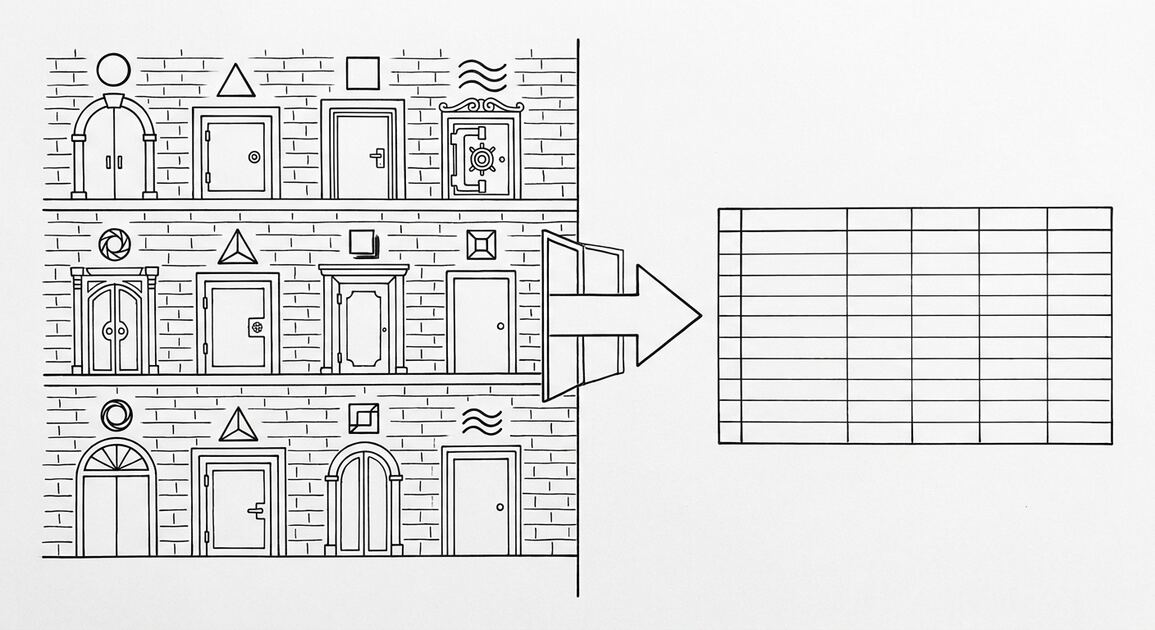
You need two datasets: the bank statement (or statements) and the accounting records (or the spreadsheet that tracks the transactions). For the bank statement, the right format is a converted Excel or CSV (use the bank statement converter if the statement is a PDF). For the accounting records, the right format is whatever your accounting software exports (typically a GL report or transaction list). The two datasets should cover the same period.
Step 2: Sort by Date (1 Minute)
Why sort.
Sort both datasets by date ascending. This puts the transactions in chronological order, which is the basis for matching. The sort is mechanical: in Excel, select the data, use Data, Sort, by Date. This matters because unsorted data makes the matching step 5 to 10x slower. The result is a chronological list of all transactions from both sources.
Step 3: Match Transactions (10 to 30 Minutes)
Walk through the transactions in order. For each transaction in the bank statement, find the matching transaction in the accounting records. The match is typically on date + amount + description (or a close variant). When you find a match, mark both as matched. Continue until every bank transaction is matched or flagged as unmatched.
This is the most time-consuming step. The time depends on the volume (100 transactions = 10 minutes, 1000 transactions = 60 to 90 minutes) and the cleanliness of the data (clean = fast, dirty = slow). For high-volume reconciliation, use Excel formulas (VLOOKUP, INDEX-MATCH) to automate the matching.
Step 4: Identify Discrepancies (5 to 15 Minutes)
What to do.
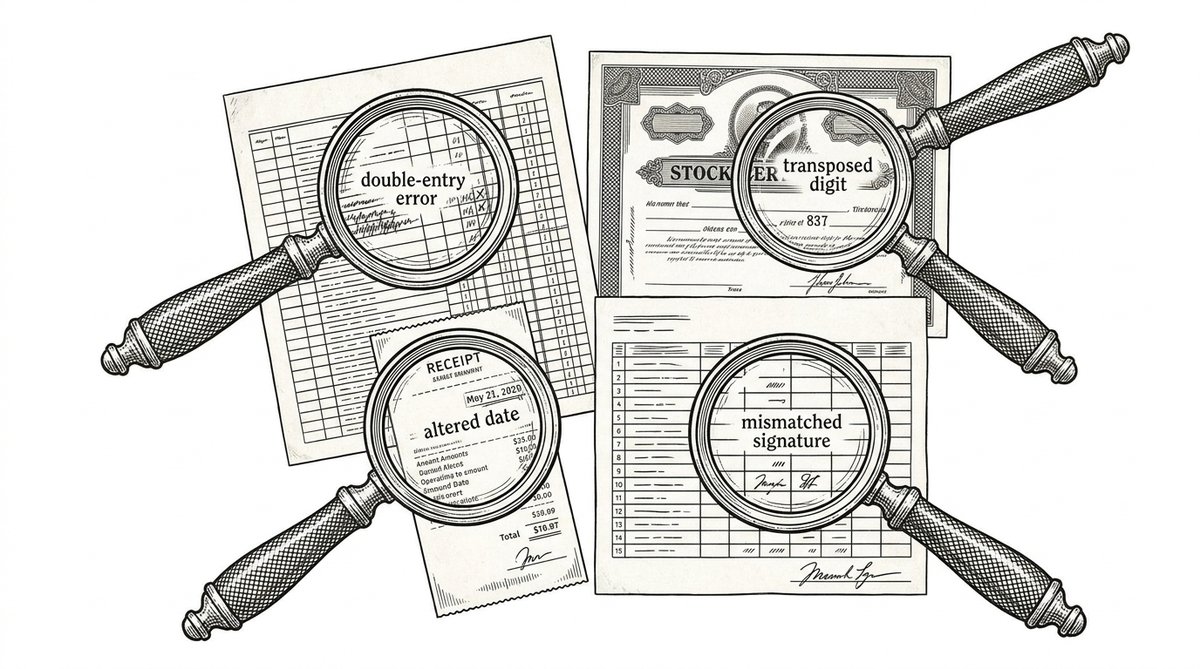
After the matching, you have two lists: matched and unmatched. The unmatched transactions are the discrepancies. There are 4 types: missing in books (transaction in bank, not in your records), missing in bank (transaction in your records, not in bank), amount mismatch (same date, different amount), date mismatch (same amount, different date). Each type has a different cause and a different fix.
Step 5: Investigate (5 to 20 Minutes)
What to do.
For each discrepancy, find the cause. Common causes: data entry error (wrong amount or date), missed transaction (forgot to record), bank error (rare but possible), fraud (unauthorized transaction), timing difference (transaction posted in different month). The investigation is the detective work: open the source documents, check the original receipts, contact the bank if needed.
Step 6: Resolve (5 to 10 Minutes)
What to do.
For each discrepancy, make the correction. Add the missing transaction to the books, correct the wrong amount, fix the wrong date, dispute the bank error, or document the fraud. The resolution brings the books and the bank back into alignment. The final check: the ending balance in the books equals the ending balance on the bank statement.
The 4 Types of Bank Statement Reconciliation Discrepancies
These are the 4 types of discrepancies you will encounter, in order of frequency.
Type 1: Missing in Books (50 to 70 Percent of Discrepancies).
The transaction is in the bank statement but not in your accounting records. Common cause: the transaction happened automatically (a subscription, a fee, an interest charge) and was not recorded. Fix: add the transaction to the books. This is the most common type because manual recording is not the only source of truth; some transactions slip through.
Type 2: Missing in Bank (10 to 20 Percent of Discrepancies).
The transaction is in your accounting records but not in the bank statement. Common cause: the transaction has not posted yet (pending transactions, outstanding checks). Fix: wait for the transaction to post, then re-reconcile. If the transaction never posts, investigate why (it may have been voided, rejected, or lost).
Type 3: Amount Mismatch (10 to 20 Percent of Discrepancies).
The transaction is in both, but the amounts differ. Common cause: data entry error (typed $123.45 instead of $132.45) or foreign currency conversion. Fix: correct the amount in the books to match the bank, or correct the source if the bank is wrong. Document the correction.
Type 4: Date Mismatch (5 to 10 Percent of Discrepancies).
The transaction is in both, but the dates differ. Common cause: the transaction was recorded on the date it was initiated, but the bank posted it on a different date (e.g., a check written on the 28th but posted on the 2nd of the next month). Fix: either reclassify the transaction to the correct period (accrual accounting) or document the timing difference (cash accounting).
Monthly vs Annual Reconciliation: Which One Is Right for You
Monthly Is the Standard, Annual Is the Fallback
Monthly reconciliation is the standard practice for most businesses. The 1 to 2 week turnaround after the statement date keeps errors from compounding. The cost per month is 30 to 90 minutes per account, but the cost of skipping is much higher.
Annual reconciliation is the fallback. Some small businesses or sole proprietors reconcile only at year-end, for tax prep. The benefit: less time spent on reconciliation. The cost: errors compound for 12 months, and a common failure mode is the year-end reconciliation taking 5x the time of 12 monthly reconciliations, making the year-end reconciliation a 5 to 20 hour task with a high chance of missing errors.
The recommendation: monthly reconciliation. The time savings of annual reconciliation (1 to 2 hours per year) are not worth the error risk and the year-end crunch.
Bank Statement Reconciliation vs Account Reconciliation: The Key Difference
Bank reconciliation is matching the bank statement against the books. Account reconciliation is the broader concept of matching any account (bank, credit card, loan, payable, receivable) against the supporting documents. Bank reconciliation is a subset of account reconciliation, focused on the cash account.
For a small business, the typical reconciliation set is: bank account, credit card, loan, and any lines of credit. For a larger business, the set expands to include accounts payable, accounts receivable, and inter-company accounts. The bank reconciliation is the most important one because cash is the most liquid asset and the most likely place for errors or fraud to occur.
3 Common Bank Statement Reconciliation Mistakes
These are the 3 mistakes that cause the most trouble.
Mistake 1: Skipping the Investigation Step.
When a discrepancy is found, the temptation is to immediately correct the books to match the bank. This skips the investigation step, which means the cause of the discrepancy is not identified. The fix: investigate first, then correct. If the discrepancy is a bank error, the correction is the other direction (correct the books to reflect the actual balance, then dispute the bank). Skipping the investigation leads to incorrect corrections and unexplained discrepancies in the future.
Mistake 2: Reconciling Only the Ending Balance.
See the related bank reconciliation cutoff page for the related date boundary. Some bookkeepers reconcile by matching only the ending balance, not the individual transactions. This catches the magnitude of the discrepancy but not the cause. Two transactions of the same amount on the same date can offset each other, leaving the ending balance correct but the transactions wrong. The fix: always reconcile transaction-by-transaction, then verify the ending balance matches. The ending balance is the final check, not the only check.
Mistake 3: Not Documenting the Reconciliation.
Reconciliation is a financial control, and financial controls need to be documented. A reconciliation report (the matched and unmatched transactions, the corrections, the date) is the audit trail. Without documentation, a future auditor (or the bookkeeper’s future self) cannot reconstruct what happened. The fix: save the reconciliation report as a PDF or spreadsheet, dated and signed. For tax prep and audit purposes, this is essential.
Start with the Workflow
The fastest path is to start with the conversion step, which produces the data that every other step needs. The bank statement converter handles the PDF-to-Excel step in 2-5 minutes, with no upload to a server.
For a complete reference of the terms used throughout this article, see the bank statement glossary.
Related Pages
For the related 5-step process, see how bank reconciliation mechanism works. For the deeper look at ACH codes that appear on transaction lines, see ACH SEC Codes. For the broader picture of how reconciliation fits into your accounting cycle, see bank transaction categorization.
Turn PDF Bank Statements Into Workable Spreadsheets
Your bank statement is a mess of numbers, but your books shouldn't be. Use our converter to get Excel, CSV, or QBO files — ready for QuickBooks.
Try It Free Now