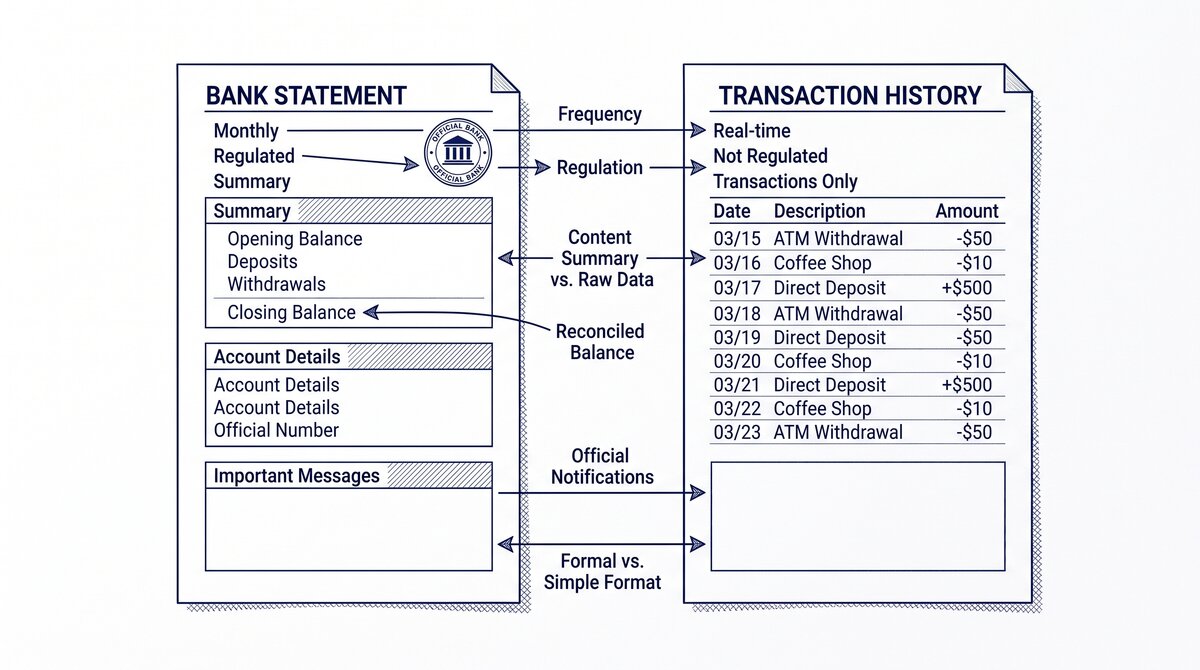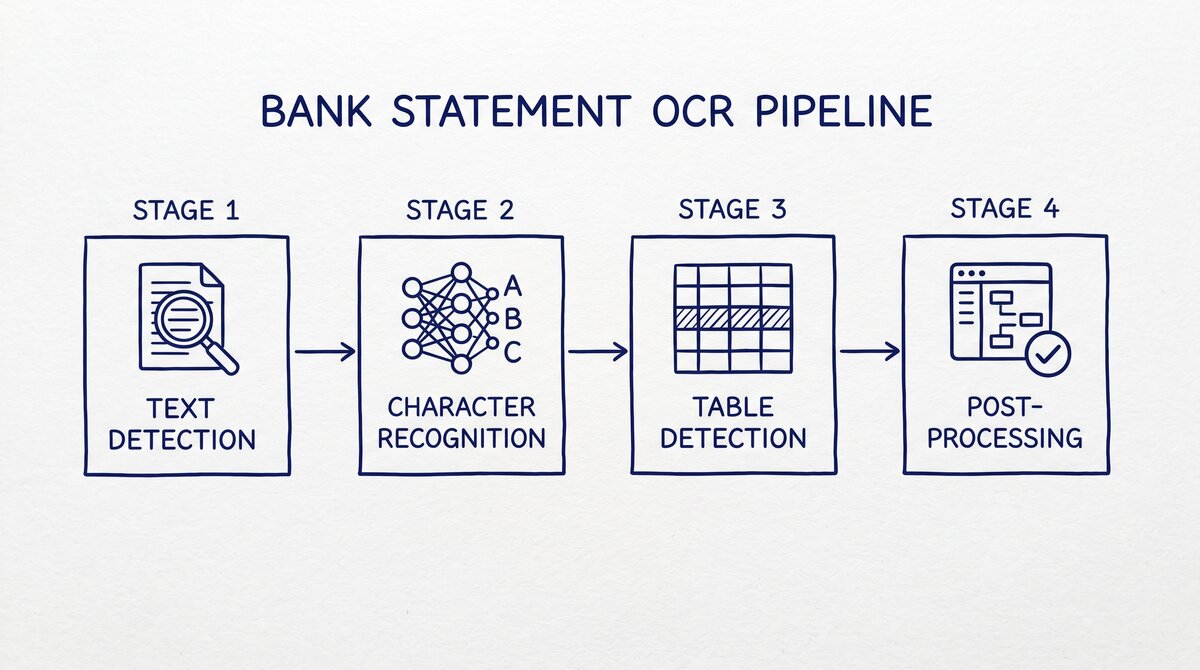

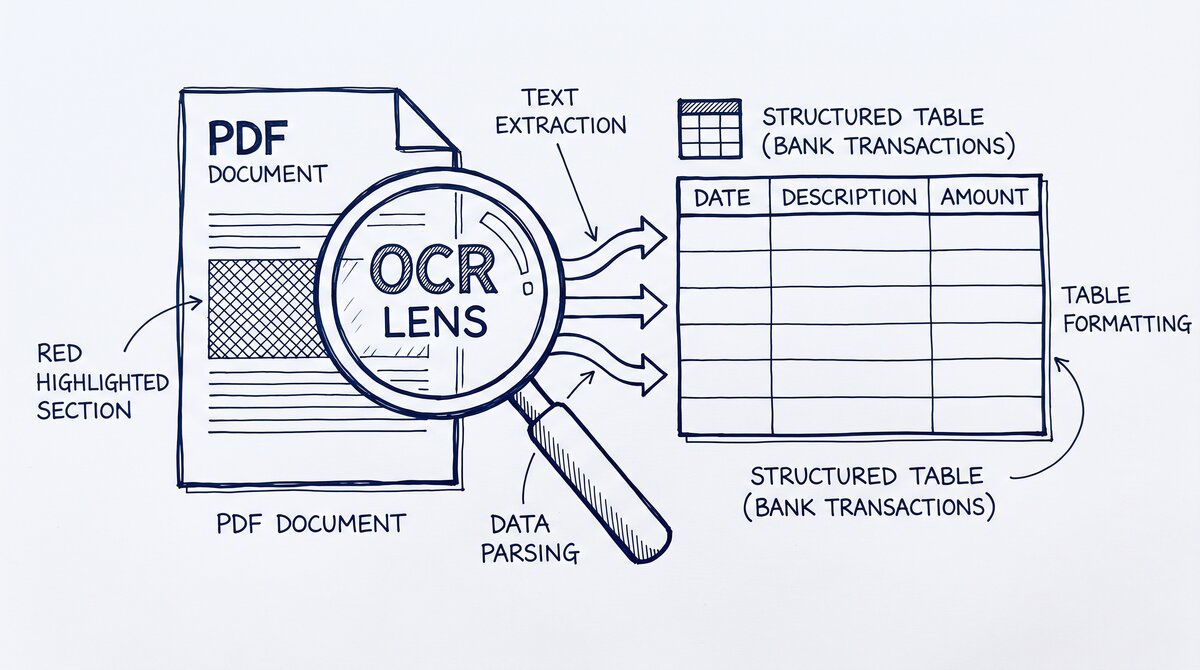
OCR for bank statements is a 4-stage pipeline: text detection, character recognition, table detection, and post-processing. Accuracy at each stage is independent; the pipeline fails if any stage fails. Stage 3 (table detection) is the most failure-prone for bank statements because the table structure varies by bank. The 3 ways to improve accuracy: better source quality, multi-pass processing, and dedicated table models.
TL;DR. OCR for bank statements has 4 stages: text detection, character recognition, table detection, post-processing. Each stage’s accuracy is independent; one weak stage fails the whole pipeline. Stage 3 (table detection) is the most failure-prone. The 3 accuracy-improvement methods: better source quality (300+ DPI scans, clean originals), multi-pass processing (re-run with different parameters), dedicated table models (bank-statement-specific). When OCR fails: fallback to a purpose-built bank statement converter.
What OCR for Bank Statements Actually Does
OCR (Optical Character Recognition) is the technology that converts images of text into editable text. For bank statements, the input is a PDF (digital or scanned) and the output is structured transaction data.
The conversion is not a single operation. It is a pipeline of 4 stages, each with its own accuracy characteristics and failure modes. A user who understands the pipeline can diagnose why a particular conversion failed and how to fix it.
The 4-Stage Pipeline
Text detection: locate the text in the image. The OCR engine identifies the regions of the image that contain text, ignoring the regions that do not.
Character recognition: identify the characters in each text region. The OCR engine reads each character and produces a string of text.
Table detection: identify the table structure. The OCR engine determines which text regions belong to the same row and column, producing a 2D table.
Post-processing: clean up the output. The OCR engine applies rules to fix common errors (e.g., “0” vs “O”, “1” vs “l”), validates the result against expected formats (e.g., dates, amounts), and outputs the final structured data.
The pipeline is sequential: the output of stage 1 is the input of stage 2, and so on. If stage 1 fails, the rest of the pipeline fails. If stage 3 fails, the final output is wrong even if stages 1, 2, and 4 succeed.
Stage 1: Text Detection
Text detection is the process of finding the regions of the image that contain text.
How It Works
The OCR engine analyzes the image pixel by pixel, looking for patterns that indicate text. Common techniques include:
- Edge detection: identify the edges of characters
- Texture analysis: identify regions with the texture of text
- Connected component analysis: group connected pixels into regions
The output is a list of bounding boxes, each containing a region of text.
Accuracy Characteristics
Text detection is generally accurate (>99% for clear images). The main failure modes:
- Low contrast: text that does not stand out from the background
- Overlapping elements: text that overlaps with other elements (e.g., background patterns)
- Very small text: text below the resolution of the OCR engine
- Handwriting: handwritten text, which the OCR engine may not recognize as text
For bank statements, text detection is usually not the failure stage. Bank statements have high contrast, clear text, and standard fonts.
From PDF to Excel in one click
Forget retyping line by line. Upload any bank statement, get a spreadsheet you can actually use. Your files are never stored, and you can test the converter with 3 free conversions.
Try it freeStage 2: Character Recognition
Character recognition is the process of identifying each character in the text regions.
How It Works
The OCR engine analyzes each text region and produces a string of text. Common techniques include:
- Template matching: compare each character to a library of known character shapes
- Feature extraction: identify features of each character (lines, curves, intersections) and classify based on the features
- Machine learning: train a neural network to recognize characters
The output is a string of text for each region.
Accuracy Characteristics
Character recognition is highly accurate for typed text (>99% for clear digital PDFs) and less accurate for scanned text (80-95% depending on scan quality).
The main failure modes:
- Low resolution: characters below 200 DPI may not be recognized correctly
- Noisy scans: speckles, dust, and other artifacts confuse the character recognition
- Unusual fonts: fonts outside the OCR engine’s training set
- Special characters: currency symbols, accented letters, mathematical symbols
For bank statements, character recognition is usually accurate for digital PDFs. For scanned PDFs, the accuracy depends on the scan quality and the bank’s font choices.
Stage 3: Table Detection
Table detection is the process of identifying the table structure: which text regions are in the same row, which are in the same column, and how the rows and columns are organized.
How It Works
The OCR engine analyzes the text regions from stage 1 and the characters from stage 2, and produces a 2D table. Common techniques include:
- Rule-based: use rules about the expected layout (e.g., “the date column is the first column, the amount column is the last column”)
- Line detection: detect horizontal and vertical lines that define the table boundaries
- Clustering: group text regions that are aligned horizontally (rows) and vertically (columns)
The output is a 2D table with rows and columns.
Accuracy Characteristics
Table detection is the most failure-prone stage for bank statements. The main reasons:
- Inconsistent layouts: each bank has a different table layout, and the OCR engine has to be configured for each
- Merged cells: some banks have merged cells (e.g., a “debit/credit” column that spans two cells) that the OCR engine may not handle
- Multi-line transactions: a transaction that wraps to two visual lines may be split into two rows
- No table lines: some statements have no visible table lines, forcing the OCR engine to infer the table structure from the text alignment
The failure modes are:
- Column misalignment: a column drifts across rows, causing transactions to be misaligned
- Row split: a multi-line transaction becomes two rows
- Column merge: two adjacent columns are merged into one
- Column drop: a column is missing from the output
For bank statements, table detection is the stage where most conversion errors occur.
Stage 4: Post-Processing
Post-processing is the final cleanup of the OCR output.
What It Does
The OCR engine applies rules to fix common errors and validate the result:
- Character correction: fix common OCR errors (e.g., “0” vs “O”, “1” vs “l”, “rn” vs “m”)
- Format validation: check that dates, amounts, and account numbers are in the expected format
- Balance check: verify that the sum of transactions matches the closing balance minus opening balance
- Duplicate detection: identify and remove duplicate transactions
- Standardization: convert all amounts to a standard format (e.g., always use a period as the decimal separator)
The output is the final structured data: a table of transactions with validated dates, descriptions, and amounts.
Accuracy Characteristics
Post-processing is highly accurate (>99%) because it operates on the validated output of stages 1-3. The main failure modes are:
- False positive corrections: the post-processor “fixes” a character that was actually correct
- Format assumption errors: the post-processor assumes a format that is not always followed
- Balance mismatch false positives: the balance does not match because of a real issue, but the post-processor flags it as a false positive
For bank statements, post-processing is reliable. Most errors are caught by the balance check.
The 3 Ways to Improve OCR Accuracy
The 3 methods to improve OCR accuracy on bank statements:
Method 1: Better Source Quality
The most impactful improvement. A clean, high-resolution scan gives much better OCR accuracy than a poor-quality scan.
- 300+ DPI scan resolution: the minimum for reliable OCR. Lower resolutions lose character detail.
- Clean original: a clean paper statement scans better than a dirty or wrinkled one.
- Good lighting: avoid shadows and reflections on the original.
- No compression artifacts: scan to uncompressed TIFF or PNG, not JPEG.
For digital PDFs, the source quality is already optimal. The improvement is for scanned PDFs.
Method 2: Multi-Pass Processing
Run the OCR multiple times with different parameters, then merge the results. The most common multi-pass strategies:
- Different OCR engines: run Tesseract, ABBYY, and an AI OCR; merge the results with voting
- Different orientations: run the OCR at 0, 90, 180, 270 degrees; pick the orientation that gives the best result
- Different DPI: run the OCR at 200, 300, 600 DPI; pick the DPI that gives the best result
- Different segmentation: run with different text detection parameters; pick the parameter set that gives the best result
Multi-pass processing is computationally expensive but can improve accuracy by 5-10 percentage points.
Method 3: Dedicated Table Models
Use an OCR engine that has been specifically trained on bank statement tables. The general-purpose OCR engines (Tesseract, ABBYY) are not optimized for bank statements. Purpose-built engines are.
Dedicated bank statement OCR:
- Rossum: AI-powered document OCR. Has a bank statement model.
- Mindee: API-based OCR. Has a bank statement model.
- Veryfi: API-based OCR. Has a receipt and document model.
- AWS Textract AnalyzeExpense: Amazon’s expense-specific OCR.
- Google Document AI Form Parser: Google’s form-specific OCR.
The accuracy improvement is significant: from 90-95% (general-purpose) to 98%+ (dedicated bank statement).
When OCR Fails
OCR fails when one or more stages of the pipeline fails. The common failure modes:
Digital PDFs with No Text Layer
Some PDFs look like text but have no text layer (they are images with text rendered into the image). OCR on these PDFs is the only option, and the accuracy depends on the rendering quality.
The fix: use a PDF analysis tool to check if the PDF has a text layer. If it does not, the OCR is the only option.
Multi-Page Statements with Different Layouts
A bank may use one layout for the first page (account summary) and a different layout for the transaction pages. The OCR engine, configured for one layout, fails on the other.
The fix: configure the OCR engine for multiple layouts, or split the PDF and process each section separately.
Statements with Watermarks or Backgrounds
Some statements have watermarks, background patterns, or other visual elements that interfere with the text detection. The OCR engine may detect the watermark as text and include it in the output.
The fix: pre-process the image to remove the watermark, or use an OCR engine that can distinguish text from watermarks.
Statements in Non-Latin Scripts
Some international statements use non-Latin scripts (Chinese, Arabic, Cyrillic). The OCR engine may not be trained for these scripts.
The fix: use an OCR engine with multi-language support, or train a custom model for the specific script.
When to Fall Back to a Purpose-Built Converter
If the OCR pipeline fails repeatedly, the user should fall back to a purpose-built bank statement converter. The purpose-built converter handles the edge cases that general-purpose OCR does not:
- Multi-line transactions: the converter handles the wrapping automatically
- Merged cells: the converter has rules for common bank-specific layouts
- Inconsistent formats: the converter has rules for date and amount formats
- Bank-specific layouts: the converter has profiles for major US banks
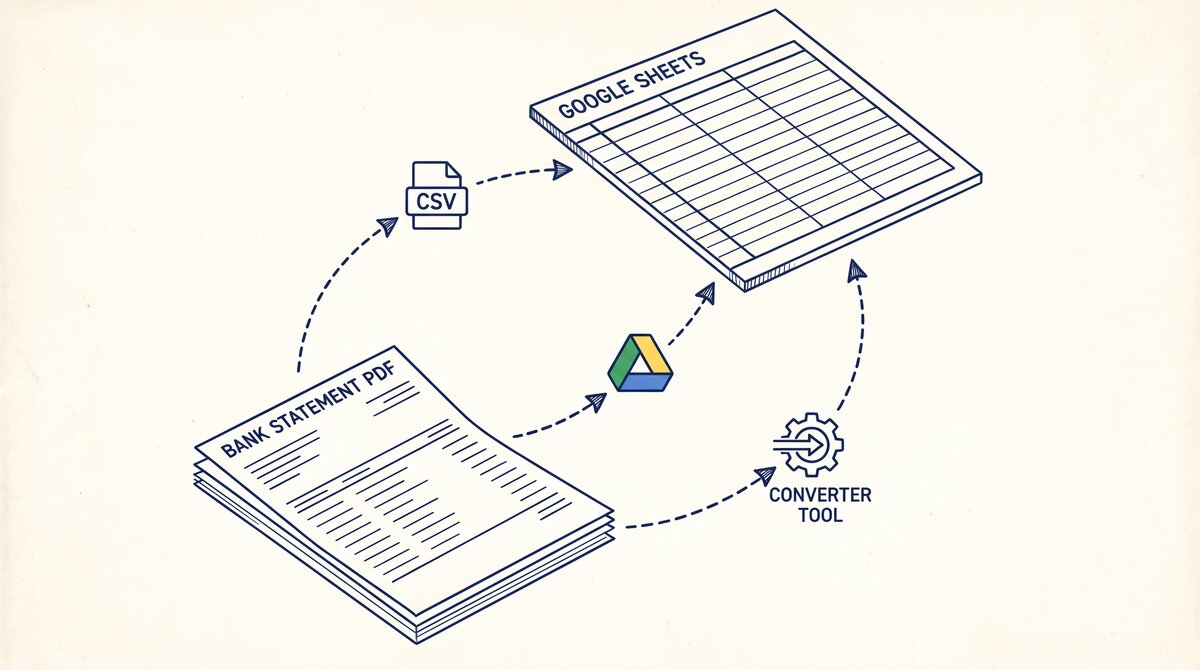
The best OCR for scanned bank statements compares the available OCR options. The convert scanned bank statement to Excel is the workflow for scanned statements. The Google Drive OCR is the free path. The bank statement data extraction covers the broader extraction workflow. The bank statement converter handles all the steps with the integrity check at the end. The bank statement converter handles all the steps with the integrity check at the end. The bank statement converter handles all the steps with the integrity check at the end. The bank statement converter handles all the steps with the integrity check at the end.
From Bank Statement to QuickBooks-Ready File
That manual cleanup you just read about? This tool skips it. Turn your PDF into QBO for QuickBooks without storing your data anywhere.
Start Converting