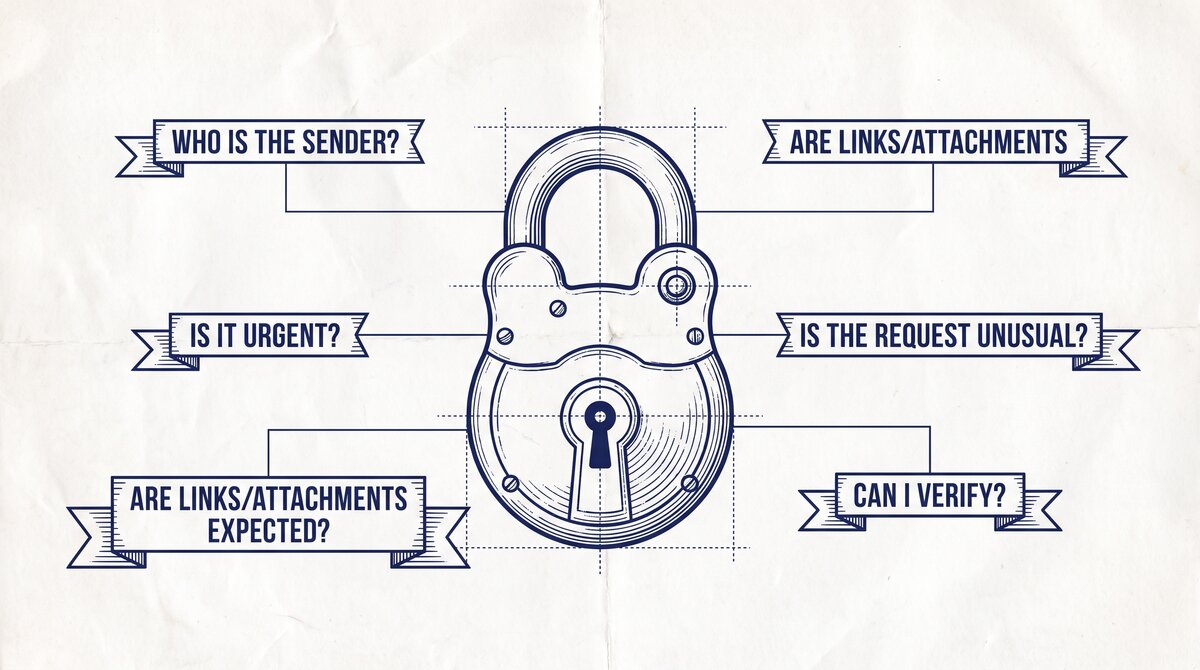

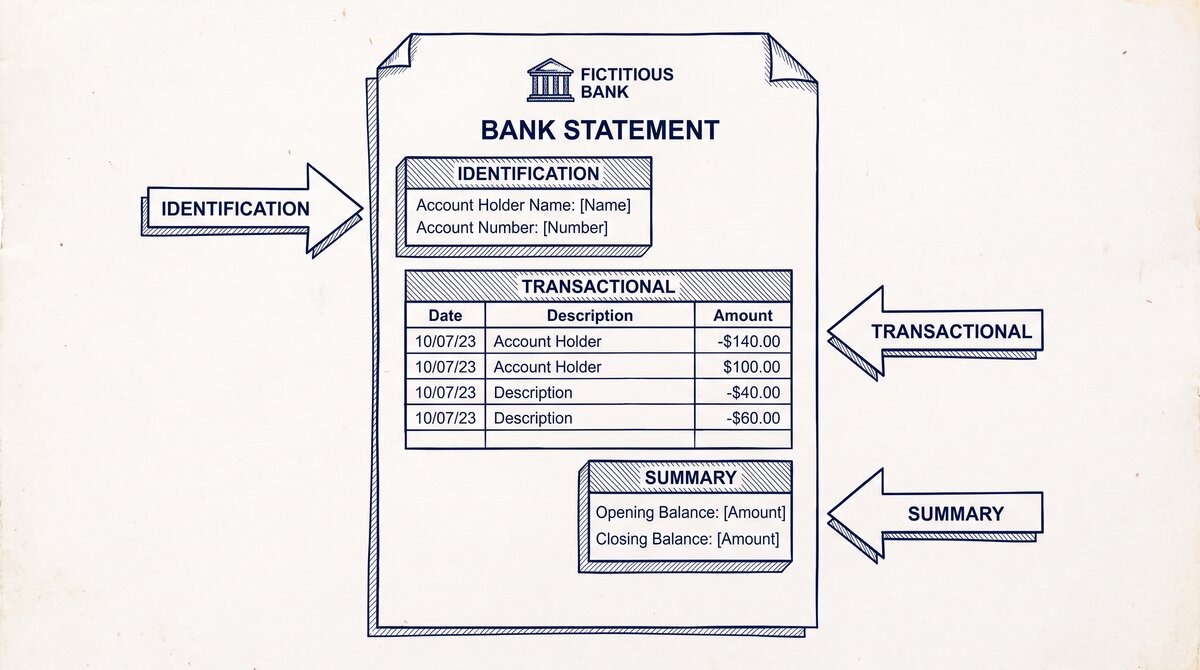
A bank statement contains your full name, account number, transaction history, and balance. It is among the most sensitive documents you can upload to a third-party service. The 5 questions to ask before uploading: (1) How long do you retain the file? (2) Where is the data processed? (3) Is the file encrypted in transit and at rest? (4) Do you share with third parties? (5) How do I verify deletion? If the vendor cannot answer all 5 clearly, do not upload.
TL;DR. Bank statements are PII: name, account number, transaction history, balance. The 5-question framework: retention, location, encryption, third-party sharing, deletion verification. The 4 red flags: indefinite storage claims, vague “we use industry-standard security” answers, “we may share with partners” boilerplate, and no deletion process. The 3 regulatory frameworks: GDPR (EU), CCPA (California), GLBA (US financial). When handling client data, a bookkeeper or accountant is bound by professional standards that may exceed the legal minimum.
Why Bank Statement Privacy Is Different From Other Uploads
A bank statement is a snapshot of a person’s or business’s financial life. It contains more sensitive information than most documents a user uploads to a third-party service.
What most guides miss about this workflow is that the quality depends on the mechanism, not on the tool. Two tools that look different on the surface often run the same 4-step process underneath: read, find, parse, verify. The difference is in how well each step handles edge cases (merged cells, missing balances, non-standard date formats, scanned vs digital input). Choosing between tools based on UI alone misses the actual quality lever.
The PII in a Bank Statement
- Full legal name: the account holder’s name, as it appears on the account
- Account number: the full or partial account number (some banks mask it, some do not)
- Routing number: the bank’s routing number, used for ACH and wire transfers
- Transaction history: every deposit, withdrawal, and transfer for the period
- Balance information: opening balance, closing balance, year-to-date figures
- Merchant details: where the user spent money, including potentially sensitive merchants (medical, legal, religious)
- Counterparty details: who sent money to the user (employer, client, family)
This is more sensitive than a receipt, an invoice, or a tax form. A bank statement is a complete financial profile for the period.
The Risk
If a bank statement is leaked, the impact is significant:
- Identity theft: the account number and personal details can be used to open new accounts in the user’s name
- Account takeover: the routing and account number can be used for unauthorized ACH debits
- Financial profiling: the transaction history reveals spending patterns, income sources, and personal relationships
- Targeted scams: the data can be used to craft convincing phishing or impersonation attacks
The risk is not abstract. Real-world bank statement leaks have led to millions of dollars in fraudulent transactions and years of credit monitoring for the affected users.
The 5 Questions to Ask Before Uploading
The 5 questions a user should ask any third-party conversion service before uploading a bank statement:
1. How Long Do You Retain the File?
The ideal answer: “We delete the file immediately after conversion. The converted data is retained for [time period, e.g., 30 days] and then deleted. Backups are deleted within [time period, e.g., 90 days].”
The acceptable answer: “We retain the file for [short period, e.g., 24 hours] for troubleshooting, then delete. We retain the converted data for [short period, e.g., 30 days] for user download, then delete.”
The red flag: “We retain the file indefinitely for quality improvement and training.” This means the user’s data is in the vendor’s training set, possibly forever.
2. Where Is the Data Processed?
The ideal answer: “The file is processed on our servers in [specific country, e.g., the United States]. The data is not transferred to any other country.”
The acceptable answer: “The file is processed in our cloud infrastructure, with servers in [specific regions, e.g., US, EU]. The data is not transferred to other regions.”
The red flag: “We use a global cloud infrastructure” or “the data may be processed in any region.” This means the data is subject to the laws of multiple jurisdictions, some of which may have weak privacy protections.
3. Is the File Encrypted in Transit and at Rest?
The ideal answer: “The file is encrypted in transit using TLS 1.2 or higher. The file is encrypted at rest using AES-256. The decryption keys are managed separately from the data.”
The acceptable answer: “The file is encrypted in transit using TLS 1.2+. The file is encrypted at rest using industry-standard encryption.”
The red flag: “We use industry-standard encryption” without specifying the algorithms. This is a non-answer that often hides weak security.
4. Do You Share With Third Parties?
The ideal answer: “No. We do not share the file or the converted data with any third party. We do not use the data for advertising or marketing.”
The acceptable answer: “We share with [specific list, e.g., cloud infrastructure providers, payment processors] for the purpose of providing the service. We do not share for any other purpose.”
The red flag: “We may share with partners and affiliates.” This is a license to sell the user’s data.
5. How Do I Verify Deletion?
The ideal answer: “You can request deletion at any time. Deletion is completed within [time period, e.g., 30 days]. You will receive a confirmation email when deletion is complete. You can also request a deletion certificate.”
The acceptable answer: “You can request deletion via email. Deletion is completed within [time period, e.g., 30 days].”
The red flag: “We may retain the data for legal or regulatory reasons.” This is sometimes legitimate (tax records, AML compliance) but often hides indefinite retention.
From PDF to Excel in one click
Forget retyping line by line. Upload any bank statement, get a spreadsheet you can actually use. Your files are never stored, and you can test the converter with 3 free conversions.
Try it freeThe 4 Red Flags That Mean Don’t Upload
The 4 red flags that should make the user decline to upload:
Red Flag 1: Indefinite Storage Claims
“We retain your data to improve our service” or “your data is used for training” or “we keep historical records for analysis.” These are signs of indefinite retention. The user has no way to verify deletion.
Red Flag 2: Vague Security Answers
“We use industry-standard security” or “your data is protected by our security team” or “we take security seriously.” These are non-answers. The user should ask for specifics: algorithms, certifications, audit reports.
Red Flag 3: Boilerplate Third-Party Sharing
“We may share with trusted partners” or “we work with third-party service providers” or “your data may be shared with affiliates.” The user has no way to know who these partners are or what they do with the data.
Red Flag 4: No Deletion Process
“We do not currently support deletion requests” or “deletion is at our discretion” or no mention of deletion in the privacy policy. The user has no way to remove their data.
The 3 Verification Steps
The 3 steps the user can take to verify the vendor’s claims:
Step 1: Read the Privacy Policy
The privacy policy should answer the 5 questions above. If it does not, the vendor is hiding the answers.
Step 2: Check for Independent Certifications
Certifications to look for:
- SOC 2 Type II: a third-party audit of the vendor’s security controls
- ISO 27001: an international standard for information security management
- GDPR compliance: documented compliance with the EU’s General Data Protection Regulation
- CCPA compliance: documented compliance with California’s Consumer Privacy Act
A vendor with no certifications is not necessarily insecure, but the certifications provide independent verification.
Step 3: Test the Deletion Process
The user can upload a test file, request deletion, and verify that the file is actually deleted. A vendor that claims deletion but does not actually delete is a red flag.
The 3 Regulatory Frameworks That Apply
The 3 regulatory frameworks that govern bank statement data:
GDPR (General Data Protection Regulation)
The EU’s data protection regulation, effective 2018. Applies to any data of EU residents, regardless of where the data is processed.
Key requirements:
- Lawful basis for processing (consent, contract, legitimate interest)
- Data minimization (collect only what is needed)
- Right to erasure (deletion on request)
- Right to data portability (export the user’s data)
- 72-hour breach notification
- Data Protection Officer for large processors
Penalties: up to 4% of global annual revenue or 20 million EUR, whichever is higher.
CCPA (California Consumer Privacy Act)
California’s privacy law, effective 2020. Applies to any data of California residents.
Key requirements:
- Right to know what data is collected
- Right to delete the data
- Right to opt out of data sale
- Non-discrimination for exercising rights
Penalties: $2,500 per violation, $7,500 per intentional violation.
GLBA (Gramm-Leach-Bliley Act)
US federal law governing financial institutions. Applies to “financial institutions” which includes banks, brokerages, insurance companies, and any company that receives nonpublic personal information from a financial institution.
Key requirements:
- Privacy notices to customers
- Opt-out for sharing with third parties (with exceptions)
- Safeguards Rule for information security
GLBA does not directly apply to a bank statement converter, but it applies to banks and may apply to bookkeepers and accountants who handle client statements.
A common failure mode bookkeepers report is treating this as a single operation rather than a chain of dependent steps. The temptation is to find a tool that ‘just works’ and stop investigating the mechanism. The result is a wrong-fix cycle: the tool gives partial output, the bookkeeper spends 30+ minutes troubleshooting, the fix is for the wrong step, and the same error recurs on the next statement. The fix: identify which step failed and apply the right intervention to that step.
When In-House Conversion Is Worth the Effort
For high-volume or high-sensitivity use cases, in-house conversion is worth the engineering effort.
When In-House Is Justified
- High volume: 1,000+ statements per month. The per-page cost of off-the-shelf APIs exceeds the engineering cost of self-hosting.
- Strict privacy: regulated industries (financial services, healthcare, legal) where third-party data sharing is restricted.
- Custom formats: the user has non-standard statements that off-the-shelf APIs do not handle well.
- Integration with existing systems: the user already has document processing infrastructure that can be extended.
When In-House Is Not Justified
- Low volume: under 100 statements per month. The per-page cost is low, and the engineering cost of self-hosting is high.
- Standard formats: the user’s statements are from major US banks, which all off-the-shelf APIs handle well.
- No privacy constraints: the user is not in a regulated industry and is comfortable with third-party processing.
- No existing infrastructure: the user would have to build the infrastructure from scratch.
The bank statement converter is the main pillar this supports. The free bank statement converter covers the “free” privacy question. The bank statement workflow for bookkeepers is the bookkeeper NDA context. The best OCR for scanned bank statements covers the OCR vendor question. The bank statement to Xero is the third-party handoff risk. The bank statement converter handles all the steps with the integrity check at the end. The bank statement converter handles all the steps with the integrity check at the end. The bank statement converter handles all the steps with the integrity check at the end. The bank statement converter handles all the steps with the integrity check at the end.
From Bank Statement to QuickBooks-Ready File
That manual cleanup you just read about? This tool skips it. Turn your PDF into QBO for QuickBooks without storing your data anywhere.
Start Converting