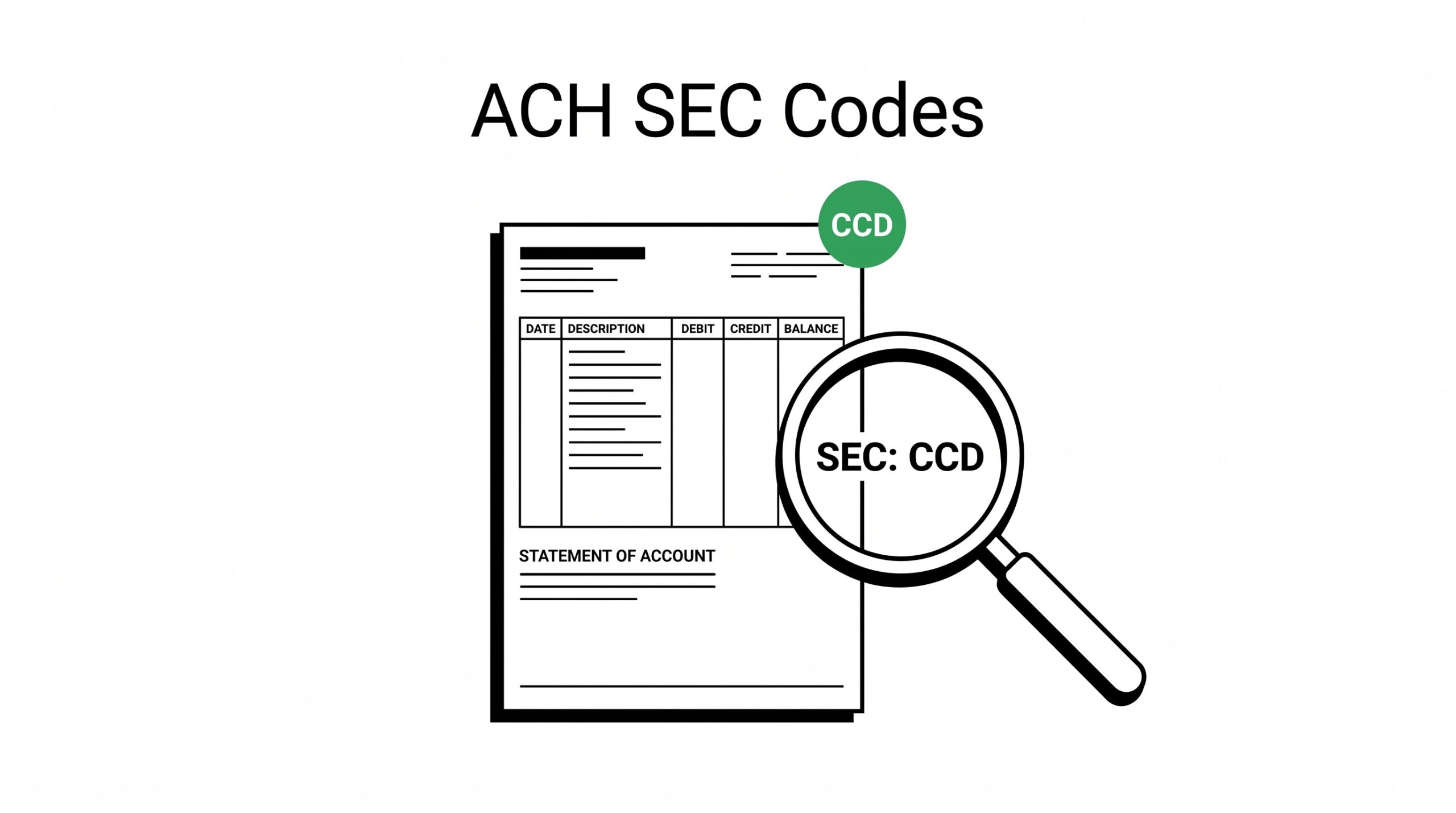

If you’ve ever stared at a bank statement wondering what those three-letter codes next to ACH transactions mean, you’re not alone. The SEC code, short for Standard Entry Class, is one of the few things on a bank statement that’s intentionally obscure. Three letters like CCD or PPD sit in the transaction detail, looking like an error message. Most guides explain ACH in general terms.
Almost none explain the nine specific codes that determine how the receiving bank processes the entry, what happens if it fails, and why some show up on personal accounts while others only appear on corporate books.
This guide covers every active SEC code as of 2026, what each one signals, when it appears on your statement, and how to read it correctly during reconciliation. The third detail matters because two entries with the same dollar amount and same date can be very different transactions depending on the SEC code underneath.
The SEC code is the routing signal that tells the bank who initiated the ACH and why. Read it wrong, and you’ll reconcile against a transaction that never existed, or miss a refund that came through the wrong channel.
What Are ACH SEC Codes (and Why They Matter)
An ACH SEC code is a three-letter identifier that travels inside every ACH transaction. The originating bank attaches the code based on who initiated the payment and what type of account the receiver holds. The receiving bank uses the code to route the entry, apply the right rules, and decide which NACHA regulations apply.
NACHA, the National Automated Clearing House Association, governs the ACH network. NACHA defines nine active Standard Entry Class codes plus a few retired ones. Each code triggers a different set of rules around authorization, timing, and dispute rights. The same dollar amount moving under CCD has different legal standing than the same dollar amount moving under PPD . Most consumers never see this.
Anyone reconciling business transactions sees it constantly.
SEC codes matter for three reasons. First, they determine how the receiving bank categorizes the deposit. A payroll entry under PPD lands in a personal account. A vendor payment under CCD lands in a business account. The categorization affects tax reporting at year-end. Second, they determine which return codes apply if the transaction fails.
A WEB entry can be returned for different reasons than an ARC entry. Third, they appear on the bank statement with no explanation, which makes reconciliation harder than it needs to be.
The 9 Active Standard Entry Class Codes
NACHA currently recognizes nine active SEC codes. Each one has a specific use case, a specific originator type, and specific rules around authorization. Here’s what each one means, written in plain language.
CCD (Corporate Credit or Debit)
CCD is the workhorse of business ACH. It moves funds between corporate accounts, typically for vendor payments, supplier settlements, and intercompany transfers. CCD entries are initiated by a business (not an individual) and credited to another business account. They bypass consumer protections because both parties are commercial entities that have agreed to the terms in writing.
If you run a small business and pay vendors via ACH, most of those payments will land as CCD on your bank statement. The originator is your vendor’s bank, the receiver is your bank, and the code signals that both are commercial. You’ll see “CCD” in the transaction description or in the addenda record.
PPD (Prearranged Payment and Deposit)
PPD handles direct deposits and direct payments for consumer accounts. Payroll, Social Security, pensions, mortgage payments, utility bills, gym memberships, subscription services. PPD requires the consumer to have authorized the transaction in advance, usually through a signed authorization form or an online agreement.
If your paycheck arrives via ACH, it’s PPD. If your mortgage payment leaves via ACH, it’s PPD. The key word is prearranged : the consumer agreed to the terms before the transaction happened. This is why PPD entries can be disputed but with more friction than a card charge.
Banks treat PPD as lower-risk because authorization exists, but consumers still have recourse if the amount is wrong or the merchant misbehaves.
CTX (Corporate Trade Exchange)
CTX is CCD with addenda. It’s used when a business payment needs to carry detailed invoice information, like line items, purchase order numbers, or shipping data. CTX entries can include up to 9,999 addenda records, each carrying up to 80 characters of detail.
This makes CTX the right code for B2B settlements where the receiving accounting system needs to match the payment to the invoice automatically.
If you see CTX on a bank statement, the payment came from a business that needed to pass detail through ACH. Some ERP systems use CTX for AP automation. The dollar amount on the statement matches the total. The invoice detail sits in the addenda, which most consumer-facing banks strip out before showing the transaction.
If your bank statement shows “CTX” with just the amount, the addenda data is in the backend, not the visible record.
WEB (Internet-Initiated Entry)
WEB covers ACH entries initiated over the internet, typically through a merchant’s website or a payment portal. Online bill pay, e-commerce checkout, software subscription renewals. The key signal is that the consumer entered their bank account information on a website and authorized the transaction in that moment.
WEB entries have stronger consumer protections than PPD. The consumer is assumed to have authorized the transaction in a single session, not through a standing prearrangement. If you dispute a WEB charge, banks lean toward refunding because the merchant has the burden to prove proper authorization. This is why most modern ACH integrations use WEB rather than PPD for one-time or first-time payments.
TEL (Telephone-Initiated Entry)
TEL covers ACH entries initiated over the phone. The consumer calls a business, reads out their bank account number and routing number, and authorizes a payment. TEL is older than WEB and is being phased out in favor of internet-initiated entries, but it still appears on bank statements, especially for older subscription services and utility accounts.
TEL entries have a recording requirement. The merchant must record the phone call and retain the recording for a set period (currently two years). This is the consumer’s protection: if you dispute a TEL charge, the merchant has to produce the recording or refund. If you see TEL on your statement and don’t remember authorizing it, demand the recording.
RCK (Re-presented Check Entry)
RCK is what happens when a paper check bounces and gets converted to ACH. The merchant deposits your check, the check returns insufficient funds, and instead of submitting the paper check again (which costs money and takes time), the merchant converts it to an electronic ACH entry and re-presents it. RCK entries often appear days or weeks after the original check.
RCK has stricter authorization requirements than a paper check. The merchant must have had your original check, must have provided notice that the check would be converted to ACH, and must re-present within NACHA’s time limits. If you see RCK on your statement, check whether the original check cleared. If not, you may have grounds to dispute the RCK entry itself.
ARC (Accounts Receivable Entry)
ARC converts mailed-in payments into ACH. The consumer mails a physical check to the merchant, the merchant scans the check, captures the routing and account numbers, and converts the paper entry into an ACH entry. ARC entries usually appear 1-2 business days after the merchant processes the mail.
ARC is common in B2B invoicing, insurance premium collection, and subscription billing where the consumer prefers to mail a check. ARC has the same authorization basis as the original paper check: you signed the check, the merchant has the check, the conversion is presumed authorized. Disputes are harder than with WEB but easier than with TEL.
BOC (Back Office Conversion)
BOC is the same as ARC but happens when the merchant processes the paper check in-store rather than through a remote mail room. You write a check at the register, the cashier runs it through a scanner, and the paper check gets converted to an ACH entry. BOC has tighter timing rules than ARC because the conversion happens in real-time.
If you’ve ever written a check at a retailer and seen it clear “as ACH” days later instead of clearing as a paper check, that’s BOC. The merchant gets faster funds, you get the same payment experience, and the ACH network gets a new entry. The check itself is truncated (voided by the merchant) and the ACH entry carries the same dollar amount.
IAT (International ACH Transaction)
IAT handles cross-border ACH. The originator is a US bank, the receiver is a foreign bank, and the entry needs to clear both US and foreign regulations. IAT entries are slower (3-5 business days), more expensive, and carry different reporting requirements than domestic ACH.
If you see IAT on your statement, the payment went international. Common examples: paying a Canadian vendor, receiving a wire-like transfer from a UK client, sending funds to a Mexican supplier. IAT is governed by both NACHA rules and the Office of Foreign Assets Control (OFAC) screening requirements. The transaction detail usually includes the foreign bank name and country code.
Easy Statement Sheet reads the ACH SEC code as one of the four columns in every converted bank-account statement. The first three statement conversions are free, no card required.
Turn any PDF statement into a clean sheet
Skip the typos and the hours of copying. Our converter handles any bank statement format and outputs Excel, CSV, or QBO for QuickBooks. No file retention, free to try.
Convert your statementHow SEC Codes Appear on Your Bank Statement
SEC codes rarely appear in the transaction description on consumer bank statements. Most banks show the merchant name, date, and amount, then truncate or hide the SEC code entirely. The code sits in the bank’s backend records, attached to the transaction but not surfaced in the online banking UI.

Three places where the SEC code does appear. First, on downloaded statement files (OFX, QFX, QBO, CSV) when you export transactions for accounting. The export often includes a “transaction type” or “standard entry class” column. Second, on paper statements, in the small print below each transaction line. Third, when you call your bank’s customer service and ask.
They can read the SEC code from their records but the online UI won’t show it.
For reconciliation, the second point matters. If you’re matching transactions against invoices or expected payments, you need the SEC code to know which side initiated the ACH and what rules apply. Most modern accounting software (QuickBooks, Xero, Wave) imports the SEC code if it’s in the export file.
If you’re working from a PDF statement, the SEC code is often missing entirely, which is one reason PDF-to-spreadsheet conversion matters.
SEC Codes by Use Case (Reference Table)
Quick lookup table for choosing or recognizing the right SEC code based on the situation:
| Use Case | SEC Code | Account Type | Authorization |
|---|---|---|---|
| Payroll direct deposit | PPD | Consumer | Pre-arranged |
| Mortgage auto-pay | PPD | Consumer | Pre-arranged |
| Vendor payment | CCD | Business | Business agreement |
| B2B with invoice detail | CTX | Business | Business agreement + addenda |
| Online checkout | WEB | Consumer | Online session |
| Phone payment | TEL | Consumer | Recorded phone call |
| NSF check re-presented | RCK | Consumer | Original paper check |
| Mailed-in check converted | ARC | Consumer or Business | Original paper check |
| In-store check converted | BOC | Consumer or Business | Original paper check |
| International payment | IAT | Any | Cross-border agreement |

R-Codes (Return Reason Codes): When ACH Fails
When an ACH entry fails, the receiving bank returns it with an R-code. R-codes explain why the transaction didn’t clear. They are the counterweight to SEC codes: SEC tells you how the transaction was initiated, R-code tells you why it was rejected.
The most common R-codes for everyday consumers and small business owners. R01 : Insufficient funds in the receiver’s account. R02 : Account closed. R03 : No account or unable to locate account. R04 : Invalid account number. R05 : Unauthorized debit to a consumer account (the consumer claims they didn’t authorize it). R07 : Authorization revoked by consumer. R08 : Payment stopped.
R10 : Customer advises unauthorized, business account (similar to R05 but for business).
The distinction matters because R05 and R10 are the codes that trigger dispute investigation. Banks treat them seriously. If you see R05 or R10 on a returned ACH, expect a call from the merchant and a hold on the funds.
The merchant has the burden to prove the transaction was properly authorized, which usually means producing the recording (for TEL), the session log (for WEB), or the signed authorization (for PPD).
Common Mistakes When Reading SEC Codes
Five patterns show up repeatedly when reconciling ACH statements, and each one traces back to misreading the SEC code.
First, treating the merchant name as ground truth. ACH descriptions often truncate the merchant name. The same vendor can appear as “ACME CORP,” “ACME CO,” “ACME-001,” or just “ACME” across different entries. Reconciliation by name alone fails. The SEC code stays stable. CCD is CCD regardless of how the merchant name renders.
Second, assuming all ACH from a vendor is the same. A vendor might pay you via CCD for one product line and via CTX for another (because the second carries invoice detail). Treating both as identical transactions during reconciliation creates a phantom entry or a missing entry. The SEC code is the differentiator.
Third, ignoring the addenda for CTX entries. CTX entries can carry up to 9,999 addenda records. Most banks strip the addenda from the visible statement. If you’re matching against an invoice and the amount is right but the invoice number isn’t there, you’re not missing the transaction; you’re missing the addenda that travels with the CTX code.
Fourth, treating ARC and BOC as the same. Both convert paper checks to ACH, but the timing differs and the merchant authorization rules differ. ARC happens through mail processing (1-2 day delay). BOC happens at the point of sale (same day or next day). If you’re seeing BOC entries and expecting ARC timing, you’ll be a day early on reconciliation.
Fifth, missing the IAT flag entirely. IAT entries look like regular ACH on most statements. If you have international vendors or customers and the ACH entry feels “off” (longer settlement, foreign bank name in the detail), check whether the SEC code is IAT. The international ACH has different return rules and different reporting requirements.
The Memorable Line
Every ACH transaction carries a three-letter name tag that says who initiated it, why, and what to do if it fails. The SEC code is the tag, the R-code is the failure message, and the bank statement is where they meet. Read the tag wrong, and you misclassify the transaction. Misclassify the transaction, and your reconciliation tells a story that isn’t true.
Related Pages
For the broader picture of how ACH fits into US payment rails, see the four US money movement systems . For a definition-level overview of ACH vs Wire, see what is ACH vs wire transfer . For the comparison with wire transfers specifically, see ACH vs Wire: the 5-criteria decision matrix and how ACH and wire appear differently on a bank statement .
For speed and cost comparisons, see ACH vs Wire speed comparison and ACH vs Wire cost comparison . For reconciliation specifics, see how bank reconciliation works and the bank statement glossary .
When a bank statement arrives as a PDF and the SEC codes aren’t visible in the online UI, the fastest way to see them is to convert the statement to a structured file.
The converter extracts every transaction line, including the SEC code field if it exists in the source PDF, so reconciliation can match by the actual routing signal rather than guessing from merchant names.
Easy Statement Sheet reads the ACH SEC code as one of the four columns in every converted bank-account statement. The first three statement conversions are free, no card required.
See also: ACH SEC codes in context
This explainer is part of the payment rails coverage on this site. The consolidated overview of ACH, wire, Zelle, RTP, and FedNow for US banks now lives in the complete US bank payment rails guide, which is the modern hub for the topic.
For parallel reading on the merchant category codes that flow over the card-network rails, see the complete MCC guide. For what every column on a US bank statement means and where the rail labels appear, see the expanded bank statement anatomy.
ACH SEC codes in broader bank-statement context
The ACH SEC code is one of three signals on a US bank statement alongside the date and the dollar amount. The other two are the merchant description and the running balance. Together they tell the bookkeeper or lender what kind of payment cleared.
For business bank reconciliation, ACH SEC codes are usually mapped to a category in the general ledger: PPD for payroll, CCD for vendor, WEB for online bill payment. That categorization is what allows month-end close to happen without manual sorting of every line.
The complete US bank payment rails guide covers the ACH SEC code system alongside the wire reference number system, the Zelle transaction flow, and the real-time rails. For what the merchant category codes on credit-card statements mean, see the complete MCC guide.
Easy Statement Sheet preserves the ACH SEC code label inline within the description for bank-account statements, alongside Date, Description, and Amount. The conversion runs entirely in-memory; files are never stored. The first three statements convert free, no card required.
Output format: which one matches the destination?
Picking the right output format is a separate decision from picking the right converter.
XLSX for human spreadsheet review. CSV for downstream scripts and tools. Google Sheets-compatible for shared cloud review. QBO for QuickBooks.
The four canonical columns are preserved across every format. What differs is how the downstream consumer expects the rows.
For a side-by-side rule of thumb that maps destination to format, see the decision framework on the output format pillar.
Read the full output format decision framework
From PDF to Excel in one click
Forget retyping line by line. Upload any bank statement, get a spreadsheet you can actually use. Your files are never stored, and you can test the converter with 3 free conversions.
Try it free