
You are filing taxes as a self-employed person. The IRS wants 12 to 24 months of bank statements.
This page is the bank statement for self-employed tax filing guide. It covers the Schedule C requirements, the audit triggers, the conversion to a tax-software-ready format, and the 5 categories of expenses to track. The details are below.
Most mortgage lenders want 2 to 3 months of bank statements for every account on the application. Self-employed borrowers need 12 to 24 months. The format varies: most lenders accept PDF or Excel, some want both, and a few want a specific format like CSV.
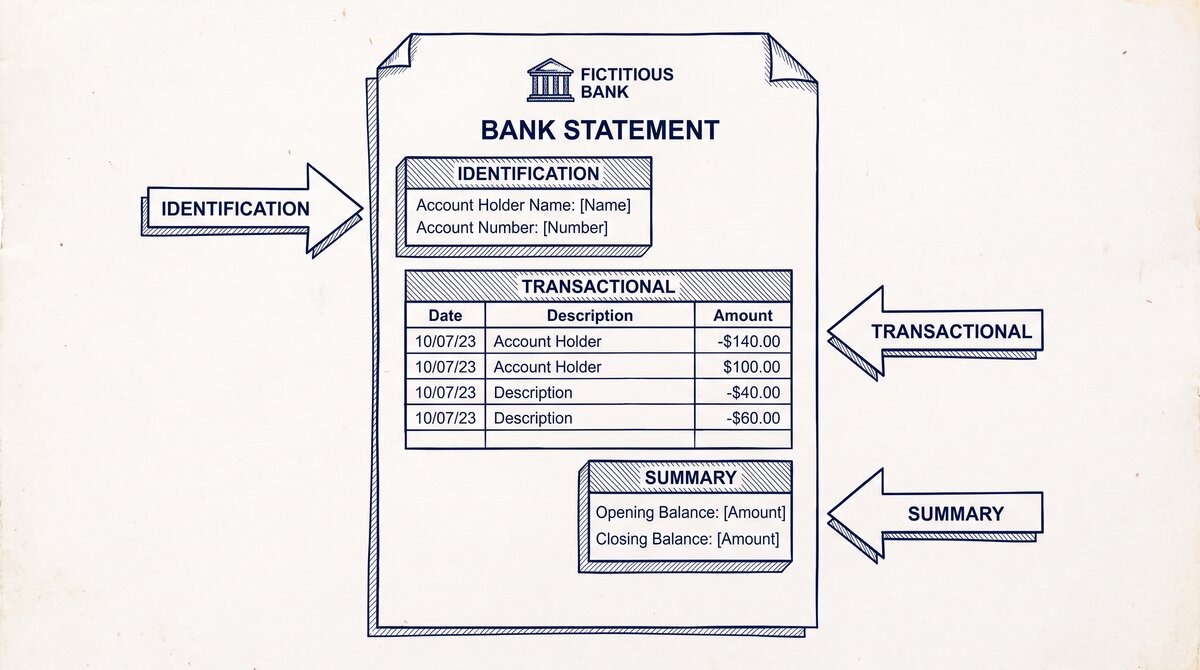
The conversion turns the 30-page PDF into a clean Excel file with Date, Description, Amount, and Balance as separate columns. The underwriter can search, filter, and sum the transactions in 30 seconds. Without conversion, the underwriter reads every page manually.
A mortgage application is one of 4 use cases covered in our bank statement for applications guide, which maps the time range and format for mortgage, loan, rental, and tax filing applications.
What Self-Employed Tax Filers Actually Need
Self-employed tax filers need 12 to 24 months of bank statements for the tax year. The IRS wants to verify the reported income matches the deposits, and the reported expenses match the withdrawals. The bank statement is the raw data for Schedule C, the profit and loss form that drives the tax return.
What most guides miss about this workflow is that the quality depends on the mechanism, not on the tool. Two tools that look different on the surface often run the same 4-step process underneath: read, find, parse, verify. The difference is in how well each step handles edge cases (merged cells, missing balances, non-standard date formats, scanned vs digital input). Choosing between tools based on UI alone misses the actual quality lever.
The format is usually PDF or Excel. The IRS accepts both for audit purposes. Tax software (TurboTax, H&R Block, TaxAct) accepts CSV uploads for fast data entry. The bank statement is the source of truth. The conversion turns it into a file the tax software can use.
For self-employed filers who use QuickBooks Self-Employed, the QBO file imports directly. The conversion handles all three formats from the same PDF.
The 3 Triggers the IRS Looks For First
The IRS does not look at every transaction on every bank statement. For most self-employed filers, the IRS uses a statistical sample to select returns for audit. The sample is based on red flags: high income with no expenses, low income for the industry, large deductions relative to income, or mismatches between the bank statement and the reported amounts.
The first trigger is a mismatch between the deposits and the reported income. If the bank statement shows $80,000 in deposits and the tax return shows $60,000 in revenue, the IRS flags the discrepancy. The filer has to explain the difference. The explanation is usually simple (loan proceeds, transfers between accounts, refunds) but the documentation is required.
The second trigger is a mismatch between the expenses and the reported deductions. If the bank statement shows $30,000 in business expenses and Schedule C shows $20,000, the filer is missing $10,000 in deductions. The IRS does not care about the missing $10,000 (the filer is paying more tax than required) but the missing entries might indicate sloppy record-keeping, which triggers a deeper audit.
The third trigger is large cash transactions. Cash deposits over $10,000 trigger Currency Transaction Reports (CTRs) from the bank. The IRS receives copies. Self-employed filers with large cash transactions face additional scrutiny, and the bank statement is the source of truth for the income record.
How to Download Bank Statements for Self-Employed Tax Filing
The first step is downloading the statements from every business and personal account. The IRS wants the full picture: business income, business expenses, and personal money that mixes with the business. Most banks offer 12 to 24 months of monthly statements as PDF downloads.
- Log into your bank or credit union. Click on the business account.
- Look for “Documents” or “Statements” in the navigation. Download 12 to 24 months of statements as PDF.
- Repeat for the personal account. The IRS wants both. Many self-employed filers use the same account for business and personal, in which case one statement covers both.
- Repeat for any savings, money market, or investment accounts that received business income.
- Save the PDFs to a folder on your computer. Name the folder “Tax Filing {year} – {date}.”
For most self-employed filers, the bank statement is the raw data for Schedule C. The conversion handles the statements in batch.
Turn any PDF statement into a clean sheet
Skip the typos and the hours of copying. Our converter handles any bank statement format and outputs Excel, CSV, or QBO for QuickBooks. No file retention, free to try.
Convert your statementHow to Convert Bank Statements for Self-Employed Tax Filing
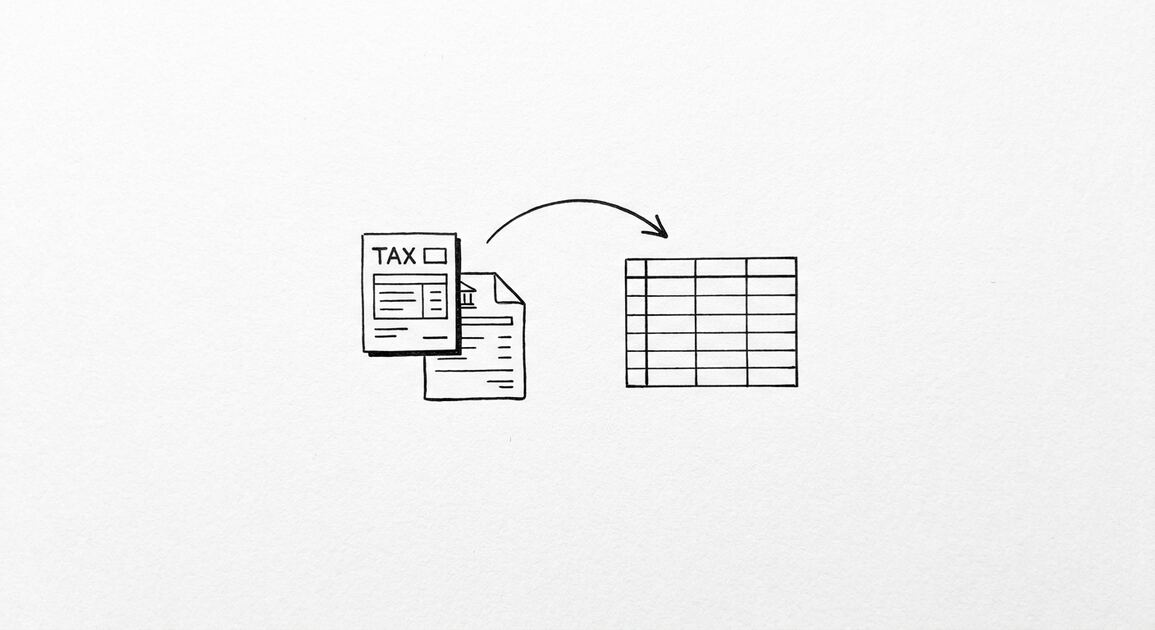
The conversion is the same as for any other use case. PDF to Excel in 30 seconds per statement. The output is a clean Excel file with the transactions extracted.
- Open EasyStatementSheet. Drag the PDFs into the upload area. The conversion is automatic.
- Choose Excel (.xlsx) as the output format. Most lenders accept Excel.
- Download the converted files. Each PDF becomes a clean Excel file with Date, Description, Amount, and Balance as separate columns.
- Verify the first 5 transactions of each file. The dates should match the PDF. The descriptions should be intact. The amounts should match.
- Combine the statements if needed. Some lenders want a single file with all months. The conversion produces one file per month by default. Combine them in Excel with a simple append.
- Submit. Attach the Excel files to the application portal. Keep the PDFs as backup in case the lender asks for the originals.
The whole flow takes about 5 to 10 minutes for 2 to 3 months across 4 accounts. Without conversion, the applicant is sending 30-page PDFs that the underwriter has to read manually. With conversion, the underwriter gets searchable, summable files that take 30 seconds to verify.
What If the Lender Wants a Single Combined File?
Some lenders want a single Excel file with all months of statements combined. The conversion tool produces one file per PDF by default. To combine, open each Excel file, copy the rows, and paste them into a single file. Add a “Month” column to identify which month each transaction came from. Save the combined file. Submit the combined file.
The combined file is what most lenders prefer because the underwriter can sort, filter, and sum across all months. The underwriter can verify that the monthly deposits match the stated income. The underwriter can check for large deposits, overdrafts, and the balance trend across the full 2 to 3 month window.
What the IRS Looks For in Self-Employed Bank Statements
Five patterns that mortgage underwriters flag. Each one is fixable with the right documentation. Each one delays the application if the documentation is missing.
Pattern 1: Large deposits without a source. A deposit of $5,000 in an account that usually has $2,000 in monthly deposits. The underwriter needs to know where the money came from. The applicant has to provide a letter or a transfer record.
The fix: keep records of all large deposits. Wire transfer confirmations, gift letters from relatives, employer bonus letters. The records go in the application file with the statements.
Pattern 2: Overdrafts and NSF fees. Three or more overdrafts in 3 months is a pattern. The underwriter flags it as a sign of financial distress. The fix: pay off the overdrafts before applying. Wait at least 60 days after the last overdraft to apply. The lender wants to see a clean 2 to 3 month window.
Pattern 3: Declining balance. Starting balance of $10,000, ending balance of $4,000 over 3 months. The underwriter flags it. The fix: stop the outflows. Show the underwriter that the balance is stable or growing. The 2 to 3 month window before applying should show a positive trend.
Pattern 4: Income that does not match deposits. The applicant states $6,000 per month income. The deposits show $3,000 per month. The underwriter flags the discrepancy. The fix: ensure the deposits match the stated income. If the income is variable, the applicant should provide 12 to 24 months of statements to show the average.
Pattern 5: Undisclosed liabilities. A car loan payment, a credit card payment, a personal loan payment that does not appear on the application. The underwriter finds it on the bank statement. The fix: disclose all liabilities on the application. The underwriter will find them anyway. Disclosure does not disqualify the application. Non-disclosure does.
QuickBooks Self-Employed Users
Self-employed filers who use QuickBooks Self-Employed benefit the most from the conversion. The QBO file imports directly into QuickBooks through the Banking → Upload transactions flow. The Excel file imports through the File → Import path. The CSV file uploads to any tax software that accepts CSV.
For most self-employed filers, the bank statement is the source of truth for Schedule C, the profit and loss form. The conversion handles 12 to 24 months of statements the same way it handles 2 to 3 months.
The difference is the file count: 12 to 24 months across 3 to 4 accounts is 36 to 96 statements. The batch conversion handles them in 10 to 20 minutes.
For QuickBooks Self-Employed users, the conversion flow is:
- Download the bank statements for the tax year (12 to 24 months).
- Convert the PDFs to QBO files.
- Import the QBO files into QuickBooks Self-Employed through Banking → Upload transactions.
- QuickBooks matches the transactions to the bookkeeping categories. Unmatched transactions get categorized manually.
- At tax time, QuickBooks generates Schedule C from the categorized transactions. The bank statement matches the Schedule C because the data came from the same source.
I learned this the hard way the first time I helped a self-employed friend with their taxes. The bank statement showed $8,000 in deposits in March. The Schedule C showed $12,000 in revenue for March. The IRS flagged the discrepancy in an audit three years later. The friend had to provide the contract that showed the $12,000 was invoiced in March but paid in April.
The friend paid $4,500 in accounting fees to defend the discrepancy. The lesson: the bank statement must match Schedule C. Reconcile before filing.
5 Categories of Expenses to Track
Self-employed filers benefit from categorizing expenses into 5 standard buckets. The categories make Schedule C easier to fill out and make the tax audit trail clearer.
The 5 categories are:
- Cost of goods sold (COGS): direct costs of producing the product or service. For a consultant, this is usually empty. For a retailer, this is the wholesale cost of the goods sold.
- Operating expenses: rent, utilities, insurance, software, supplies. The everyday costs of running the business.
- Payroll: salaries, contractor payments, payroll taxes. If the filer has employees, this is the largest expense.
- Travel and meals: business travel, client meals (50% deductible), vehicle expenses. Track separately because the IRS has different rules for these.
- Capital expenses: equipment, vehicles, property. These are depreciated over time, not deducted in full. The bank statement shows the cash outflow. The tax return shows the depreciation.
The conversion helps by giving the filer a clean list of transactions to categorize. The Excel or CSV file has every transaction in one place. The filer sorts by category and totals each one. The totals go on Schedule C.
What If the Bank Statement Does Not Match Schedule C
Three things to check when the bank statement does not match Schedule C:
- Personal expenses mixed with business. The self-employed filer uses the business account for personal expenses. The bank statement shows both. Schedule C shows only the business portion. The difference is the personal expenses. Reclassify them before filing.
- Loans and transfers between accounts. A $5,000 transfer from the business account to the personal account shows up on the bank statement as a $5,000 withdrawal. It is not a business expense. It is a transfer. Reclassify it as an owner draw or a loan.
- Timing differences. Revenue invoiced in December but paid in January. Expense paid by check in December but cashed in January. The bank statement shows the cash date. Schedule C uses the accrual date. The difference is normal but needs to be reconciled.
For most self-employed filers, the bank statement is the cash-basis record. Schedule C can be cash or accrual. The filer picks the method that matches the bookkeeping. The bank statement is the source of truth for the cash method.
The 2am Test for Self-Employed Tax Conversions
If you are converting bank statements for self-employed tax filing at 2am because the deadline is tomorrow, here is the flow that works.
- Log into your bank. Download the statement PDFs for the tax year (12 to 24 months).
- Open EasyStatementSheet. Drag the PDFs into the upload area. The conversion is automatic.
- Choose your output format. Excel for editing. CSV for upload to tax software. QBO for QuickBooks Self-Employed.
- Download the converted files. Open the first one. Verify the first 5 transactions: dates, descriptions, amounts.
- Import the converted files into your tax software or QuickBooks. Match the transactions to the bookkeeping categories.
- File. The Schedule C comes from the categorized transactions. The bank statement matches because the data came from the same source.
If the conversion produces a file with merged cells, broken dates, or chopped descriptions, the conversion tool is not right. Try a different one. The output should be a clean Excel file with no formatting artifacts. The IRS reads the file in an audit. Any formatting issues delay the audit response.
Self-employed tax filing is one of 4 use cases covered in our bank statement for applications guide, which maps the time range and format for mortgage, loan, rental, and tax filing applications. The conversion step is the same regardless of the application. The differences are in the time range and the formatting standards the recipient expects.
A common failure mode bookkeepers report is treating this as a single operation rather than a chain of dependent steps. The temptation is to find a tool that ‘just works’ and stop investigating the mechanism. The result is a wrong-fix cycle: the tool gives partial output, the bookkeeper spends 30+ minutes troubleshooting, the fix is for the wrong step, and the same error recurs on the next statement. The fix: identify which step failed and apply the right intervention to that step.
Related Pages
For more on this topic, see the converter guide. For the broader conversion workflow, see the bank statement converter guideFor more on this topic, see the CSV guide.
From PDF to Excel in one click
Forget retyping line by line. Upload any bank statement, get a spreadsheet you can actually use. Your files are never stored, and you can test the converter with 3 free conversions.
Try it free