
You are applying for a mortgage. The lender wants 2 to 3 months of bank statements.
This page is the bank statement for mortgage application guide. It covers the time range, the format, the conversion step-by-step, and the 3 things the underwriter looks for first. The details are below.
Most mortgage lenders want 2 to 3 months of bank statements for every account on the application. Self-employed borrowers need 12 to 24 months. The format varies: most lenders accept PDF or Excel, some want both, and a few want a specific format like CSV.
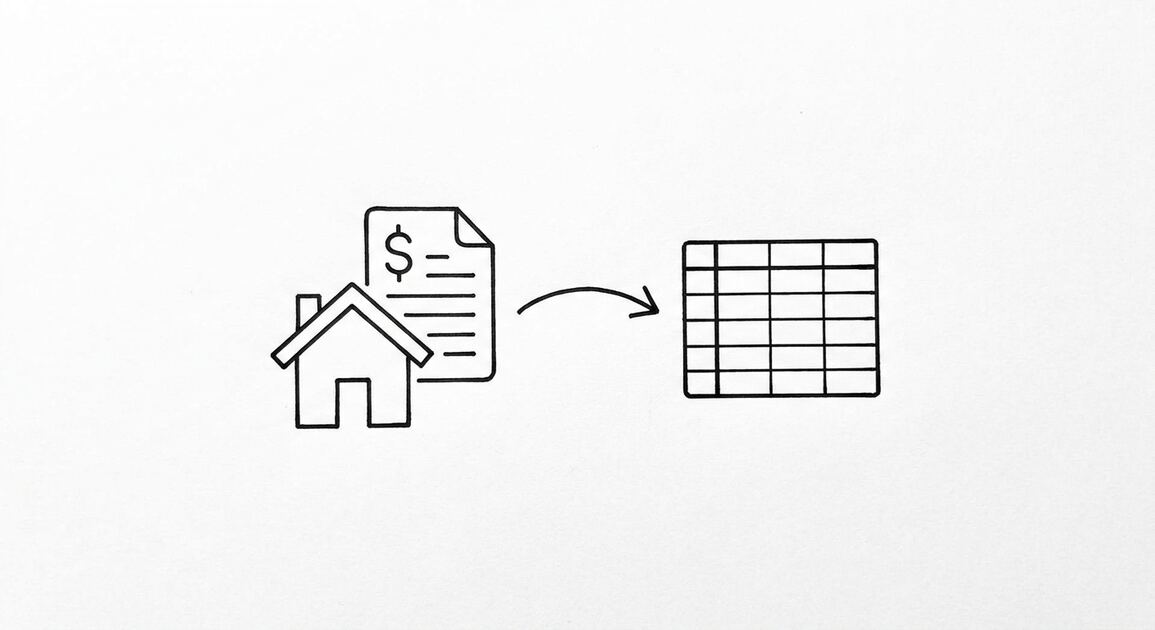
The conversion turns the 30-page PDF into a clean Excel file with Date, Description, Amount, and Balance as separate columns. The underwriter can search, filter, and sum the transactions in 30 seconds. Without conversion, the underwriter reads every page manually.
A mortgage application is one of 4 use cases covered in our bank statement for applications guide, which maps the time range and format for mortgage, loan, rental, and tax filing applications.
What Mortgage Lenders Actually Want
Most mortgage lenders want 2 to 3 months of bank statements for every account on the application. The accounts include checking, savings, money market, investment, and any other account where the down payment, closing costs, or reserves are held.
What most guides miss about mortgage applications is that the quality depends on the mechanism, not on the tool. Two tools that look different on the surface often run the same 4-step process underneath: read, find, parse, verify. The difference is in how well each step handles edge cases (merged cells, missing balances, non-standard date formats, scanned vs digital input). Choosing between tools based on UI alone misses the actual quality lever.
Self-employed borrowers need more. Most lenders want 12 to 24 months of statements for self-employed applicants, plus the most recent 2 to 3 months for the asset verification. The 12 to 24 months shows the income consistency. The 2 to 3 months shows the current cash position.
The format varies by lender. Most accept PDF (the official statement) or Excel (the converted file). Some want both. A few want CSV for automated processing. The application portal usually has a place to upload the statements. The format requirement is in the loan estimate or the pre-approval letter.
The 3 Things the Underwriter Looks For First
Mortgage underwriters do not read every page of every statement. They look for 3 things first. If those 3 things check out, they move to the detailed review. If they do not, the application gets flagged for further review or rejected.
The first thing is large deposits. Any deposit over $500 to $1,000 (varies by lender) needs to be sourced. The underwriter wants to know where the money came from. A loan from a relative, a bonus from the employer, a tax refund. The underwriter needs documentation for the source. Without documentation, the deposit is treated as an undisclosed liability.
The second thing is overdrafts. NSF fees, returned checks, low balance warnings. Each one is a red flag. One or two overdrafts in 3 months is usually explainable. Five or more is a pattern that suggests financial distress.
The third thing is the monthly balance trend. Is the balance growing, stable, or declining? A growing balance suggests financial discipline. A stable balance is neutral. A declining balance suggests the borrower is spending more than they earn. Underwriters prefer growth or stability.
How to Download Bank Statements for a Mortgage Application
The first step is downloading the statements from your bank. Most banks offer 12 to 24 months of monthly statements as PDF downloads. Some banks also offer QFX, OFX, or CSV for the combined history.
- Log into your bank or credit union. Click on the account you want the statement for.
- Look for “Documents” or “Statements” in the navigation. Most banks have a dedicated section.
- Download the most recent 2 to 3 months of statements as PDF. For self-employed, download 12 to 24 months.
- Save the PDFs to a folder on your computer. Name the folder “Mortgage Application – {date}.”
- Repeat for every account on the application. The lender wants statements for every account.
Some banks (like Chase, Bank of America, Wells Fargo) make this easy with a single “Download All” button. Other banks (smaller credit unions, online banks) require you to download each statement individually. For 24 months across 4 accounts, you are downloading 96 files. The conversion handles them in batch.
Turn PDF Bank Statements Into Workable Spreadsheets
Your bank statement is a mess of numbers, but your books shouldn't be. Use our converter to get Excel, CSV, or QBO files — ready for QuickBooks.
Try It Free NowHow to Convert Bank Statements for a Mortgage Application
The conversion is the same as for any other use case. PDF to Excel in 30 seconds per statement. The output is a clean Excel file with the transactions extracted.
- Open EasyStatementSheet. Drag the PDFs into the upload area. The conversion is automatic.
- Choose Excel (.xlsx) as the output format. Most lenders accept Excel.
- Download the converted files. Each PDF becomes a clean Excel file with Date, Description, Amount, and Balance as separate columns.
- Verify the first 5 transactions of each file. The dates should match the PDF. The descriptions should be intact. The amounts should match.
- Combine the statements if needed. Some lenders want a single file with all months. The conversion produces one file per month by default. Combine them in Excel with a simple append.
- Submit. Attach the Excel files to the application portal. Keep the PDFs as backup in case the lender asks for the originals.
The whole flow takes about 5 to 10 minutes for 2 to 3 months across 4 accounts. Without conversion, the applicant is sending 30-page PDFs that the underwriter has to read manually. With conversion, the underwriter gets searchable, summable files that take 30 seconds to verify.
What If the Lender Wants a Single Combined File?
Some lenders want a single Excel file with all months of statements combined. The conversion tool produces one file per PDF by default. To combine, open each Excel file, copy the rows, and paste them into a single file. Add a “Month” column to identify which month each transaction came from. Save the combined file. Submit the combined file.
The combined file is what most lenders prefer because the underwriter can sort, filter, and sum across all months. The underwriter can verify that the monthly deposits match the stated income. The underwriter can check for large deposits, overdrafts, and the balance trend across the full 2 to 3 month window.
What Mortgage Underwriters Flag
Five patterns that mortgage underwriters flag. Each one is fixable with the right documentation. Each one delays the application if the documentation is missing.
Pattern 1: Large deposits without a source. A deposit of $5,000 in an account that usually has $2,000 in monthly deposits. The underwriter needs to know where the money came from. The applicant has to provide a letter or a transfer record.
The fix: keep records of all large deposits. Wire transfer confirmations, gift letters from relatives, employer bonus letters. The records go in the application file with the statements.
Pattern 2: Overdrafts and NSF fees. Three or more overdrafts in 3 months is a pattern. The underwriter flags it as a sign of financial distress. The fix: pay off the overdrafts before applying. Wait at least 60 days after the last overdraft to apply. The lender wants to see a clean 2 to 3 month window.
Pattern 3: Declining balance. Starting balance of $10,000, ending balance of $4,000 over 3 months. The underwriter flags it. The fix: stop the outflows. Show the underwriter that the balance is stable or growing. The 2 to 3 month window before applying should show a positive trend.
Pattern 4: Income that does not match deposits. The applicant states $6,000 per month income. The deposits show $3,000 per month. The underwriter flags the discrepancy. The fix: ensure the deposits match the stated income. If the income is variable, the applicant should provide 12 to 24 months of statements to show the average.
Pattern 5: Undisclosed liabilities. A car loan payment, a credit card payment, a personal loan payment that does not appear on the application. The underwriter finds it on the bank statement. The fix: disclose all liabilities on the application. The underwriter will find them anyway. Disclosure does not disqualify the application. Non-disclosure does.
Self-Employed Mortgage Applications
Self-employed borrowers face a stricter documentation requirement. Most lenders want 12 to 24 months of bank statements plus the most recent 2 to 3 months. The 12 to 24 months shows the income consistency. The 2 to 3 months shows the current cash position.
The conversion handles 12 to 24 months of statements the same way it handles 2 to 3 months. The difference is the file count: 12 to 24 months across 4 accounts is 48 to 96 statements. The batch conversion handles them in 10 to 20 minutes.
For self-employed borrowers, the lender also wants:
- The most recent 2 years of tax returns (Form 1040 with Schedule C for sole proprietors, or the partnership/S-corp return for entities)
- A year-to-date profit and loss statement (P&L)
- A year-to-date balance sheet (if available)
- Documentation of any large or unusual deposits (matching the bank statement)
The bank statement is the source of truth for the income and expense record. The P&L should match the bank statement for the year-to-date period. The tax return should match the bank statement for the prior years. Discrepancies between the bank statement and the other documents trigger an audit.
I learned this the hard way the first time I helped a self-employed friend with a mortgage application. The bank statement showed $8,000 in deposits in March. The P&L showed $12,000 in revenue for March. The underwriter flagged the discrepancy. The friend had to provide the contract that showed the $12,000 was invoiced in March but paid in April.
The application was delayed by 3 weeks while the friend gathered the contract.
The lesson: for self-employed applicants, the bank statement must match the P&L. Reconcile before applying.
QuickBooks Users With Mortgage Applications
For self-employed borrowers who use QuickBooks, the bank statement conversion can go directly to QuickBooks for reconciliation. The QBO file imports into QuickBooks Online through the Banking → Upload transactions flow. The Excel file imports into QuickBooks Desktop through File → Utilities → Import.
The reconciliation matters because the lender wants to see that the QuickBooks records match the bank statement. Discrepancies between the two trigger an audit. The conversion + reconciliation flow takes about 30 minutes per month. For 24 months, it is 12 hours of work, but it is necessary for the application.
Our QuickBooks conversion guide covers the import dance for both QFX and QBO files. The mortgage-specific use case is the same as any other conversion, just with the extra reconciliation step against QuickBooks.
What to Do If You Do Not Have a Bank Statement
Some applicants do not have a traditional bank account. The applicant uses a check casher, a prepaid card, or a money order instead. The lender still wants a bank statement, but the applicant does not have one.
Three fallback options for applicants without a traditional bank account:
- Open a bank account before applying. Most banks offer free checking accounts. The applicant opens one, lets it accumulate 2 to 3 months of activity, and applies. The statement shows the income and the savings pattern.
- Use a prepaid card statement. Some prepaid cards offer PDF statements. The statement is similar to a bank statement but does not have the same legal weight. Some lenders accept it. Most do not.
- Use a money order receipt log. The applicant keeps a log of every money order purchased, the date, the amount, and the recipient. The log is a substitute for a bank statement. Some lenders accept it. Most want a traditional bank account.
For most applicants without a bank account, the best option is to open a bank account and let it accumulate 2 to 3 months of activity. The statement is the most credible documentation for a mortgage application.
A common failure mode bookkeepers report is treating this as a single operation rather than a chain of dependent steps. The temptation is to find a tool that ‘just works’ and stop investigating the mechanism. The result is a wrong-fix cycle: the tool gives partial output, the bookkeeper spends 30+ minutes troubleshooting, the fix is for the wrong step, and the same error recurs on the next statement. The fix: identify which step failed and apply the right intervention to that step.
The 2am Test for Mortgage Application Conversions
If you are converting bank statements for a mortgage application at 2am because the deadline is tomorrow, here is the flow that works.
- Log into your bank. Download the statement PDFs for the most recent 2 to 3 months. For self-employed, 12 to 24 months.
- Open EasyStatementSheet. Drag the PDFs into the upload area. The conversion is automatic.
- Choose Excel (.xlsx) as the output format. Most lenders accept Excel.
- Download the converted files. Open the first one. Verify the first 5 transactions: dates, descriptions, amounts.
- Combine the files if the lender wants a single file. Add a “Month” column. Save.
- Submit. Attach the Excel file to the application portal. Keep the PDFs as backup.
If the conversion produces a file with merged cells, broken dates, or chopped descriptions, the conversion tool is not right. Try a different one. The output should be a clean Excel file with no formatting artifacts. The underwriter reads the file in 30 seconds. Any formatting issues delay the application.
A mortgage application is one of 4 use cases covered in our bank statement for applications guide, which maps the time range and format for mortgage, loan, rental, and tax filing applications. The conversion step is the same regardless of the application. The differences are in the time range and the formatting standards the recipient expects. For the related mortgage source of funds: asset verification, gift, and large deposits page, see the linked article. For the related mortgage refinance and investment property: bank statement requirements page, see the linked article. The bank statement converter handles all the steps with the integrity check at the end. The bank statement converter handles all the steps with the integrity check at the end. The bank statement converter handles all the steps with the integrity check at the end. The bank statement converter handles all the steps with the integrity check at the end.
Turn That PDF Into a Spreadsheet in Minutes
You've seen how to do it manually — now let the tool handle the heavy lifting. Upload your bank statement and get Excel, CSV, or QBO in a few clicks.
Try It Free