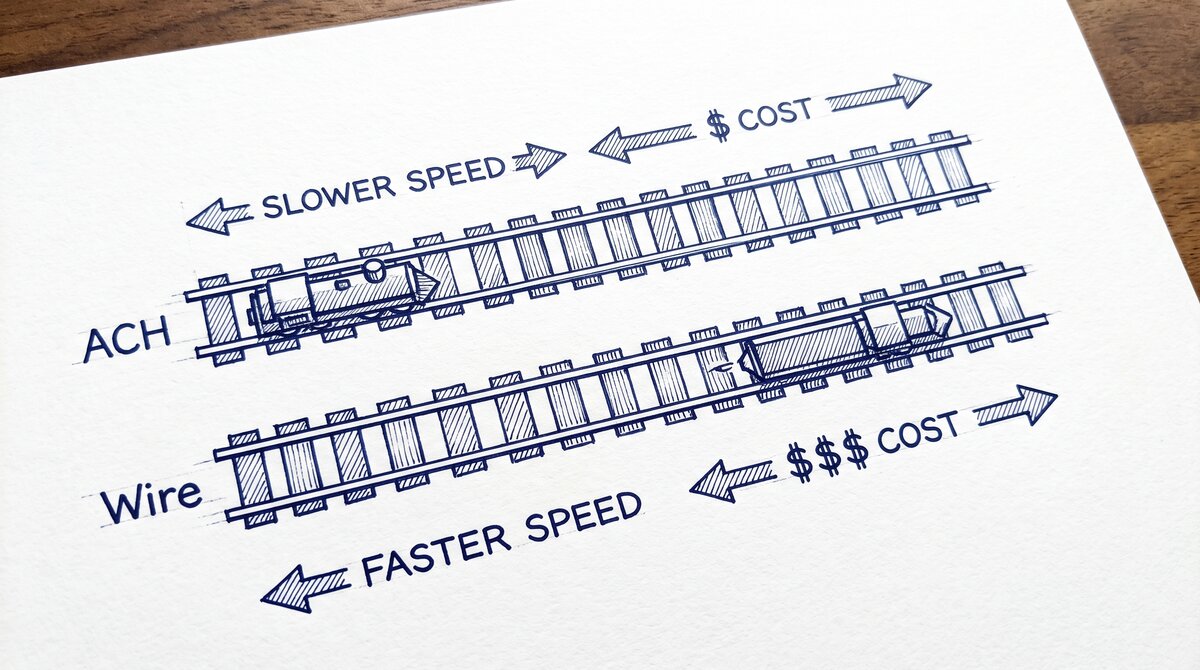

A payment rail is the infrastructure that moves money from one bank account to another. The short answer: ACH is the cheapest and slowest (1-3 business days), wire is the fastest and most expensive (minutes, $15-50 per transfer), card networks are for consumer payments (immediate, 1-3% fee), and checks are for the legacy or specific use cases (1-7 business days, $0-1 per check).
The 4-step decision: consider the amount, the urgency, the recipient, and the documentation.
Why Payment Rails Matter
Payment rails are the infrastructure that makes the financial system work. Every payment, every transfer, every deposit uses one of the 4 rails. The choice of rail affects the speed, the cost, the security, and the documentation of the payment. For businesses, the choice of rail can save thousands of dollars per month in fees and can affect cash flow.
What most guides miss about this workflow is that the quality depends on the mechanism, not on the tool. Two tools that look different on the surface often run the same 4-step process underneath: read, find, parse, verify. The difference is in how well each step handles edge cases (merged cells, missing balances, non-standard date formats, scanned vs digital input).
Choosing between tools based on UI alone misses the actual quality lever.
For personal use, the choice of rail is usually driven by the situation: paying a friend (Venmo, Zelle = card network or ACH), paying a bill (ACH or card), receiving a paycheck (ACH), sending a gift (card or check), making a large purchase (wire).
For business use, the choice of rail is more strategic: B2B payments (ACH or wire), payroll (ACH), customer payments (card), supplier payments (ACH or wire), international (wire).
The 4 Payment Rails
4 payment rails that cover 99% of US payment activity:
1. ACH (Automated Clearing House). An electronic network for financial transactions. ACH transfers are batched and processed in cycles, typically taking 1-3 business days. The cost is $0-3 per transfer. ACH is the rail for direct deposit, bill pay, bank transfers, and most B2B payments. The volume is high (over 25 billion transactions per year in the US), and the cost is low.
2. Wire transfer. An electronic transfer of funds from one bank to another. Wire transfers are processed individually in real-time, typically taking minutes to hours. The cost is $15-50 per transfer (domestic). Wire is the rail for large-value, time-sensitive transfers (real estate closings, business acquisitions, urgent payments). The volume is lower than ACH, but the average value is much higher.
3. Card networks (Visa, Mastercard, Amex, Discover). A network for consumer and business payments using credit or debit cards. Card transactions are processed in real-time, typically taking seconds for authorization and 1-3 business days for settlement. The cost is 1-3% of the transaction amount (paid by the merchant). Card is the rail for retail, e-commerce, and most consumer payments.
4. Check / ACH-on-check. A physical check that is deposited and cleared through the banking system. The check can be deposited as an image (most common today) or physically. The clearing takes 1-7 business days. The cost is $0-1 per check. Check is the rail for legacy payments, specific B2B use cases, and personal payments where the recipient prefers a check.
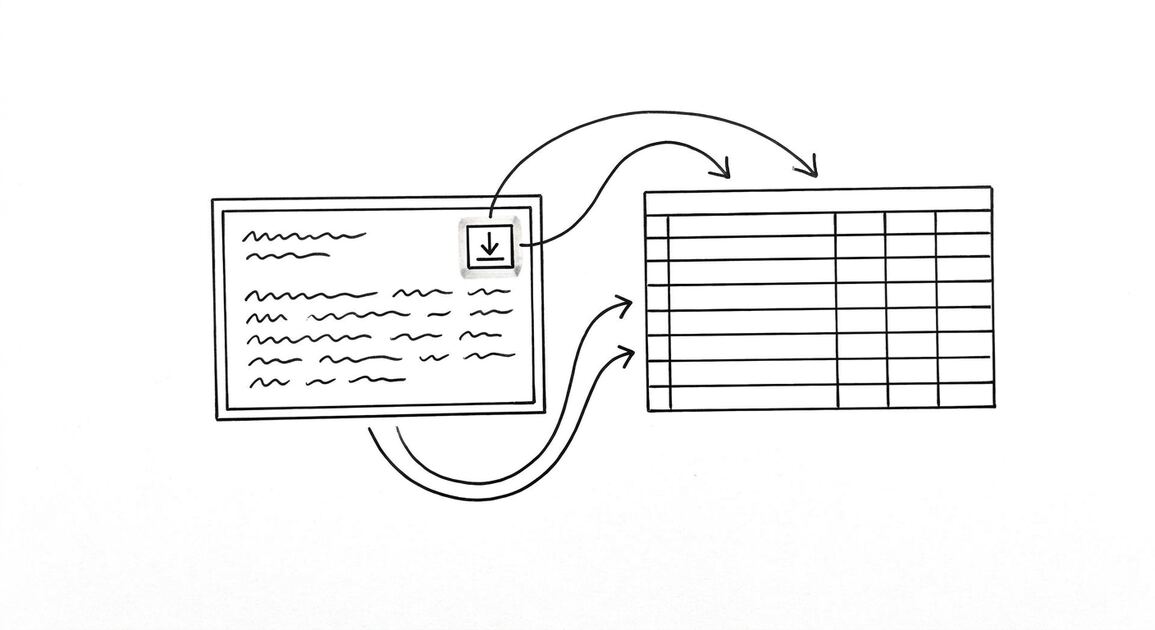
Turn PDF Bank Statements Into Workable Spreadsheets
Your bank statement is a mess of numbers, but your books shouldn't be. Use our converter to get Excel, CSV, or QBO files — ready for QuickBooks.
Try It Free NowThe 4 Factors for Choosing
4 factors to consider when choosing a payment rail:
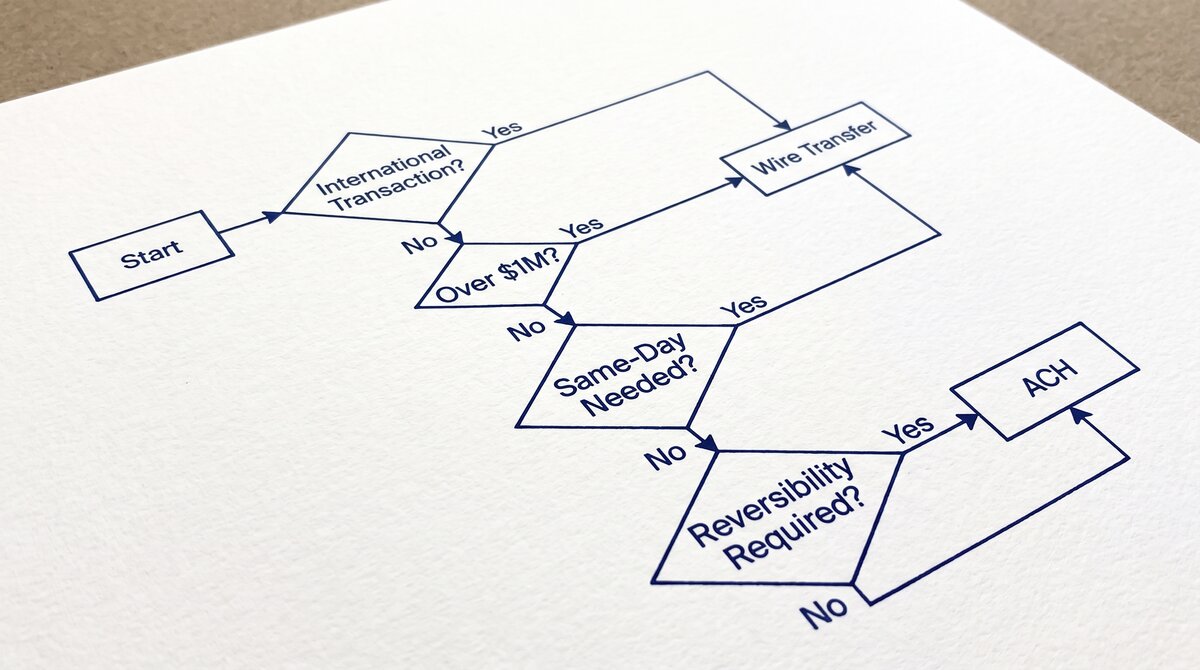
1. Amount. Small amounts (under $100) typically use card networks. Medium amounts ($100-10,000) typically use ACH. Large amounts (over $10,000) typically use wire. The reason: card fees are percentage-based, so the fee is small for small amounts. ACH has a flat fee, so the fee is reasonable for medium amounts. Wire has a flat fee, so the fee is a small percentage for large amounts.
2. Urgency. Immediate (seconds) uses card networks or wire. Days (1-3) uses ACH. Weeks (5+) uses check. The reason: card and wire are real-time; ACH is batch; check is the slowest.
3. Recipient. Consumer recipients typically prefer card networks (or Venmo/Zelle, which are card-network-like). Business recipients typically accept ACH or wire. Government recipients typically require wire. International recipients typically use wire.
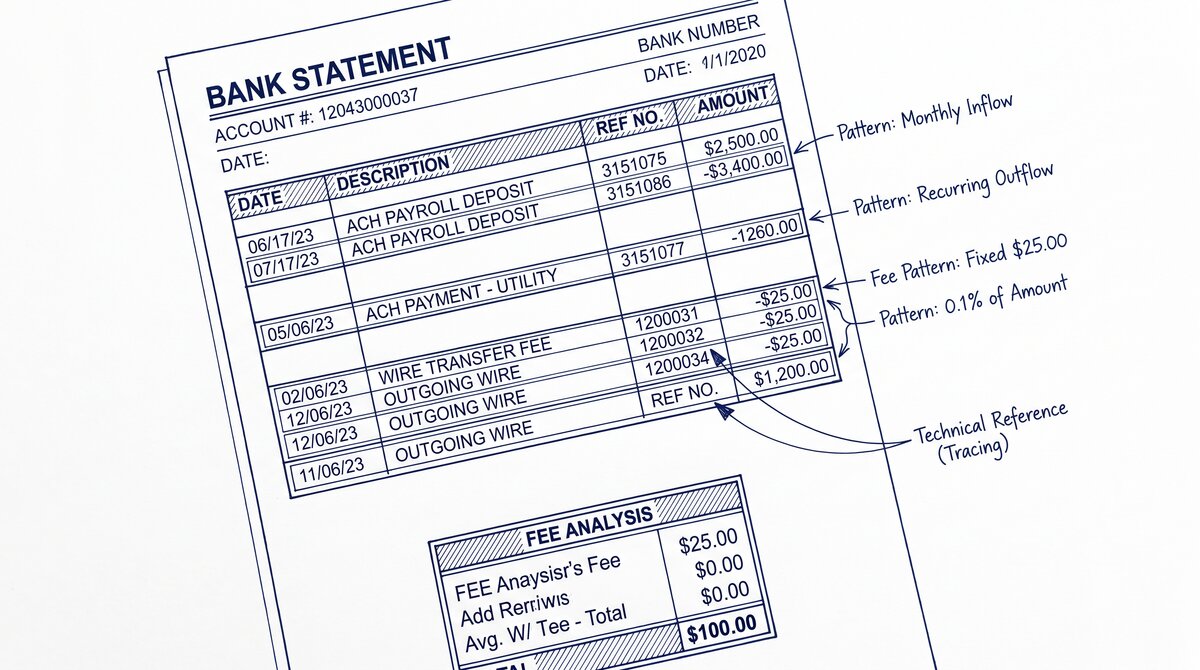
4. Documentation. ACH and check have receipts and transaction records. Wire has a confirmation number and the wire details. Card has a transaction record with the merchant, amount, and date. The documentation requirement depends on the use case: for tax or legal purposes, ACH and wire have the strongest documentation.
ACH vs Wire: The 4 Differences
4 specific differences between ACH and wire that matter for most decisions:
1. Speed. ACH takes 1-3 business days; wire takes minutes to hours. The speed difference is the most important factor for time-sensitive payments.
2. Cost. ACH costs $0-3 per transfer; wire costs $15-50 per transfer. The cost difference is the most important factor for high-volume or low-value payments.
3. Reversibility. ACH transfers can be reversed within 24 hours of initiation (the ODFI can recall the transfer). Wire transfers are typically irrevocable once sent. The reversibility is the most important factor for fraud-prone or uncertain payments.
4. Maximum amount. ACH has no formal maximum but is typically used for amounts under $1 million. Wire has no maximum but is typically used for amounts over $10,000. The maximum is a soft threshold, not a hard limit.
For the detailed comparison, see the ACH vs wire transfer reference.
Card Networks: The 4 Players
4 card networks that cover 99%+ of US card transactions:
1. Visa. The largest card network in the US. The volume is the highest, and the acceptance is the widest. Visa-branded cards (issued by Chase, Bank of America, Capital One, etc.) are accepted at most US merchants. The processing fee is 1.5-3% per transaction.
2. Mastercard. The second-largest network. The acceptance is similar to Visa. Mastercard-branded cards are issued by many banks and credit unions. The processing fee is 1.5-3% per transaction, similar to Visa.
3. American Express (Amex). The third-largest network, with a different business model. Amex is both the network and the issuer for many cards. The acceptance is narrower than Visa/Mastercard (some merchants don’t accept Amex). The processing fee is higher (2.5-4% per transaction) but the rewards are often better for the cardholder.
4. Discover. The fourth network, smaller than the other 3. The acceptance is narrower than Visa/Mastercard but broader than some regional networks. The processing fee is similar to Visa/Mastercard.
The 4 networks process the majority of US card transactions. The merchant typically accepts all 4 (or 3 of 4). The cardholder typically has cards from one or more networks.
The 5 Most Common Use Cases
5 use cases and the right rail for each:
1. Direct deposit (payroll). ACH. The employer initiates the ACH transfer to the employee’s bank account. The transfer takes 1-2 business days. The cost is $0-1 per employee per pay period.
2. Bill payment (utility, rent, mortgage). ACH or card. Most bills can be paid by ACH (through the biller’s website or bank bill pay) or by card (through the biller’s website). The cost is $0 for ACH or 1-3% for card.
3. Real estate closing. Wire. The closing requires the transfer of the down payment and closing costs to the title company. The transfer is typically wire because of the speed and the high value. The cost is $25-50 for the wire.
4. Person-to-person (P2P) transfer. Card-network-like (Venmo, Zelle, Cash App) or ACH. The P2P apps use the card networks for instant transfers (with a 1-3% fee) or ACH for 1-3 business day transfers (free or low fee). The choice depends on the urgency.
5. Business-to-business (B2B) payment. ACH or wire. The B2B payment is typically for an invoice amount. ACH is used for non-urgent, high-volume payments (e.g., supplier payments). Wire is used for urgent, high-value payments (e.g., milestone payments, large invoices).
The 3 Costs of Each Rail
3 cost considerations for each rail:
1. Per-transaction fee. ACH: $0-3. Wire: $15-50. Card: 1-3% of amount. Check: $0-1. The fee is the most visible cost.
2. Float cost (for the recipient). The time between the payment and the availability of the funds. ACH: 1-3 business days. Wire: same day. Card: 1-3 business days for settlement (but immediate authorization). Check: 1-7 business days. The float cost is the opportunity cost of the funds in transit.
3. Operational cost. The cost of processing the payment (data entry, reconciliation, exception handling). ACH: low (automated). Wire: medium (requires specific information). Card: low (automated). Check: high (manual). The operational cost is the labor cost of handling the payment.
The 3 costs add up to the total cost of the rail. For high-volume use, the operational cost can be the largest component.
The 4 Most Common Pitfalls
4 pitfalls to avoid with payment rails:
1. Using wire for non-urgent payments. The wire fee of $15-50 is wasted if the payment is not urgent. ACH is free or low-cost and takes 1-3 business days.
2. Using ACH for urgent payments. The ACH transfer of 1-3 business days may not be fast enough. Wire is the right choice for urgent, high-value payments.
3. Not verifying the recipient’s information for wire. A wire sent to the wrong account is typically not recoverable. The recipient’s account number, routing number, and bank name must be verified before sending.
4. Not accounting for the cut-off time. Wire transfers have a cut-off time (typically 4-5pm ET). Wires initiated after the cut-off are processed the next business day. ACH transfers have a similar cut-off (typically 5-6pm ET).
Tools and Resources
3 tools that make payment rail decisions easier:
A common failure mode bookkeepers report is treating this as a single operation rather than a chain of dependent steps. The temptation is to find a tool that ‘just works’ and stop investigating the mechanism.
The result is a wrong-fix cycle: the tool gives partial output, the bookkeeper spends 30+ minutes troubleshooting, the fix is for the wrong step, and the same error recurs on the next statement. The fix: identify which step failed and apply the right intervention to that step.
Related Resources
| Resource | What You Get |
|---|---|
| Bank Statement Converter | Convert to Excel |
| Ach Vs Wire Transfer | See comparison |
| Ach Vs Wire Cost | See reference |
| Ach Vs Wire Speed | See reference |
| Ach Vs Wire On Statement | See reference |
- Bank online bill pay: Most banks offer free ACH-based bill pay that handles the recipient’s information and the cut-off time automatically. The bill pay is the right choice for most consumer payments.
- P2P apps (Venmo, Zelle, Cash App): For person-to-person payments, the apps handle the rail choice automatically. Zelle uses ACH (free, 1-3 days). Venmo uses card network (instant, 1-3% fee) or ACH (free, 1-3 days).
- Wire initiation at the bank: For wires, the bank can initiate the transfer. The cost is $15-50 for domestic wires, $35-75 for international. The bank verifies the recipient’s information and handles the cut-off time.
For the ACH vs wire comparison, see the ACH vs wire transfer reference. For the cost comparison, see the ACH vs wire cost comparison page. For the speed comparison, see the ACH vs wire speed comparison reference. For the bank statement context, see the ACH vs wire on bank statement page. For the broader bank statement glossary, see the bank statement glossary expansion page.
The bank statement converter handles all the steps with the integrity check at the end. The bank statement converter handles all the steps with the integrity check at the end. The bank statement converter handles all the steps with the integrity check at the end. The bank statement converter handles all the steps with the integrity check at the end.
How this page relates to the complete payment rails hub
This page covers a broader overview of payment rails from the perspective of a category page. The consolidated detailed treatment of ACH, wire, Zelle, RTP, and FedNow now lives in the complete US bank payment rails guide, which is the modern deep-dive hub covering cost, speed, and how each rail shows up on a statement.
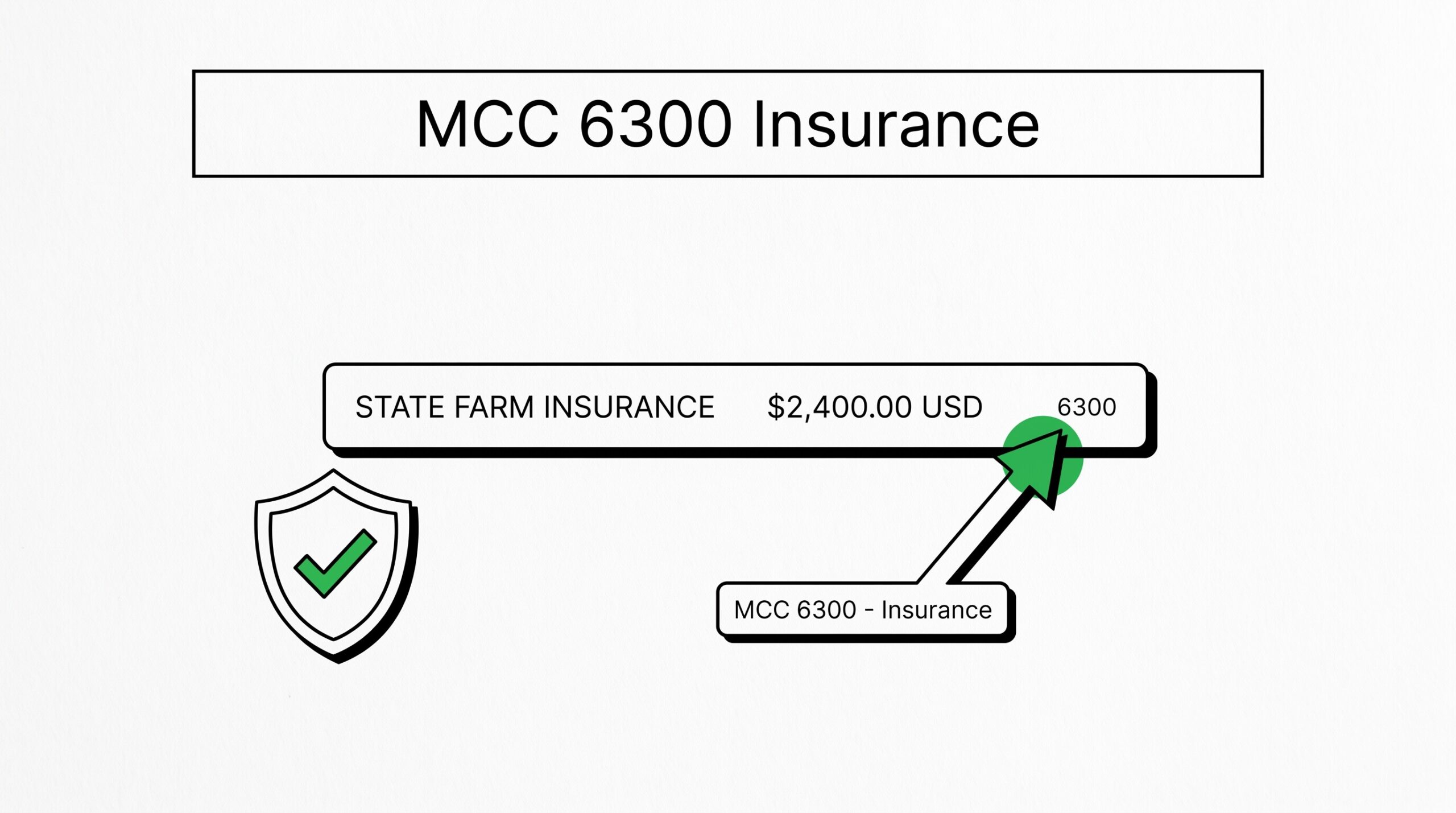
For the parallel reading on merchant category codes that flow over the card-network rails, see the complete MCC guide. For what every column on a US bank statement means, see the expanded bank statement anatomy.
Output format: which one matches the destination?
Picking the right output format is a separate decision from picking the right converter.
XLSX for human spreadsheet review. CSV for downstream scripts and tools. Google Sheets-compatible for shared cloud review. QBO for QuickBooks.
The four canonical columns are preserved across every format. What differs is how the downstream consumer expects the rows.
For a side-by-side rule of thumb that maps destination to format, see the decision framework on the output format pillar.
Read the full output format decision framework
From PDF to Excel in one click
Forget retyping line by line. Upload any bank statement, get a spreadsheet you can actually use. Your files are never stored, and you can test the converter with 3 free conversions.
Try it free