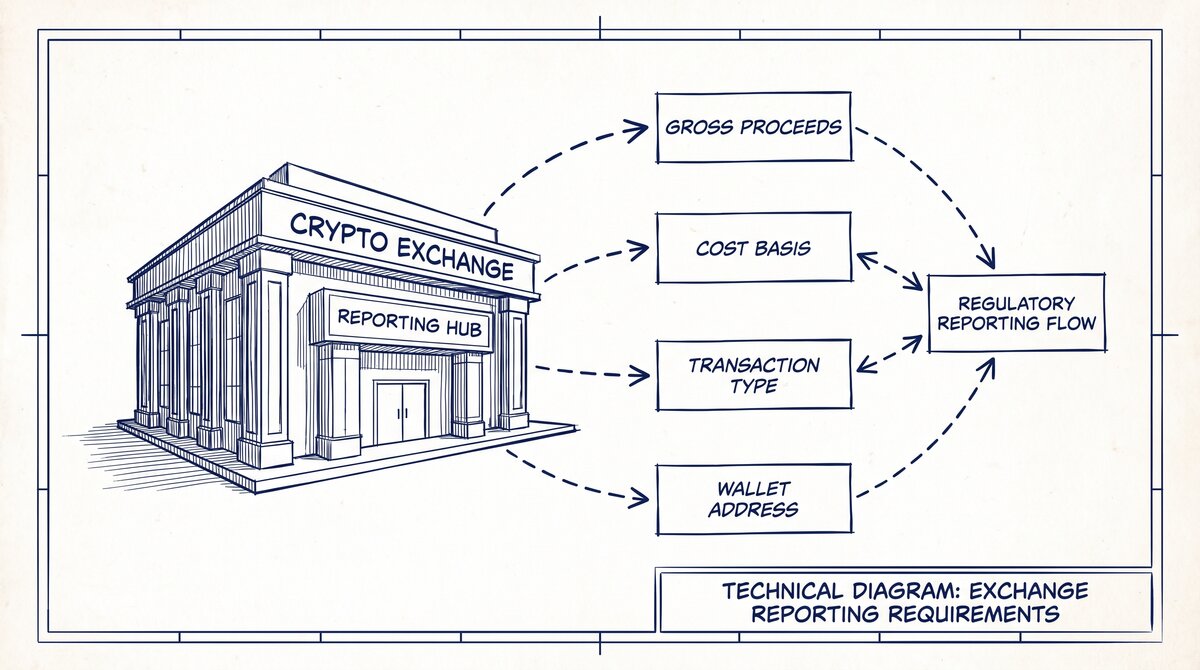

A merchant category code (MCC) is a four digit number that the payment card industry uses to classify a business by the goods or services it provides. For a gas station, that code tells a card issuer, a payment processor, and a tax filer what kind of merchant received the money.
This guide explains how MCCs apply to gas stations, what the IRS expects on Form 1099-K, and which codes show up most often.
The Internal Revenue Service treats the MCC as a reporting field, not a tax classification. Per IRS instructions for Form 1099-K, Box 2 requires the four digit MCC used by the payment card industry to classify the payee for payment card transactions reported on that form. That single field connects the card network record to the tax form, so it is worth getting right.
What a merchant category code is
An MCC is a four digit number used by the payment card industry to classify businesses by the goods or services they provide. There are roughly 600 of these codes, each representing a different type of business. A grocery store, a hotel, and a gas station each carry a different code.
The code travels with every card transaction, so the network knows what kind of merchant was paid.
ISO 18245:2003 describes the same idea in standards language: merchant category codes classify merchants into specific categories based on the type of business, trade, or services supplied. That standard is withdrawn, but the concept it describes is still how the networks operate today. A Registration and Maintenance Management Group handles requests for new codes, which is why the list grows slowly and changes rarely.
For a deeper primer on the concept itself, see our guide to merchant category codes, which covers the basics before this gas station focus.
How the IRS uses the MCC on Form 1099-K
Form 1099-K reports payment card and third party network transactions. Box 2 on that form carries the MCC. Per IRS instructions for Form 1099-K, the filer enters the four digit code the payment card industry uses to classify the payee for the payment card transactions being reported.
The MCC is not a tax rate and not a deduction; it is an identifier that helps the agency match the reported amounts to the right kind of business.
If you are a filer, the practical takeaway is simple. Pull the MCC from the merchant record or the card network data, not from a guess. If a payee has receipts under more than one MCC, the IRS gives you two valid options, covered in the next section.
If you are a payee, the MCC on your 1099-K should match the code your processor has on file for you.
For a broader look at how these codes appear on consumer statements, our guide to merchant category codes on credit card statements walks through the cardholder side of the same data.
From Bank Statement to QuickBooks-Ready File
That manual cleanup you just read about? This tool skips it. Turn your PDF into QBO for QuickBooks without storing your data anywhere.
Start ConvertingGas station MCCs: 5541, 5542, and 5552
Three codes come up most often for fuel businesses. Per the Mastercard Quick Reference Booklet, MCC 5541 is described as service stations with or without ancillary services. MCC 5542 is described as fuel dispenser, automated. MCC 5552 is described as electric vehicle charging.
A traditional full service station with a convenience store usually falls under 5541. A site that sells fuel only through automated dispensers with no staffed shop often maps to 5542. A charging location maps to 5552.
The Visa Merchant Data Standards Manual adds a nuance for mixed operations. A service station that uses automated fuel dispensers on the forecourt while also selling oil, drinks, and snacks inside must use a designated MCC for that merchant type.
In practice that means the forecourt automation alone does not decide the code; the overall merchant type does. When in doubt, the processor or acquirer assigns the code based on the dominant activity.
Our dedicated pages on MCC 5541 service stations and MCC 5542 automated fuel dispensers break down each code in more detail.
When a payee has more than one MCC
A gas station that also runs a car wash, a repair bay, or a small grocery counter may end up with receipts classified under more than one MCC. Per IRS instructions for Form 1099-K, the filer has two choices. One option is to file separate Forms 1099-K reporting gross receipts for each MCC.
The other is to file a single Form 1099-K reporting total gross receipts with the MCC corresponding to the largest portion of total gross receipts.
Either approach is acceptable under the instructions, so the choice is usually administrative. Filing separately keeps each code clean and matches how the card network sees the merchant. Filing one form with the dominant code is simpler and reduces paperwork. Whichever you choose, document the decision and the split so the numbers can be traced later.
For a full walkthrough of MCCs across industries, see our complete guide to merchant category codes and bank statements.
TPSOs that do not use MCCs
Not every filer uses MCCs. Per IRS instructions for Form 1099-K, a third party settlement organization that does not use MCCs to classify payees is not required to complete Box 2 of Form 1099-K. That is an explicit exception, and it applies only to filers in that position. A payment card network that does use MCCs still reports the code.
This distinction matters for gas stations that take payments through platforms rather than direct card acceptance. If the platform does not classify merchants by MCC, Box 2 may be blank on that form. That is not an error; it is the permitted treatment under the instructions.
Who assigns the MCC
Per IRS Form 1099-K FAQs updated February 6, 2024, an MCC is a four digit number used by the payment card industry to classify businesses by the goods or services they provide. The assignment itself is made by the payment card organization.
Per IRS Revenue Procedure 2004-43, a payment card organization may assign MCCs to merchant payees, and cardholder payors may rely on the assigned MCC in determining whether a payment card transaction is subject to reporting under section 6041 or section 6041A.
That reliance point is important for payors. If a business pays by card and relies on the MCC to decide whether to issue a 1099 under section 6041 or 6041A, the assigned code is the basis for that decision. The code comes from the network, not from the merchant, and it is the same code that feeds Box 2.
MCCs and sections 6041 and 6041A
Sections 6041 and 6041A govern reporting of payments to certain persons. When a payment card transaction is reported on Form 1099-K, the MCC helps determine whether separate reporting under those sections is needed. Per Revenue Procedure 2004-43, a cardholder payor may rely on the assigned MCC for that determination.
In practice this means a business buying fuel with a card can use the merchant code as part of its own reporting analysis.
This is an area where the details matter and the rules interact. The code tells you the merchant type, but the reporting obligation still depends on the facts of the payment. If you are unsure how a specific purchase should be reported, consult your tax professional before filing.
Practical steps for gas station owners and filers
Start by confirming the MCC your processor has on file for the station. It should match the dominant activity, whether that is 5541 for a service station, 5542 for automated fuel dispensers, or 5552 for electric vehicle charging.
If the station runs mixed operations, ask the processor which code applies to the account and whether a second code is used for a separate line of business.
Next, when 1099-K forms arrive or are issued, check Box 2 against the code you expect. If a payee has receipts under more than one MCC, decide whether to file separate forms or a single form with the dominant code, and keep the support for that choice. If you are a TPSO that does not use MCCs, leave Box 2 blank as the instructions permit.
Finally, keep the underlying records tidy. Easy Statement Sheet converts bank statement PDFs to Excel, CSV, Google Sheets, or QBO with balance verification, which helps reconcile the gross amounts on a 1099-K to the deposits in the account. Converting statements is a bookkeeping aid, not tax advice, and any filing decision should be reviewed with your tax professional.
Common mistakes and how to avoid them
A common mistake is assuming the code on the statement is the code to report. The MCC printed on a card statement is the network code, and it should match Box 2, but filers should still pull the code from the merchant or processor record rather than transcribing from a statement.
A second mistake is reporting a blank Box 2 when the filer does use MCCs; the blank treatment is only for TPSOs that do not use MCCs to classify payees. A third mistake is splitting receipts inconsistently year to year, which makes trend comparisons harder and can invite questions.
Pick an approach, document it, and apply it consistently.
Another pitfall is treating the MCC as a tax classification. It is not. The code describes the merchant type for card network purposes. It does not set a tax rate, create a deduction, or change the character of the income. Use it for reporting accuracy and for the reliance analysis under sections 6041 and 6041A, not as a substitute for professional tax judgment.
According to the Internal Revenue Service, Form 1099-K reporting and Box 2 requirements are set out in the instructions for that form, which were updated December 2026. Use those instructions as the primary reference when preparing or reviewing a filing.
Turn That PDF Into a Spreadsheet in Minutes
You've seen how to do it manually — now let the tool handle the heavy lifting. Upload your bank statement and get Excel, CSV, or QBO in a few clicks.
Try It Free