
Software to convert bank statements into Excel is any tool that reads a bank PDF and rebuilds its transactions into rows and columns. The statement is built for reading, not analysis. The columns do not exist until the software reconstructs them from positioned text. Picking the right tool means judging how reliably it does that across your banks and your volume.
For a small business owner, the choice matters because bad extraction costs more than the software. Retyping introduces transcription errors, and months of history do not scale by hand. The right tool saves hours and keeps your books clean. The wrong one creates cleanup work that eats the savings.
The right software is the one that reconciles every row against the printed running balance and exports a format your accounting workflow can use without rework.
Key facts. A converter reads positioned PDF text and reconstructs transaction rows. Accuracy is proven by the running balance, where every row must change the balance by its amount. Evaluate handling of wrapped descriptions, page-break splits, scanned PDFs via OCR, and export formats. Manual retyping invites transcription errors. The right choice depends on volume, bank formats, and whether output feeds accounting software.
Balance verification is the single non-negotiable test: if an extracted row does not change the running balance by the amount shown, the extraction failed.
What converter software actually does
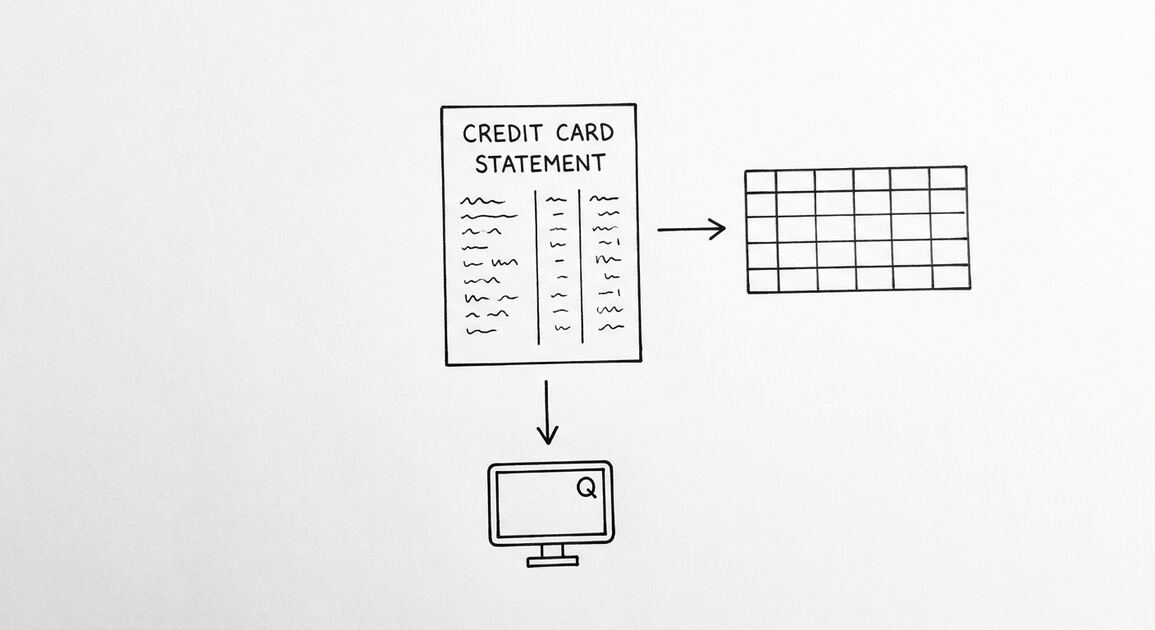
A PDF statement stores text by position. The bank prints fields at specific coordinates for human reading. There is no underlying table. The software reads those coordinates, groups text into rows, and assigns each value to a column. Done well, you get one row per transaction with fields separated. Done poorly, you get merged columns, split rows, or missing transactions.
This is why copy and paste fails. Pasting captures visible text but not structure, so dates land in amount columns and descriptions break across lines. Parsing document structure instead of visible text is what separates a converter from a text grabber.
The same logic applies to every bank, but each bank lays out its statement differently. Column order, date format, and how withdrawals are shown vary. A converter that handles one bank cleanly may struggle with another. Bank format support is a real evaluation criterion, not a marketing line.
Common failure modes deserve attention before you buy. Merged columns happen when the parser cannot tell where one field ends and the next begins. Phantom rows appear when a wrapped description is treated as a new transaction. Dropped rows occur at page boundaries. Knowing these patterns helps you test with intent rather than trust a clean demo.
For a detailed walkthrough of the extraction itself, see how bank statement to Excel converters work.
The main categories of converter software
Desktop and installed tools run on your computer and process files locally. They suit users who want offline control and repeatable batch handling. The tradeoff is installation, updates, and sometimes per-format licenses.
Online converters run in a browser and need no install. They suit occasional users and teams that want quick access from anywhere. Check how the service handles your data before uploading sensitive statements.
Spreadsheet add-ons and macros live inside Excel or Google Sheets. They can work for simple layouts but often break when a bank changes its statement format. They are cheap to start and costly to maintain.
Accounting software imports are not converters. QuickBooks and Xero can import CSV or QBO files, but something still has to produce those files from the PDF. Treat the converter and the accounting tool as separate steps.
For a closer look at the conversion path itself, see bank statement converter to Excel.
From PDF to Excel in one click
Forget retyping line by line. Upload any bank statement, get a spreadsheet you can actually use. Your files are never stored, and you can test the converter with 3 free conversions.
Try it freeEvaluation criteria that matter most
Accuracy measured by the running balance. Every extracted row must change the balance by the amount shown. This is the only objective test. If a tool cannot pass it on your statements, nothing else matters.
Handling of wrapped descriptions. A long merchant name or memo continues on the next visual line. A weak parser creates an extra row with a blank date and amount. A strong one merges the lines into one transaction.
Page-break splits. Transactions that straddle a page boundary can be dropped or split. Check the first and last rows of every page in a sample extraction.
Scanned PDF support via OCR. If you only have image-only statements, the tool must run OCR first. OCR adds errors, so prefer native text PDFs downloaded from your bank portal when possible. Note that many converters, including browser-based ones, only handle digital PDFs.
Export formats. Excel for human review, CSV for software import, Google Sheets for shared workflows, and QBO for direct bookkeeping import. Match the format to the next step in your workflow. For a deeper comparison, read how to choose a bank statement converter.
Two additional signals help. Speed on large files matters when you process months of history. Consistency across repeated runs matters when the same statement is reprocessed after a correction. Both are easy to check in a trial.
| Criterion | Why it matters | How to test |
|---|---|---|
| Running balance accuracy | Objective proof of correct extraction | Reconcile each row |
| Wrapped descriptions | Prevents phantom rows | Inspect long descriptions |
| Page-break handling | Prevents missing transactions | Check page boundaries |
| OCR support | Needed for scanned statements | Test on an image PDF |
| Export formats | Avoids manual reformatting | Confirm your target format |
How to test accuracy before you commit
Never trust a demo on a perfect statement. Download three real statements from your own bank: one short month, one with many transactions, and one spanning a page break. Run them through the tool and inspect the output row by row.
Count transactions first. Count on the PDF, then count extracted rows. A mismatch points to a split or merged row. This takes two minutes and catches most failures.
Then verify the running balance chain. Walk the rows in order. For each transaction, add deposits and subtract withdrawals from the previous balance. The result must equal the printed balance on that row. Pay attention to signs, since banks print withdrawals as negative or in parentheses.
Finally, confirm opening and closing balances match the PDF exactly. If all three checks pass on your own statements, the tool is worth considering. If any fail, move on.
For the verification method in detail, see bank statement accuracy verification.
| Check | Pass condition |
|---|---|
| Transaction count | Extracted rows equal PDF transactions |
| Running balance chain | Each row moves balance by its amount |
| Opening and closing balances | Match the PDF exactly |
Matching software to your volume and workflow
The right tool depends on three things beyond accuracy. Volume: a few statements a year is different from processing months of history for a new client. Bank formats: your bank layout may not be supported even if the tool supports dozens of others. Software fit: the output must feed your accounting system without rekeying.
For a bookkeeper onboarding a new client, batch handling and consistent column order matter more than a pretty interface. For a freelancer tracking expenses, a clean Excel file may be enough. For a mortgage applicant, the statement period and ending balance are the fields that matter most.
If your output feeds QuickBooks, confirm the tool exports QBO directly or produces a CSV that maps cleanly. If it feeds Xero, confirm column mapping. See PDF bank statement to Excel for the extraction side of that pipeline.
Ask about supported banks before committing. A tool that covers your bank today but not a second bank you may add later creates migration work. Check whether new bank formats are added regularly and whether you can request one.
Choosing with confidence
Manual retyping introduces transcription errors and does not scale across months of history. A single transposed digit throws off reconciliation, and you may not notice until tax time. A converter removes the typing and leaves verification, which is faster and more reliable.
That said, a converter is not magic. It still requires review. The time you save is the typing, not the checking. Budget a few minutes per statement to verify the running balance and confirm totals.
The tradeoff is clear: manual entry costs hours and risks errors; a converter costs minutes and risks a wrong row that the running balance will catch. For most small businesses, the converter wins once you have more than one or two statements to process.
Start with accuracy. Test on your own statements and require a clean running balance on every row. Then check the criteria that affect your workflow: wrapped descriptions, page breaks, OCR if needed, and the export format you actually use.
Match the tool to your volume and your accounting software, not to a feature list. A converter that passes your tests and exports the format you need is the right one, even if it lacks extras you will never use.
Keep the original PDF alongside the converted file. The statement remains the authoritative record; the spreadsheet is a working copy. For the broader selection framework, the same criteria apply to CSV and QBO exports.
Turn That PDF Into a Spreadsheet in Minutes
You've seen how to do it manually — now let the tool handle the heavy lifting. Upload your bank statement and get Excel, CSV, or QBO in a few clicks.
Try It Free