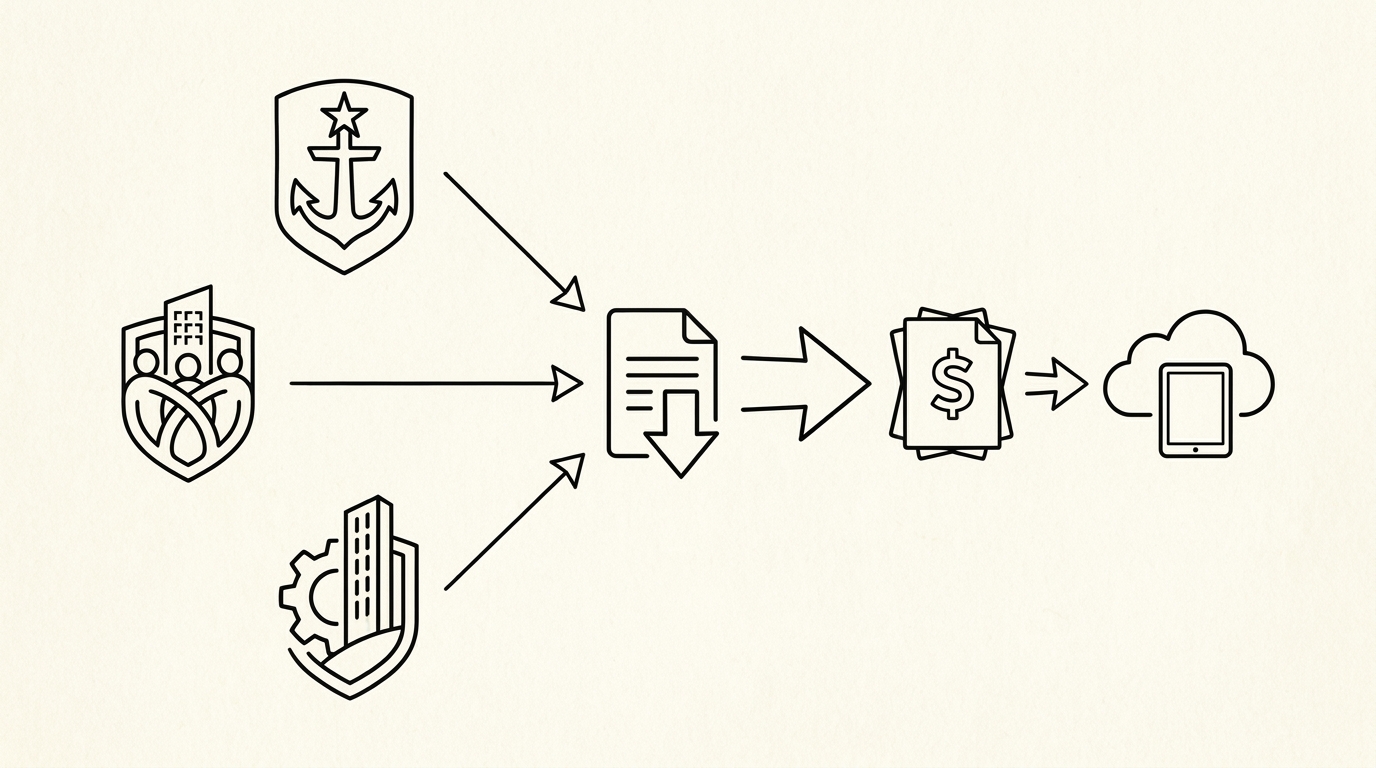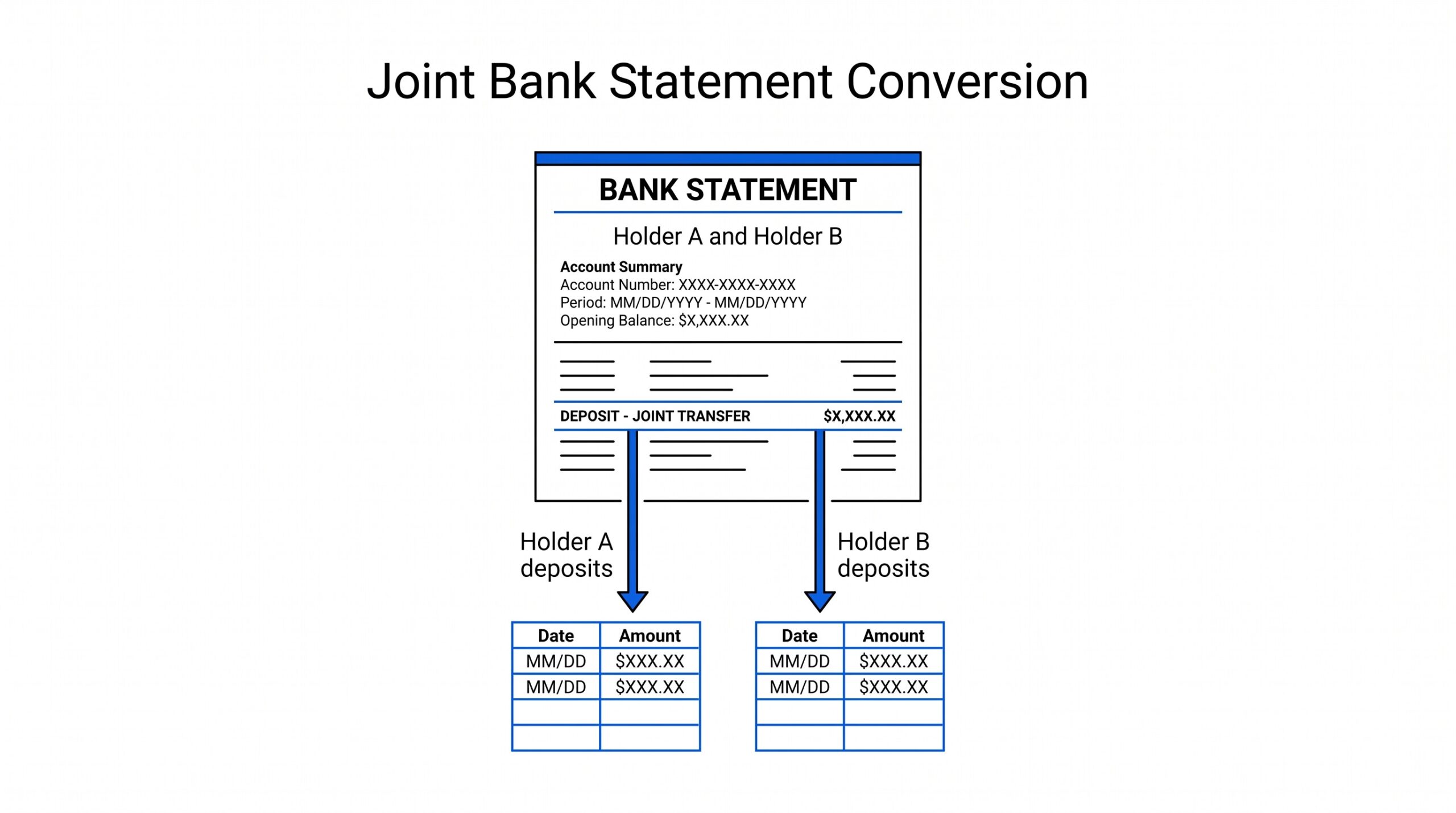

A crypto tax statement is a report listing every crypto transaction for the year for tax filing. The short answer: crypto tax statements come from 3 sources (1099-DA from brokers, exchange tax reports, or self-prepared from blockchain data), and the goal is to combine them into a single Excel file that lists every transaction with date, asset, amount, cost basis, and gain/loss.
The result is the input to the tax return or to tax software (CoinTracker, Koinly, TokenTax).
Why Crypto Tax Statements Are Different
Crypto tax statements are different from bank or credit card statements in 3 ways. First, the data is on multiple sources (multiple exchanges, multiple wallets, multiple blockchains) rather than a single source. Second, the “transaction” is more complex (buy, sell, swap, stake, unstake, transfer, airdrop, fork, gift) than a bank transaction.
Third, the cost basis is not always clear (what was the price when you acquired the asset, and what was the price when you sold it).
The tax reporting requirement is the same as for any other investment: every taxable event must be reported. The challenge is collecting the data from all the sources, normalizing the format, calculating the cost basis, and computing the gain/loss. The output is the input to the tax return (Form 8949 and Schedule D for the IRS, equivalent forms for other countries).
The 3 Sources of Crypto Tax Data
3 sources where crypto transaction data comes from:
1. 1099-DA form (new for 2025). The IRS requires brokers to issue a 1099-DA form for digital asset transactions starting with the 2025 tax year (issued in early 2026). The 1099-DA shows gross proceeds, cost basis, and gain/loss for each transaction. The form is issued by the broker (typically an exchange) and is similar to the 1099-B used for stocks.
2. Exchange-generated tax reports. Most exchanges (Coinbase, Kraken, Gemini, Binance.US, Crypto.com, Robinhood) generate a tax report that shows all transactions on the exchange during the year. The report is in CSV or PDF format and is the source of truth for what happened on that exchange. The report is typically available in the Tax section of the account.
3. Self-prepared reports from blockchain data. For non-custodial wallets (MetaMask, Trust Wallet, hardware wallets), there is no broker to issue a form. The taxpayer must export the transaction history from the wallet or from a blockchain explorer, then calculate the cost basis and gain/loss. Tools like CoinTracker, Koinly, and TokenTax can pull this data automatically from the wallet address.
From PDF to Excel in one click
Forget retyping line by line. Upload any bank statement, get a spreadsheet you can actually use. Your files are never stored, and you can test the converter with 3 free conversions.
Try it freeThe 5 Most Useful Columns
The crypto tax statement has 5 columns that cover the data needed for tax filing:
- Date: the date the transaction occurred. Used to match the cost basis (acquisition date) with the disposal date for the gain/loss calculation.
- Asset: the cryptocurrency (BTC, ETH, USDT, etc.). Each asset has a separate cost basis and gain/loss calculation.
- Transaction type: buy, sell, swap, stake, unstake, transfer, airdrop, fork, gift. Each type has different tax treatment.
- Quantity and cost basis: how much of the asset, and the cost basis (what you paid for it).
- Fair market value and gain/loss: the value at the time of the transaction, and the gain or loss compared to the cost basis.
The 5 columns are the minimum for tax filing. Some reports include additional columns (transaction ID, blockchain hash, exchange fee, etc.) for verification purposes. The 5 columns are the working set; the additional columns are reference.

The 3 Cost Basis Methods
3 methods for calculating the cost basis, each with different tax implications:
1. FIFO (first-in-first-out). The IRS default. When you sell, the cost basis is from the earliest acquisition. FIFO is the simplest method and is the default for most exchanges. The result is a higher cost basis (because the earliest acquisition was typically the cheapest) and a lower taxable gain.
2. LIFO (last-in-first-out). When you sell, the cost basis is from the most recent acquisition. LIFO is less common and may not be available in all tax software. The result is a lower cost basis (because the most recent acquisition was typically the most expensive) and a higher taxable gain.
3. HIFO (highest-in-first-out). When you sell, the cost basis is from the most expensive acquisition. HIFO is the most tax-efficient because it minimizes the gain. HIFO requires specific identification, which the IRS allows but requires careful record-keeping.
The 3 methods can produce different tax results, sometimes by thousands of dollars. The right choice depends on the taxpayer’s situation, the assets involved, and the availability of the data. Most tax software defaults to FIFO; switching to HIFO is a common optimization.
4 Biggest Mistakes
4 mistakes that show up frequently in crypto tax preparation:
1. Missing wallets. A taxpayer has 2 exchanges and 3 wallets, but the tax report only includes the 2 exchanges. The 3 wallets are missing, and the income from those wallets is not reported. The fix: list every wallet and every exchange, and include the data from each.
2. Missing exchanges. A taxpayer used 2 exchanges during the year, but the tax report only includes the larger one. The smaller exchange is missing. The fix: list every exchange account, even those with small balances or no recent activity.
3. Ignoring staking and airdrops. Staking rewards and airdrops are taxable income at the time of receipt. The taxpayer may treat them as “free” and not report them. The fix: include staking and airdrops as income at fair market value on the day received.
4. Not tracking cost basis correctly. The cost basis is what you paid for the asset. If you bought ETH at $2,000 and sold at $3,000, the gain is $1,000 per ETH. If you bought at 3 different prices and sold part, the cost basis depends on the method (FIFO, LIFO, HIFO).
The fix: track every acquisition with the price and date, then use the chosen method consistently.
The 4-Step Conversion Process
4 steps to convert crypto exchange statements to Excel:
- Download the tax report from each exchange. The report is in CSV or PDF format and is typically available in the Tax section. The download is 1-2 minutes per exchange.
- Convert each PDF to Excel using a browser-based converter. The conversion is 2-5 minutes per exchange report. For multiple exchanges, the total conversion is 10-30 minutes.
- Merge all exchange reports into a single Excel file. The merge uses a common set of columns (date, asset, transaction type, quantity, cost basis, gain/loss) and a single tab per exchange. The merge is 30-60 minutes for 2-5 exchanges.
- Validate the data with the 5-check process. The validation is 5-10 minutes per exchange. The total validation is 30-60 minutes.
Total time: 1-3 hours for 2-5 exchanges. For the conversion step, see the convert crypto exchange statement reference. For the underlying bank statement structure, see the bank statement converter page.
5 Cost Basis Tracking Best Practices
5 best practices for cost basis tracking that save time at tax time:
- Record every acquisition with the date, asset, quantity, and price. The record can be a spreadsheet, a tax software account, or a dedicated crypto portfolio tracker.
- Record every disposal (sale, swap, spend) with the same details. The disposal triggers the tax event.
- Use a consistent method (FIFO, LIFO, or HIFO). Switching methods year-over-year complicates the records and may not be allowed by the IRS.
- Reconcile monthly rather than annually. The monthly cadence prevents the year-end backlog of 12+ months of transactions.
- Keep records for 7 years. The IRS audit window is typically 3 years, but the records should be kept for 7 years to cover any extension or amendment.
The 5 practices are the minimum for a defensible tax position. For more complex situations (DeFi, liquidity pools, perpetual futures), the record-keeping is more complex and may require specialized tools.
The 3 Tax Software Options
3 crypto tax software options that automate the data collection and calculation:
1. CoinTracker. The most popular crypto tax software. Connects to exchanges and wallets via API, pulls the transaction data, calculates the cost basis using the chosen method, generates the tax forms (Form 8949, Schedule D, etc.). The free tier covers a small number of transactions; the paid tier is $50-300/year depending on the number of transactions.
2. Koinly. Similar to CoinTracker with broader international support. The interface is cleaner for some users, and the pricing is similar. Koinly supports 300+ exchanges and 100+ wallets.
3. TokenTax. A premium option with dedicated support and CPA access. The pricing is $300-1000/year, but the support is more hands-on. TokenTax is the right choice for complex situations or high-net-worth taxpayers.
The 3 options are similar in capability; the choice depends on the number of transactions, the international support needed, and the level of support desired. For most taxpayers, CoinTracker is the default. For the comparison, see the crypto tax software comparison reference.
Tools and Resources
3 tools that make crypto tax preparation faster:
A common failure mode bookkeepers report is treating this as a single operation rather than a chain of dependent steps. The temptation is to find a tool that ‘just works’ and stop investigating the mechanism.
The result is a wrong-fix cycle: the tool gives partial output, the bookkeeper spends 30+ minutes troubleshooting, the fix is for the wrong step, and the same error recurs on the next statement. The fix: identify which step failed and apply the right intervention to that step.
Related Resources
| Resource | What You Get |
|---|---|
| Bank Statement Converter | Convert to Excel |
| 1099-Da Form | See reference |
| Crypto Cost Basis Methods | See reference |
| Crypto Tax Software | See comparison |
| Crypto Audit Prep | See reference |
- Browser-based converter: The bank statement converter handles crypto exchange PDFs the same way as bank statement PDFs.
- Crypto tax software: CoinTracker, Koinly, or TokenTax. The software automates the data collection, cost basis calculation, and tax form generation.
- Spreadsheet template with the 5 columns: Excel or Google Sheets with the date, asset, transaction type, quantity, and cost basis columns pre-built. The template makes the manual merge and validation faster.
For the 1099-DA context, see the what is 1099-DA form reference. For the cost basis methods, see the crypto cost basis methods guide. For the exchange-specific context, see the convert Coinbase statement for taxes page. For the audit prep context, see the crypto audit prep reference.
Related: complete 1099-DA crypto tax guide
This topic is part of the broader 1099-DA and crypto-tax cluster on this site. The consolidated hub for the entire topic, including the form mechanics, broker requirements, cost basis methods, reconciling to bank statements, and state-level differences, now lives in the complete 1099-DA crypto tax reporting guide.
For related reading, the complete US bank payment rails guide covers ACH and wire cash flows from crypto exchanges, and the complete MCC guide covers merchant category codes on credit-card statements. The expanded bank statement anatomy pairs naturally with this hub.
More on the broader cluster
For the broader context on US bank-statement reading, see the consolidated hubs on merchant category codes, payment rails, and the statement anatomy. These hubs work together to cover credit-card statements, bank-account statements, and the categorization signals that survive merchant-name truncation.
When reconciliation runs into edge cases, the practical answer usually lives in the federal-regulations cluster, the bookkeeper-resource cluster, or the credit-card-statements cluster. Each offers a domain-specific take on the same underlying signal.
Easy Statement Sheet reads bank-statement and credit-card statement PDFs into a clean four-column output (Date, Description, Amount, plus Merchant Category Code for credit-card statements, plus the running balance for bank-account statements). Files are never stored.
The first three statement conversions are free, no card required. Plans start at $15 per month. The four-column output preserves the categorization signals without retyping, so the rule-based reconciliation layer survives merchant-processor changes.
Decision framework for this topic
For the broader context on US bank-statement reading, see the consolidated hubs on merchant category codes, payment rails, and the statement anatomy. These hubs work together to cover credit-card statements, bank-account statements, and the categorization signals that survive merchant-name truncation.
Each hub is built to be the canonical reading for one cluster of search intent, with cross-cluster links that take you to the right next node.
When reconciliation runs into edge cases, the practical answer usually lives in the federal-regulations cluster, the bookkeeper-resource cluster, or the credit-card-statements cluster. Each offers a domain-specific take on the same underlying signal. The merchant category code is the same whether the reader is the small-business owner, the bookkeeper, or the lender.
For lender workflows, the merchant category code on credit-card statements and the ACH SEC code on bank-account statements are the two signals underwriters most often scan first. Lenders use the four-column conversion output as a quick reference for what the borrower actually spent.
Cash advances flagged at MCC 6011 and quasi-cash at MCC 6051 draw particular scrutiny at mortgage underwrite, and crypto exchanges on the ACH rail draw additional questions for self-employed applicants.
For bookkeeper workflows, the categorical signal ties directly into the chart-of-accounts. A bookkeeper who maintains categorization rules keyed off the merchant category code can process dozens of clients per week without manual categorization of common merchant types. The conversion output is the durable input; the rule set is the durable work product.
Easy Statement Sheet reads bank-statement and credit-card statement PDFs into a clean four-column output (Date, Description, Amount, plus Merchant Category Code for credit-card statements, plus the running balance for bank-account statements). Files are never stored. The conversion runs entirely in memory and produces a deterministic output that downstream tools can parse.
The first three statement conversions are free, no card required. Plans start at $15 per month. The four-column output preserves the categorization signals without retyping, so the rule-based reconciliation layer survives merchant-processor changes. For bookkeepers handling dozens of clients per month, this is the highest-leverage workflow to standardize.
Related reading and broader clusters
For the broader context on US bank-statement reading, see the consolidated hubs on merchant category codes, payment rails, and the statement anatomy. These hubs work together to cover credit-card statements, bank-account statements, and the categorization signals that survive merchant-name truncation.
Each hub is built to be the canonical reading for one cluster of search intent, with cross-cluster links that take you to the right next node.
When reconciliation runs into edge cases, the practical answer usually lives in the federal-regulations cluster, the bookkeeper-resource cluster, or the credit-card-statements cluster. Each offers a domain-specific take on the same underlying signal. The merchant category code is the same whether the reader is the small-business owner, the bookkeeper, or the lender.
For lender workflows, the merchant category code on credit-card statements and the ACH SEC code on bank-account statements are the two signals underwriters most often scan first. Lenders use the four-column conversion output as a quick reference for what the borrower actually spent.
Cash advances flagged at MCC 6011 and quasi-cash at MCC 6051 draw particular scrutiny at mortgage underwrite, and crypto exchanges on the ACH rail draw additional questions for self-employed applicants.
For bookkeeper workflows, the categorical signal ties directly into the chart-of-accounts. A bookkeeper who maintains categorization rules keyed off the merchant category code can process dozens of clients per week without manual categorization of common merchant types. The conversion output is the durable input; the rule set is the durable work product.
Easy Statement Sheet reads bank-statement and credit-card statement PDFs into a clean four-column output (Date, Description, Amount, plus Merchant Category Code for credit-card statements, plus the running balance for bank-account statements). Files are never stored. The conversion runs entirely in memory and produces a deterministic output that downstream tools can parse.
The first three statement conversions are free, no card required. Plans start at $15 per month. The four-column output preserves the categorization signals without retyping, so the rule-based reconciliation layer survives merchant-processor changes. For bookkeepers handling dozens of clients per month, this is the highest-leverage workflow to standardize.
Output format: which one matches the destination?
Picking the right output format is a separate decision from picking the right converter.
XLSX for human spreadsheet review. CSV for downstream scripts and tools. Google Sheets-compatible for shared cloud review. QBO for QuickBooks.
The four canonical columns are preserved across every format. What differs is how the downstream consumer expects the rows.
For a side-by-side rule of thumb that maps destination to format, see the decision framework on the output format pillar.
Read the full output format decision framework
Turn That PDF Into a Spreadsheet in Minutes
You've seen how to do it manually — now let the tool handle the heavy lifting. Upload your bank statement and get Excel, CSV, or QBO in a few clicks.
Try It Free