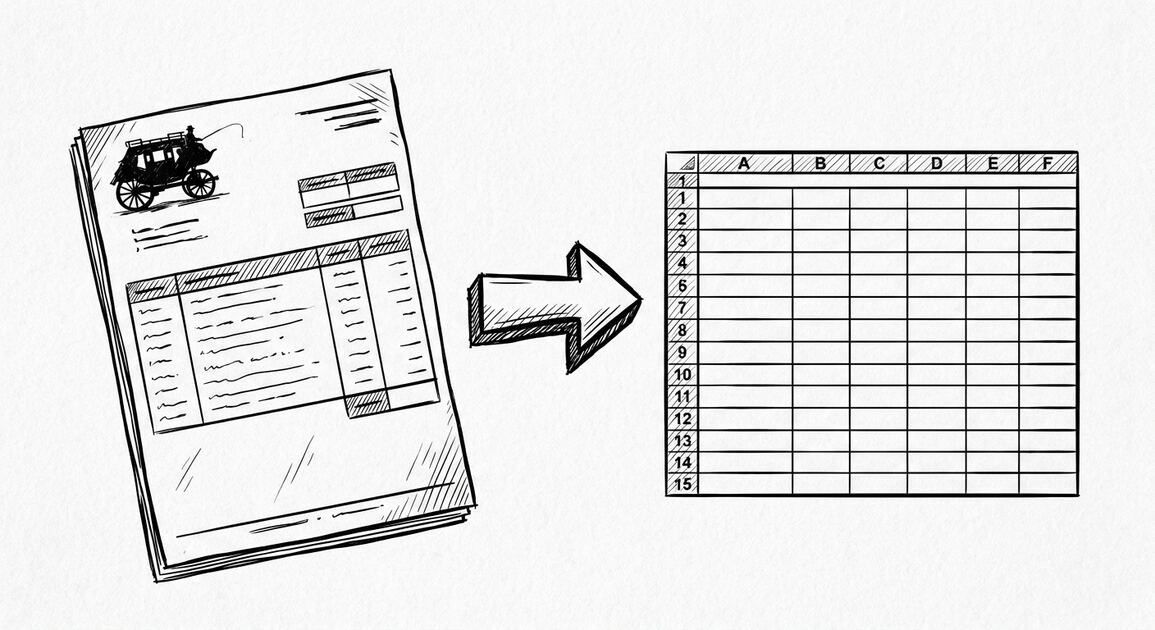

Mike and Jen are applying for a mortgage. Their situation is one variant of a broader loan application bank statement workflow that covers mortgages, refinances, and personal loans. Their lender needs 2 months of bank statements for both applicants. They have a joint checking account and a joint savings account, each with its own PDF statement.
The lender’s underwriter wants one Excel file per account, with all transactions preserved and both names on the account visible. Mike and Jen tried to convert the PDF using a free online tool.
The output was clean rows but the account holder field was missing entirely, and the income line they needed (regular payroll deposits) was buried among shared expenses like groceries and utilities.
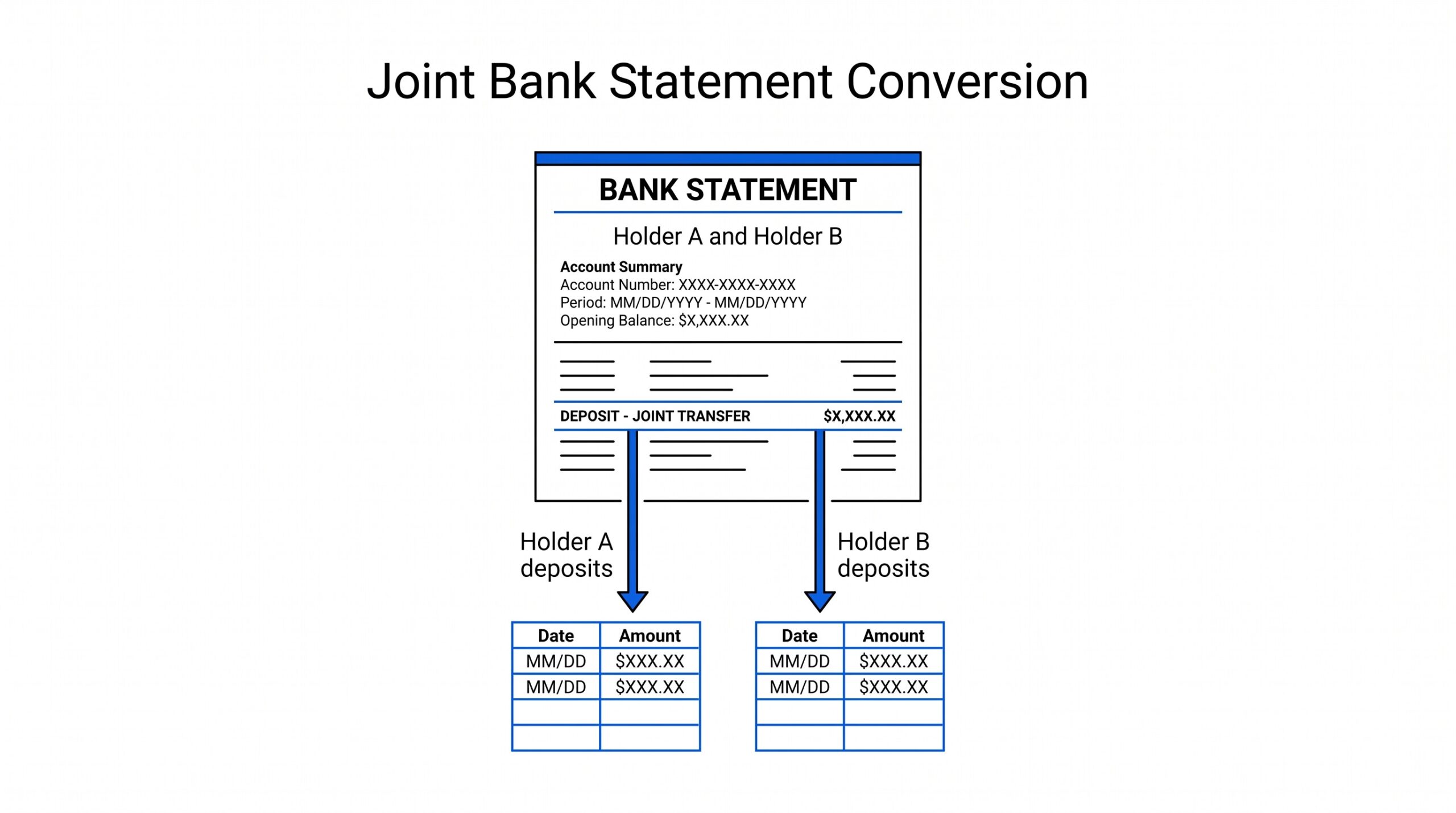
The problem with joint statements is not the conversion. Most converters handle the data fine. The problem is the downstream interpretation: who owns which transaction, and how do you split a single account between two applicants without misrepresenting the income.
Quick Answers: A joint bank statement lists two account holders and shows transactions owned by both names together. Most PDF converters output the transactions cleanly but do not tag which holder is responsible for which transaction. To convert a joint statement to Excel for a mortgage or rental application, you need: clean rows, both names preserved, and a clear way to separate or combine the income that belongs to each applicant.
What a joint bank statement actually shows
A joint bank statement is a single PDF account statement for an account owned by 2 or more people. The single owner statement to Excel workflow covers the simpler case when only one name is on the account. Common ownership structures:
- Married couples with a shared checking account for household expenses
- Business partners with a joint operating account
- Parent and adult child sharing an account for elder care
- Roommates with a joint utility payment account
The statement itself shows: both names in the account holder header, all transactions posted to the account regardless of who initiated them, and a combined balance. The statement does not tag which transaction belongs to which holder. A $2000 deposit might be Mike’s payroll, Jen’s payroll, or a shared gift from a relative. The statement does not distinguish.
This is different from a statement that happens to have 2 names on the cover but is functionally a single owner account. Most lenders require both names visible in the statement header even for individual accounts, so do not assume a 2 name statement means the income is split.
Why joint statements are harder to convert than single owner statements
Most PDF to Excel converters do not have a joint account mode. They treat every statement the same: extract the rows, output them in a table, done. The conversion itself usually works. The problem is what happens next.
Income verification breaks. For business applicants, the equivalent conversion is covered in the business statement conversion guide. For applicants whose lender accepts QBO format, the QuickBooks conversion workflow handles the file format conversion. A mortgage underwriter looking at a joint account wants to see each applicant’s qualifying income. If the statement shows a $4000 deposit every two weeks, the underwriter needs to know whether that is Mike’s full paycheck, Jen’s full paycheck, or two combined paychecks that should be split.
Without a name or source tag on the deposit line, the underwriter has to ask the borrower, which slows the file.
Rental applications fail or get delayed. Landlords often require 3 months of statements. For a joint application, the landlord wants to confirm both tenants can pay. A joint statement where one tenant has no visible income is a red flag, even if the other tenant covers all the rent.
Tax preparation gets complicated, especially for self employed applicants. The self employed tax filing bank statement workflow covers the freelancer angle with similar income tracking challenges. For US joint filers (Married Filing Jointly), the IRS does not require per spouse income tracking on a bank statement. For Married Filing Separately or for community property states, the situation changes. Converting a joint statement to Excel and then trying to split it by transaction is a manual task that takes hours if done by hand.
Turn That PDF Into a Spreadsheet in Minutes
You've seen how to do it manually — now let the tool handle the heavy lifting. Upload your bank statement and get Excel, CSV, or QBO in a few clicks.
Try It FreeThe 4 step conversion workflow
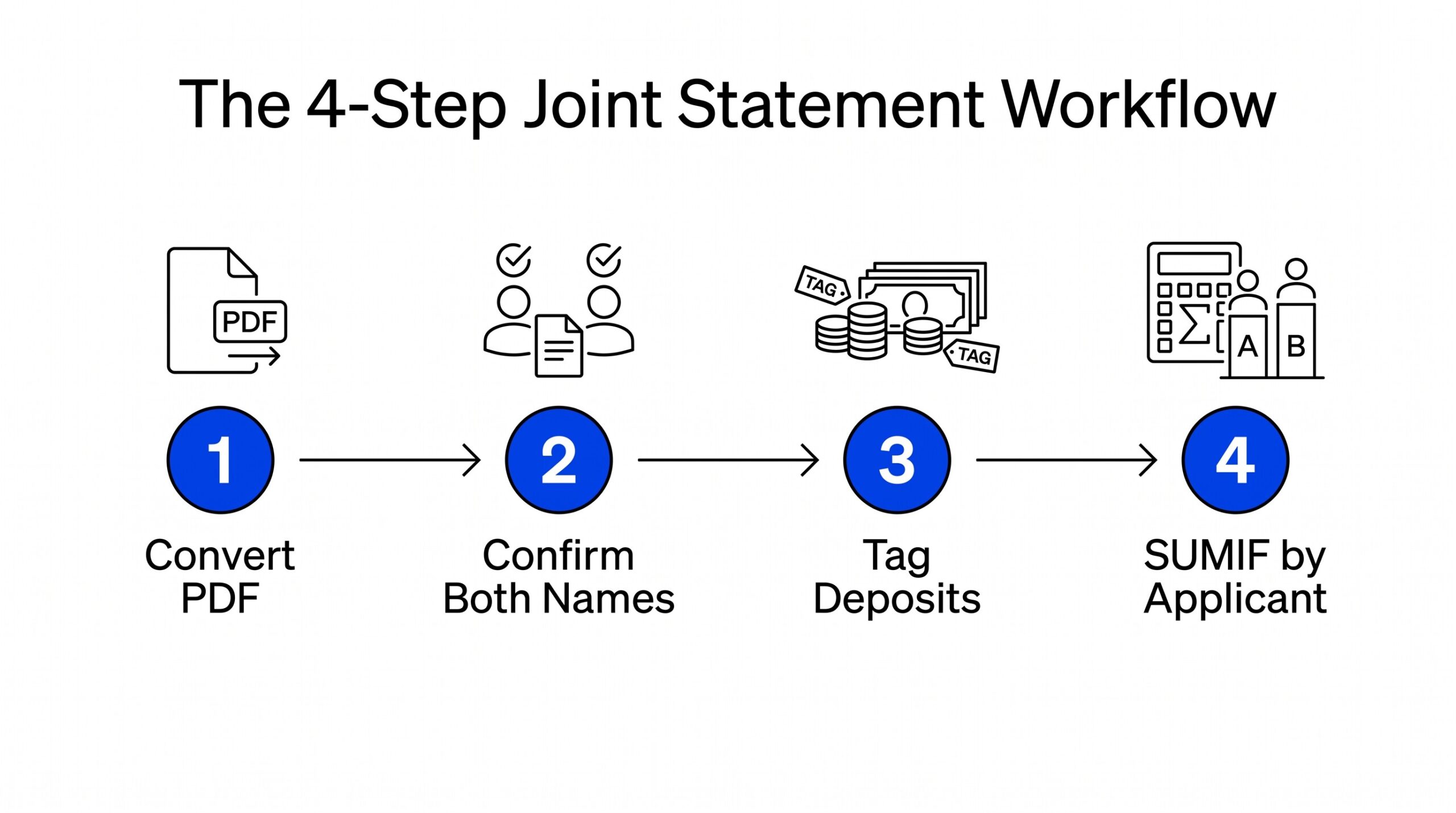
Step 1: Convert the PDF and confirm both names are visible
Convert the joint bank statement PDF to Excel using a converter that preserves the account holder field. Most converters do this automatically because the holder names are part of the PDF text layer. Open the output and confirm both names appear in the header or in a metadata row.
What to check: the output has a “Name” or “Account Holder” column with values like “Mike Johnson and Jen Johnson” or both names on separate lines. If the output only shows one name, the converter may have truncated or the source PDF may have a layout issue. Re-export the PDF or try a different converter.
Step 2: Tag deposits with the source applicant
For each deposit in the statement, add a column called “Source Applicant” and tag it with the applicant whose income that deposit represents. Use whatever tag makes sense for your file: full name, initials, or “Applicant 1” and “Applicant 2”. Be consistent.
How to identify the source: the deposit description often includes the employer’s name. Match the employer to the applicant. If both applicants work at different companies, the employer name on the deposit line tells you which applicant earned it.
If both work at the same company, the deposit amount and frequency may distinguish them (Mike gets paid every other Friday, Jen gets paid on the 15th and last day of the month).
Step 3: Separate or combine the income for the lender
For a mortgage application, the lender typically wants a separate income calculation per applicant. Use a SUMIF formula in Excel: sum all deposits where Source Applicant equals “Mike Johnson”. The result is Mike’s qualifying income from this joint account. Repeat for Jen.
For a rental application, the landlord usually wants combined income proof. Use a SUM formula on the deposit column with a filter for payroll-like descriptions. The result is total household income, which is what the landlord needs to confirm rent affordability.
Step 4: Export to the format the lender or landlord requires
Most lenders accept Excel directly. Some require PDF (in which case you can print the Excel to PDF). A few older lenders or property managers require CSV. Save the file in the format the recipient asked for, and verify the file opens correctly before submitting.
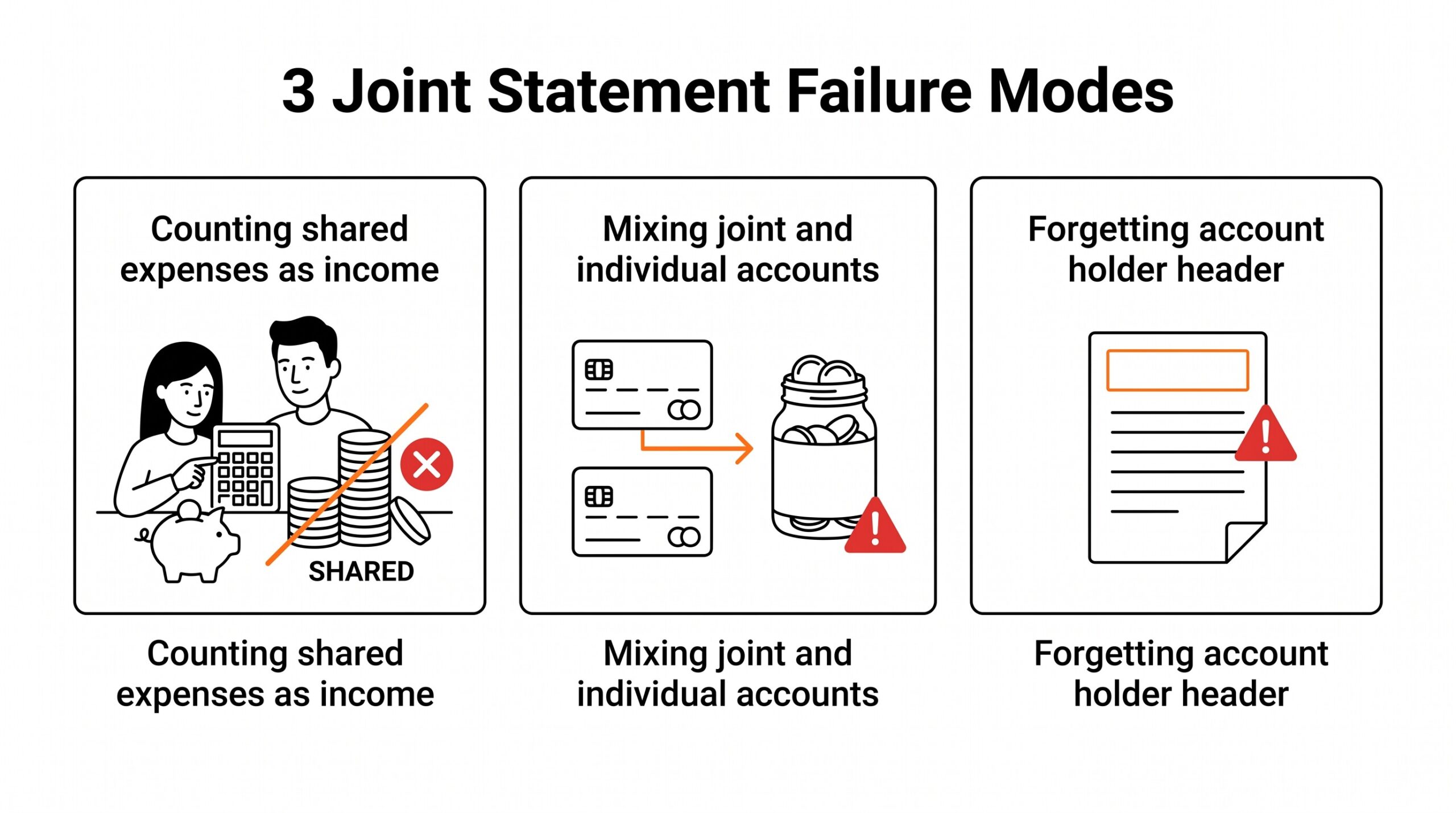
3 failure modes specific to joint statements
Failure 1: Counting shared expenses as income
A common mistake applicants make is treating the entire account balance as both applicants’ income. If the joint account shows $20,000 over 2 months and one applicant did not work during that period, the lender will catch the overstatement when they request pay stubs.
The fix: only count actual income deposits (payroll, business receipts, rental income) toward qualifying income. Shared expense reimbursements, transfers from savings, and gift deposits are not income.
Failure 2: Mixing joint and individual accounts
Another common mistake is including the joint statement alongside individual statements for the same applicant without clearly separating them. The lender cannot tell which transactions belong to which applicant. The fix: submit each statement as a separate file with a clear label, or use a single Excel file with a “Statement Source” column that identifies which account each row came from.
Failure 3: Forgetting the account holder header
A third mistake is submitting a converted Excel file without the original account holder information. The Excel file shows transactions but does not show that the account is jointly held.
The lender assumes it is a single applicant account and the second applicant’s income is invisible. The fix: include the account holder names in the file, either as a header row, a metadata sheet, or as the first column on each transaction row.
What most converters miss on joint statements
Most PDF to Excel converters treat every statement as a single owner document. They extract the amount, date, and description, and they stop there. They do not extract the account holder names from the statement header. They do not preserve the joint account structure. They do not flag deposits that may need source attribution.
For joint statements, you need a converter that extracts more than the transactions: it needs the account holder field, the statement period, and ideally the account type (checking, savings, money market). Without these fields, you are doing the metadata work manually after the conversion.
The other thing most converters miss is the lender’s specific format requirements. Some lenders want transactions in date order (most do). Some want them in reverse date order (newest first). Some want a running balance column, others do not. The right workflow is to confirm the lender’s format requirements before converting, then choose a converter that supports those requirements.
When the joint account is actually single applicant
Some lenders list two names on the account holder header for legal reasons even when only one person uses the account. A jointly held account with all income from one applicant and all expenses paid by that same applicant should be treated as a single applicant account for income verification. The statement shows two names but the income analysis is single applicant.
When to include the spouse or partner as a co-borrower
A joint account with strong income from one applicant and limited income from the other may still help the application if both applicants are listed on the loan. The stronger applicant qualifies and the weaker applicant provides backup. The joint account shows the household financial picture, which is what the lender uses to assess the household ability to repay.
See also
The general PDF bank statement to Excel workflow covers the standard single applicant case and is the starting point for joint accounts when you have already extracted the transactions. For applications specifically, the mortgage application bank statement guide covers the full 2 month and 2 year statement workflow that lenders require, including how to handle joint accounts in the lender package. For multi currency situations on top of joint ownership, the multi currency conversion workflow handles both at once.
From PDF to Excel in one click
Forget retyping line by line. Upload any bank statement, get a spreadsheet you can actually use. Your files are never stored, and you can test the converter with 3 free conversions.
Try it free