
Bank Statement vs Bank Feed, Which Workflow for Your Books
You open QuickBooks Online and notice the bank feed for one client has been “disconnected” for the third time this quarter. Another client hands you a PDF statement from a regional credit union that doesn’t support feeds at all.
A third client’s books are reconciled through the 90 days the feed pulled, but you need to onboard transactions from 12 months ago for a new client engagement. Each scenario pulls you toward a different method, and most bookkeepers end up running both in parallel, bank feeds for some clients, monthly PDF-to-CSV converted statements for others.
The right answer depends on which trade-offs matter for each situation.
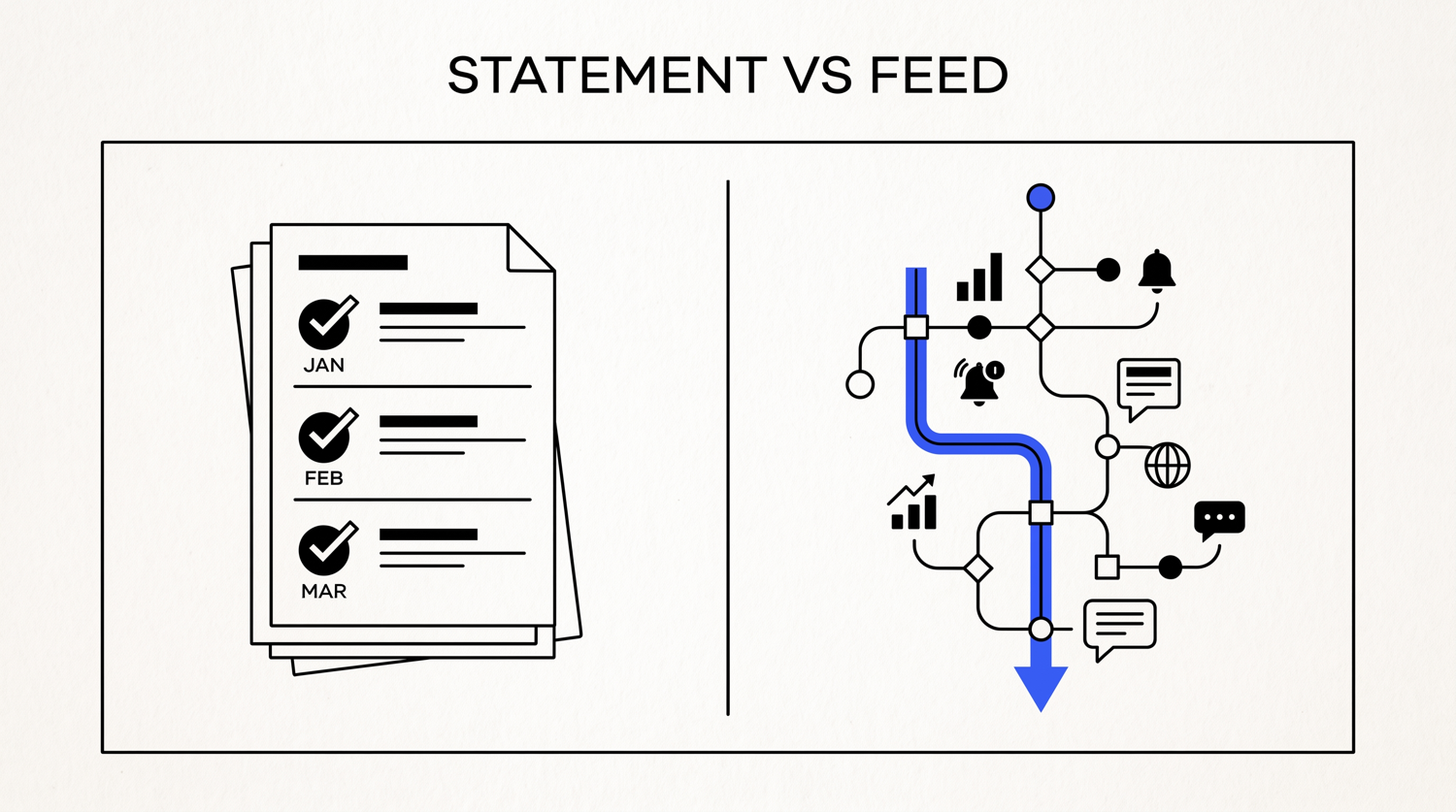
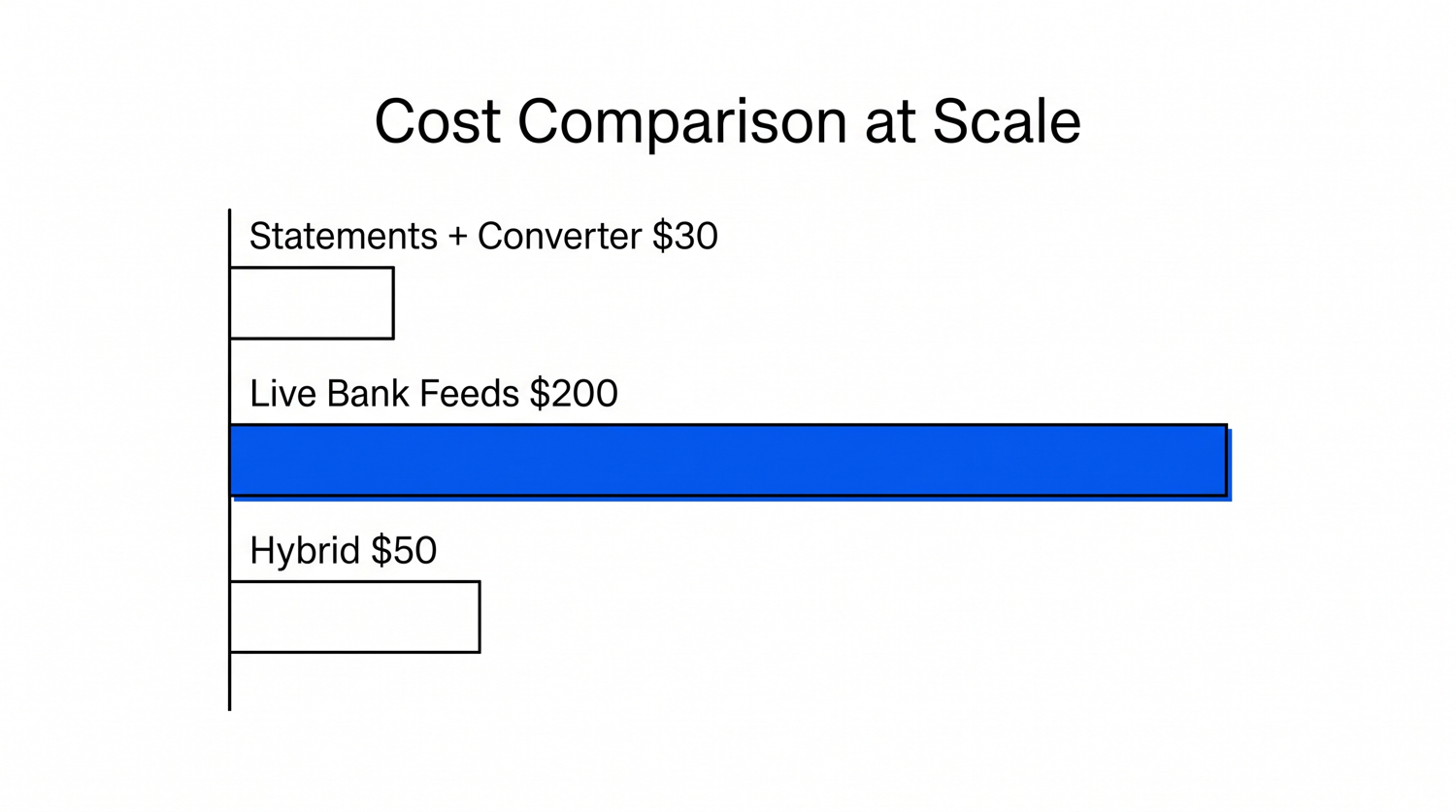
Quick Answers: A bank statement is a periodic document the bank sends (PDF, paper, CSV) showing all transactions over a period. A bank feed is a live API connection between the bank and accounting software that imports transactions daily. Bank feeds save time but limit to ~90 days of historical data and break for some banks. Statements work for every bank and any date range but require manual conversion. Most professional bookkeepers run a hybrid: feeds for active clients, statements for historical onboarding and as backup. Cost: feeds add $90-200/month at scale, converters add $20-50/month.
What a Bank Statement Workflow Actually Is
A bank statement workflow is the traditional, document-based way of getting transactions into your books. Here’s how it works in practice:
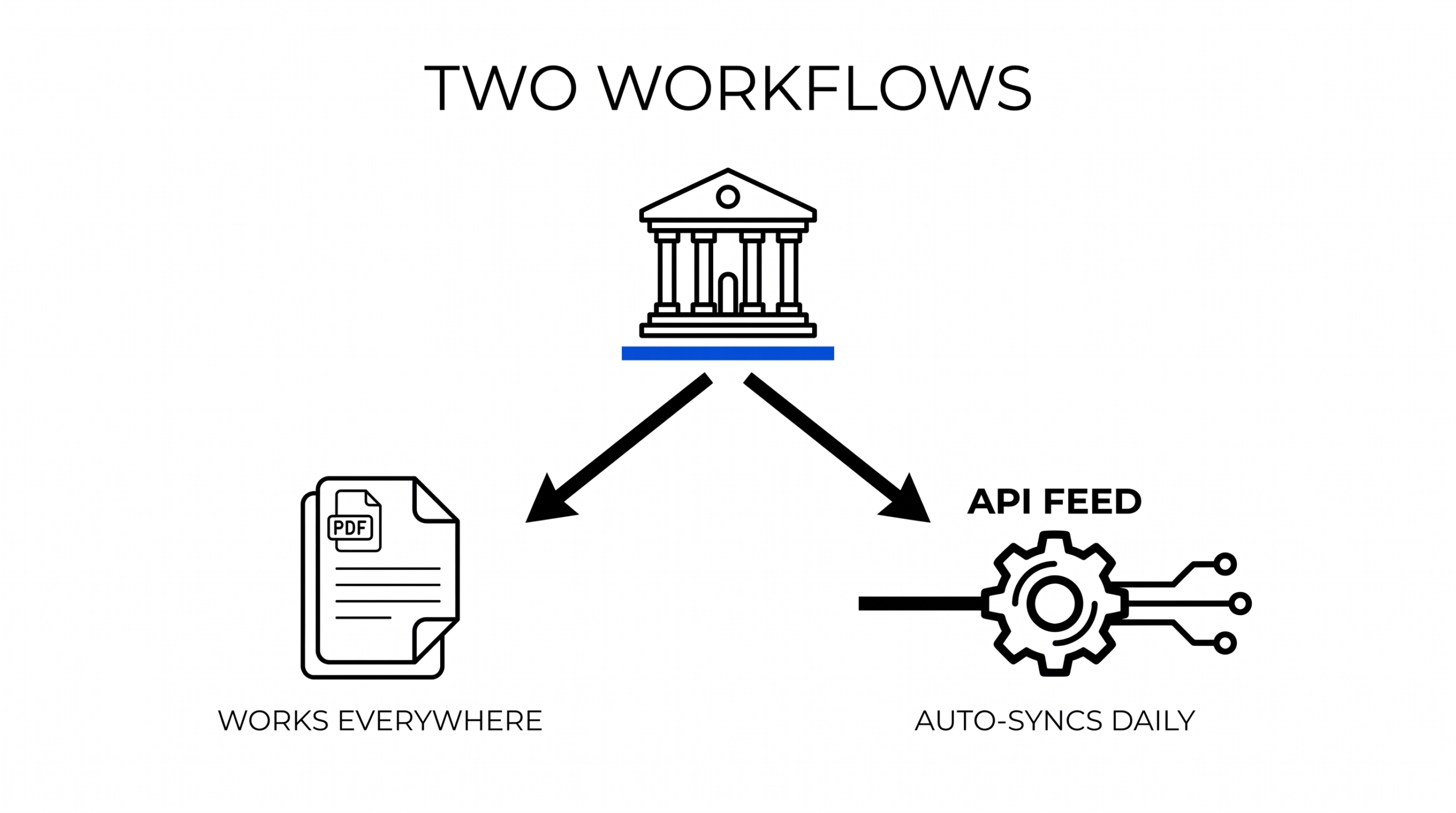
- The bank sends (or the user downloads) a statement at the end of each month or statement cycle. The format is typically PDF, paper, or CSV/Excel.
- The bookkeeper receives the statement and converts it (if PDF) to a structured format like CSV or Excel using a PDF-to-CSV converter.
- The converted file is imported into convert bank statement to QuickBooks, where the lines appear in the bank account’s register.
- The bookkeeper reconciles each line, assigning categories and matching against invoices, receipts, and bills.
The statement is the original document. It’s what the bank issued. The conversion step is necessary because most accounting software can’t read PDF files natively, you need to extract the tabular data first.
The statement workflow works for every bank. Every bank in the United States issues statements, regardless of size or technology. Smaller regional banks, credit unions, and international institutions all produce statements even when they don’t support direct bank feeds.
From PDF to Excel in one click
Forget retyping line by line. Upload any bank statement, get a spreadsheet you can actually use. Your files are never stored, and you can test the converter with 3 free conversions.
Try it freeTurn any PDF statement into a clean sheet
Skip the typos and the hours of copying. Our converter handles any bank statement format and outputs Excel, CSV, or QBO for QuickBooks. No file retention, free to try.
Convert your statementWhat a Direct Bank Feed Actually Is
A bank feed is a continuous API connection between the bank and your accounting software. Here’s the typical setup:
- Inside QuickBooks Online (or Xero, Wave, Sage, etc.), the bookkeeper goes to Banking, selects “Link account,” and chooses the bank.
- The user logs into their banking credentials through a third-party aggregator (Plaid, Yodlee, Finicit), or directly with the bank, and authorizes the connection.
- Once connected, transactions flow into the accounting software automatically, typically within 24 hours of posting at the bank.
- The bookkeeper categorizes and matches each transaction. Some software offers rules-based auto-categorization for recurring patterns.
Bank feeds are real-time and continuous. They pull new transactions daily, so the books stay current without any manual data entry. The aggregator handles the security token management.
The bank feed workflow is supported by the major U.S. banks (Chase, Bank of America, Wells Fargo, Citibank, Capital One) and many mid-size institutions. Roughly 12,000 banks and credit unions in the United States support Plaid alone, but thousands of smaller institutions don’t have any feed support at all.
Side-by-Side: 7 Comparison Factors
Here’s how the two workflows compare on the dimensions that matter to bookkeepers:
| Factor | Bank Statement | Bank Feed |
|---|---|---|
| Time per month | 30-90 min per client (after conversion) | 15-45 min per client (categorization only) |
| Coverage | Every bank (no exceptions) | Major banks + ~12,000 smaller banks via Plaid |
| Historical data | Any date range on existing statements | Only from connection date forward (typically 90 days back) |
| Breakage | Never (statement always arrives) | Periodic, feed can disconnect for security, password change, or bank maintenance |
| Format required | PDF, paper, CSV (varies by bank) | None (live API) |
| Cost | $0 (free from bank) + converter subscription | Free at basic tiers; $90-200/month for accountant multi-client feeds |
| Audit defense | Original document, strongest evidence | Derived data, requires bank reconciliation report to defend |
The trade-off is clear: feeds save time but are limited in scope, brittle, and expensive at scale. Statements work for everyone but require a conversion step and a slightly more manual workflow.
5 Scenarios Where Statements Clearly Win
Despite the time-saving of feeds, there are concrete situations where statement-based workflows are the better choice:
- Smaller credit unions and regional banks without feed support. Many local credit unions, community banks, and international banks simply don’t have a Plaid or direct-feed integration. The only option is the monthly statement.
- Historical onboarding (90+ days back). Bank feeds only pull from the connection date forward, typically 90 days back at most. For new client engagements, you need 12 months of history to reconcile prior-year books. Statements are the only path.
- Closed accounts. When a client has closed a business bank account and now needs the final statements imported for tax filing or audit, the feed was disconnected at closure. Only the statements remain.
- Audit backup. When an IRS audit or lender review asks for original documentation, the bank statement is the strongest evidence. A converted CSV imported via feed is a derived artifact; the statement PDF is the original.
- Repeated feed disconnections. Some banks cycle authentication frequently, typically once every few months, sometimes monthly. When a feed reconnects, you lose the transactions during the disconnect window. The statement picks them up cleanly.
For bookkeepers managing 20+ clients, at least 3-5 clients typically fall into at least one of these scenarios, making statement processing unavoidable even in feed-heavy practices.
The Hybrid Workflow: Feeds + Statements Together
Most professional bookkeepers don’t pick one method or the other. They run a hybrid workflow that combines both:
- Bank feed active for the current period. Every client with a supported bank has the feed on. Daily transactions appear without manual work.
- Monthly statement PDF downloaded and converted. On the 1st of each month, the bookkeeper pulls the previous month’s statement PDF, converts it to CSV, and imports any transactions the feed missed (typically catch-up entries, pending transactions, or feed-disconnect gaps).
- Reconciliation against both. The bank statement acts as the authoritative source for monthly reconciliation. The feed is the daily-fill mechanism. Both sources are reconciled against the bank balance each month.
- Historical statements archived. When onboarding a new client or reconstructing a closed account, the archived PDF statements are the source of truth.
This hybrid pattern is the operational default for most US-based bookkeepers handling 10+ clients. It costs about $20-50/month per bookkeeper for the converter tool, plus the time-savings of feeds for the clients where feeds work reliably.
Cost Comparison: Feeds vs Converters at Scale
The pricing reality for bookkeepers managing multiple clients:
| Approach | Per-Client Cost | 20-Client Cost |
|---|---|---|
| Direct feeds (QBO Essentials tier, free) | $0 base, but limited to single-feed per accountant | $0 with accountant-tier restrictions |
| QuickBooks Live or Advanced (feeds included) | $200-300/month per firm | $200-300/month per firm (unlimited clients) |
| PDF-to-CSV converter (bookkeeper plan) | $20-50/month subscription | $20-50/month flat |
| Hybrid (feeds + converter) | $30-60/month total | $30-60/month total |
For a bookkeeper with 20 clients on QuickBooks Essentials, switching to QuickBooks Live adds $200-300/month. The cost of a PDF-to-CSV converter subscription is roughly $30-50/month. The hybrid approach (feeds where available, converter as backup) is the cost-effective middle ground.
For smaller bookkeepers (5-10 clients), the calculator shifts. The time savings from feeds becomes more valuable than the subscription cost. For larger firms (30+ clients), the volume of statement work may justify both, feeds for the active period, dedicated staff for statement processing.
The 90-Day Backfill Problem
One of the most common onboarding challenges for new clients is the historical data gap. Bank feeds only pull transactions from the connection date forward, typically 90 days back at most. For new client onboarding, you often need 12 months of history:
- Ask the client for the last 12 months of statements (PDF from online banking or paper copies from a safe).
- Convert each PDF to CSV using a PDF bank statement converter.
- Import the CSVs into QuickBooks or Xero using the standard import process (Banking → Upload transactions).
- Verify categorization against the prior chart of accounts.
- Once historical data is loaded, set up the bank feed for the active period going forward.
This backfill step is unavoidable when onboarding a new client, regardless of how reliable feeds are for that bank. Professional bookkeepers should expect a 1-2 hour per client backfill on the first engagement, dropping to near-zero for ongoing monthly work.
The Hybrid Professional Bookkeeper’s Monthly Flow
Here’s what a real-world monthly workflow looks like for a bookkeeper with 15-20 clients:
- Day 1-5 of the month: Pull previous month’s PDF statements from all client inboxes. Convert each to CSV. Import into QB/Xero. Reconcile against the bank balance.
- Throughout the month: Categorize transactions as they appear via the bank feed. Most recurring patterns are handled by bank rules.
- Day 25: Spot-check feed activity for any client whose feed has disconnected. Reconnect feeds as needed.
- Month-end: Reconcile each client’s bank balance against the books. Any discrepancies trigger a statement review to find the missing transaction.
The statements serve as the monthly audit-backup. The feeds save time during the month. Both sources are reconciled against the bank’s official balance every month-end.
When Abandoning Feeds Is the Right Call
For some clients, typically those with community banks that update their security protocols frequently, or those who cycle through passwords, the feed’s reliability drops below what the monthly statement gives. In these cases, the bookkeeper may make the conscious decision to never set up a feed, and instead process statements monthly. Indicators that abandoning a feed makes sense:
- The feed disconnects more than once per quarter, requiring manual reconnection.
- The client changes their banking password frequently, breaking the aggregator’s token.
- The bank is small enough that Plaid or Yodlee support is poor (delays in reconnecting).
- The client values the audit trail (statement as original document) over the time savings.
This is a valid strategy for high-friction banks. The bookkeeper trades the daily-feed time-savings for monthly-statement reliability. The books reconcile the same way either path; the choice is operational.
Tool Selection: When Each Tool Wins
For most bookkeepers building their stack:
- PDF-to-CSV converter (the ESS tool category): When you need historical statements, when clients have non-feed banks, when statements need to be cross-checked against feeds, when processing 1099-NEC contractor payments from a stack of past statements.
- Direct bank feed (QBO / Xero / Wave): When the client has a major supported bank, when historical data isn’t needed, when continuous daily reconciliation saves more time than the monthly statement processing.
- Hybrid (both): Default for most professional bookkeepers. Use feeds for the active period, statements for historical onboarding and as a backup reconciliation source.
The wrong choice is picking one method exclusively and getting stuck when half your clients fit one model and half fit the other. Build a workflow that supports both, run them in parallel, and let the situation determine which method takes the lead each month.
Turn any PDF statement into a clean sheet
Skip the typos and the hours of copying. Our converter handles any bank statement format and outputs Excel, CSV, or QBO for QuickBooks. No file retention, free to try.
Convert your statementFrom Bank Statement to QuickBooks-Ready File
That manual cleanup you just read about? This tool skips it. Turn your PDF into QBO for QuickBooks without storing your data anywhere.
Start Converting