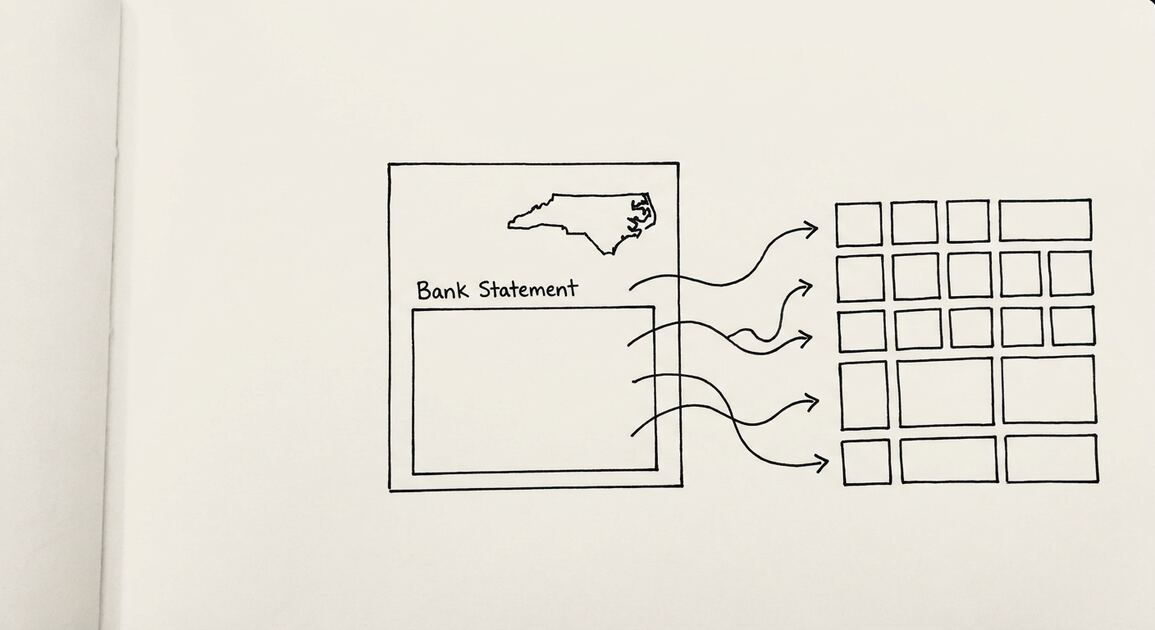

A bank statement is the monthly record your bank produces for an account, showing the opening balance, every transaction, fees, interest, and the closing balance. You usually find it in the statements or documents section of online banking, in your mobile app, in an email as an e-statement, or in your mail.
For a small business owner, knowing where statements live saves hours. Lenders, accountants, and tax filings all ask for them, and the fastest way to answer is a download you already have. Waiting until someone asks turns a five minute task into a scramble.
The statement you can find in ten seconds is worth more than the one you have to request.
Key facts. Bank statements are usually found in the Statements or Documents section of online banking. Mobile apps often provide the same access under Statements or Accounts. Statements may also arrive by email as e-statements or by postal mail. If a statement is missing, check spam folders, account filters, or contact the bank. Banks retain statements for 7 to 10 years.
Retention is generous: banks typically keep statements for 7 to 10 years, so most periods you need are recoverable.
Where to find your bank statement
Start with online banking. Log in on your bank’s website, select the account, and look for a tab or link labeled Statements, Documents, or Account Details. Most banks list statements by month and year with a download link beside each.
If you do not see statements on the first screen, check the menu under Accounts or Services. Banks group features differently, and the statements link is sometimes nested under account details.
Some banks separate current and archived statements. A recent month may appear on the main screen while older periods sit behind a link labeled Past Statements or Tax Documents.
When you find the list, verify the period before downloading. Months are listed close together, and grabbing the wrong one is easy. Check the statement date and closing balance against your records.
If you are unsure what a statement contains or how to read it, what is a bank statement explains each section and field.
Save each download with a clear name that includes the bank, account, and month. Consistent naming prevents confusion when a lender asks for two or three specific months.
Keep a simple index of downloaded statements in a spreadsheet. Record the bank, account, month, and file name so you can answer a request without opening every file.
Online banking and mobile apps
Mobile apps usually mirror the website. Open the app, tap the account, and look for Statements or Documents. Some apps place statements under Accounts, then the account name, then a Statements link.
App access is often limited to recent months, sometimes 6 to 12. If the period you need is older, switch to the full website, which usually keeps a longer archive.
Downloading on a phone works, but a laptop or desktop makes it easier to save, name, and back up the file. Use a trusted device and a secure network when you log in.
If the app or website is slow, try again later. Banks schedule maintenance, and statements are usually available again the next day.
For a full walkthrough of every channel, how to get a bank statement from your bank covers online, app, branch, and phone options in one place.
If you are wondering whether your bank posts statements digitally at all, can I get my bank statement online confirms what to expect from most banks.
Use a private browser window on shared computers. Public or workplace machines can store logins and downloads. Clear the session when you finish.
Download to a folder you control, not the default downloads folder if others use the device. Move the file to your accounting folder the same day.
If the portal offers a secure message center, use it for requests instead of email. It keeps sensitive details inside the bank’s system.
| Channel | Where to look | Typical range | Best for |
|---|---|---|---|
| Online banking | Statements or Documents tab | 12 to 24 months, often longer | Recent periods |
| Mobile app | Accounts, then Statements | 6 to 12 months | Quick checks on the go |
| Inbox or spam folder | Monthly e-statements | Automatic delivery | |
| Postal mail | Mailbox | Monthly paper statements | Paper only needs |
From Bank Statement to QuickBooks-Ready File
That manual cleanup you just read about? This tool skips it. Turn your PDF into QBO for QuickBooks without storing your data anywhere.
Start ConvertingEmail and postal mail
Many banks offer e-statements, which arrive by email as a PDF or a secure link. Check both your inbox and spam folder, since automated bank emails often get filtered.
If statements used to arrive by email and stopped, check your account settings. You may have switched to paperless delivery, or the bank may have paused after a bounce.
Paper statements still arrive by mail for customers who have not switched to electronic delivery. They can take several business days and may carry a fee.
When you find a statement by email, download the PDF and save it. Email is not a reliable long term archive, and mailboxes get cleaned or lost.
If you prefer paper, ask for a certified copy when a lender or auditor wants a physical document. A standard printout of an online PDF is usually accepted, but some ask for a bank stamp.
Electronic delivery is usually faster and cheaper. The PDF is the same document as paper, so you lose nothing by going digital.
Electronic delivery also creates a searchable archive. You can find a transaction from two years ago in seconds instead of digging through paper.
When a statement is missing
Start with the simple checks. Look in spam, promotions, and other folders for e-statement emails. Check account filters in online banking that may hide certain periods or accounts.
Confirm you are looking at the right account. Statements for multiple accounts are listed separately, and it is easy to open the wrong one.
If the period is still missing, contact the bank. Specify the account and the exact date range you need. Vague requests slow the process and may return the wrong statement.
For a closed account, request the final statement and any year end summary before the account is fully archived. Once an account has been closed for years, retrieval becomes harder and more expensive.
If a statement is no longer available, reconstruct from your own records. Bookkeeping entries, tax filings, and prior reconciliations can rebuild most of the detail.
Plan ahead for loans and audits. Pull the last two or three months before you apply so you are not waiting on the bank during underwriting.
When you need a custom date range instead of a calendar month, how to generate my bank statement covers on demand generation step by step.
How long banks keep statements
Banks typically retain statements for 7 to 10 years. Within that window you can pull most periods, though access depends on the channel.
Recent months are usually free online. Archived copies may take days or weeks and may carry a fee. Ask about cost before you confirm a request.
App availability is often shorter than the website. Some banks show only the last 6 to 12 months in the app. Use the full website when the app falls short.
Retention policies differ by bank and by account type. Ask your bank for the exact retention period that applies to your account.
If you keep your own copies, store them securely and back them up. A cloud drive or encrypted external drive protects against a lost laptop or failed disk.
Keep statements even when you think you will not need them. Storage is cheap, and lenders and tax authorities can ask years later.
If you share statements with an accountant or lender, protect sensitive details. bank statement privacy and redaction explains what to remove and how.
Requesting older statements
For periods beyond what the portal shows, request a copy from the bank by phone, branch, or secure message. Specify the account, date range, and whether you need paper or digital.
Ask whether a fee applies and how long delivery takes. Some banks mail paper copies only, which adds several business days.
If the bank cannot locate a statement, ask for a letter of confirmation or a transaction history for that period. It is not identical, but it may satisfy a lender or auditor.
Keep a consistent folder structure for downloaded statements. Name files with the bank, account, and month so retrieval is fast during tax season or an audit.
Set a calendar reminder to download statements monthly. Relying on memory leads to gaps that are hard to fill later.
Review the closing balance against your own records each month. A quick check catches missing transactions and duplicate charges early.
If multiple people need access, share a read only folder instead of emailing attachments. It keeps one source of truth.
If a request takes longer than expected, follow up in writing and keep the reference number. Written follow up creates a record and usually speeds delivery.
Reconcile monthly, soon after the statement arrives. A short monthly session prevents a large year end cleanup and catches unauthorized transactions while they are still easy to dispute.
From Bank Statement to QuickBooks-Ready File
That manual cleanup you just read about? This tool skips it. Turn your PDF into QBO for QuickBooks without storing your data anywhere.
Start Converting