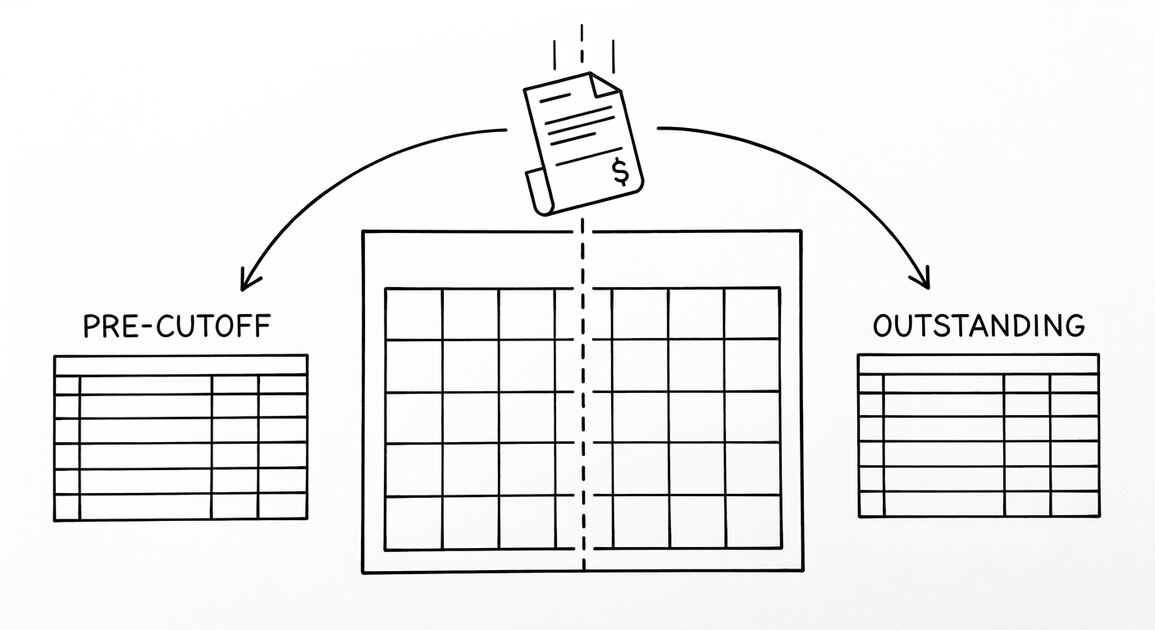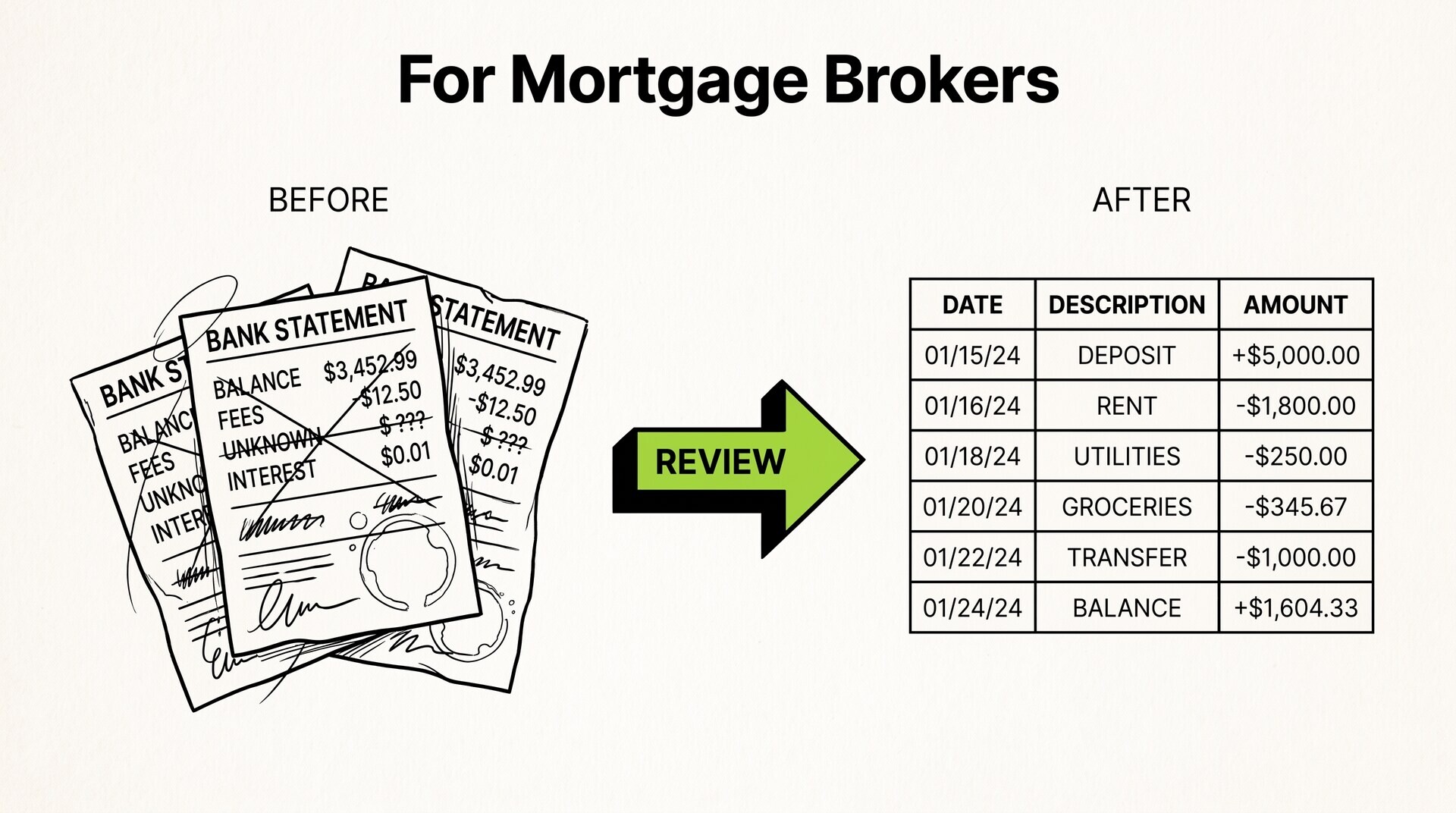

You are a mortgage broker. Your client just sent you 3 months of bank statements. You need to extract the down payment, reserves, and source of large deposits in 10 minutes, not 60. The bank statement review is the same regardless of the loan type (conventional, FHA, VA, USDA, DSCR, bank statement loan): extract the data, identify the source, document the consistency.
A mortgage broker reviews client bank statements as part of the loan application process. The 3 things the broker needs from each statement: the closing balance (to verify reserves), the deposits (to verify the source of the down payment and large deposits), and the regular income (to verify employment and consistency).
For self-employed clients, the broker also needs 12-24 months of statements to calculate the average monthly income. The workflow is the same regardless of the loan type (conventional, FHA, VA, USDA, DSCR, bank statement loan): extract the data, identify the source, document the consistency.
A mortgage broker uses bank statements to verify 3 things: reserves (closing balance), source of down payment and large deposits, and regular income. For self-employed clients, 12-24 months of statements are needed. The workflow is extract, identify, document.
For the broader bank statement workflow, see the bank statement converter. For the self-employed mortgage application, see the self-employed mortgage guide. For asset verification, see the asset verification guide.
What most mortgage broker guides miss is that the bank statement review is not about the transactions. It is about the patterns. A client with $50,000 in the bank is fine. A client with $50,000 that came in last week as a single deposit needs documentation. A client with $50,000 that has been there for 6 months is great.
The transaction list is the raw data; the pattern interpretation is the actual work. Most guides focus on the data extraction (which is now automated by converters) and miss the pattern interpretation (which requires human judgment). The pattern is what the underwriter cares about, not the data.
What Mortgage Brokers Look for in Bank Statements
The 3 things every mortgage broker extracts from a bank statement, in order of importance:
1. Reserves (closing balance). The closing balance at the end of the most recent statement cycle is the client’s available reserves. Most loan programs require 2-6 months of mortgage payments (PITI) in reserves after closing. The closing balance must be sourced: the broker must document where the funds came from.
2. Source of down payment and large deposits. Any single deposit over 50% of the monthly income (typically $1,000-$5,000+) must be sourced. Common sources: payroll (regular paycheck), savings transfer (from another account), gift (from family), sale of asset (car, property), loan proceeds, business income. The source must be documented to prevent fraud and ensure the funds are not borrowed.
3. Regular income. For W-2 borrowers, regular payroll deposits confirm employment. For self-employed borrowers, the deposits are the income (12-24 months of statements). The pattern matters: regular, consistent deposits are good; irregular, large deposits need explanation; decreasing income is a red flag.
For the asset verification rules, see the asset verification guide. For the broader mortgage application, see the mortgage application bank statement guide.
The 4-Step Review Workflow
The mortgage broker’s bank statement review is a 4-step workflow that takes 10-30 minutes per statement (vs 60-90 minutes for manual data entry):
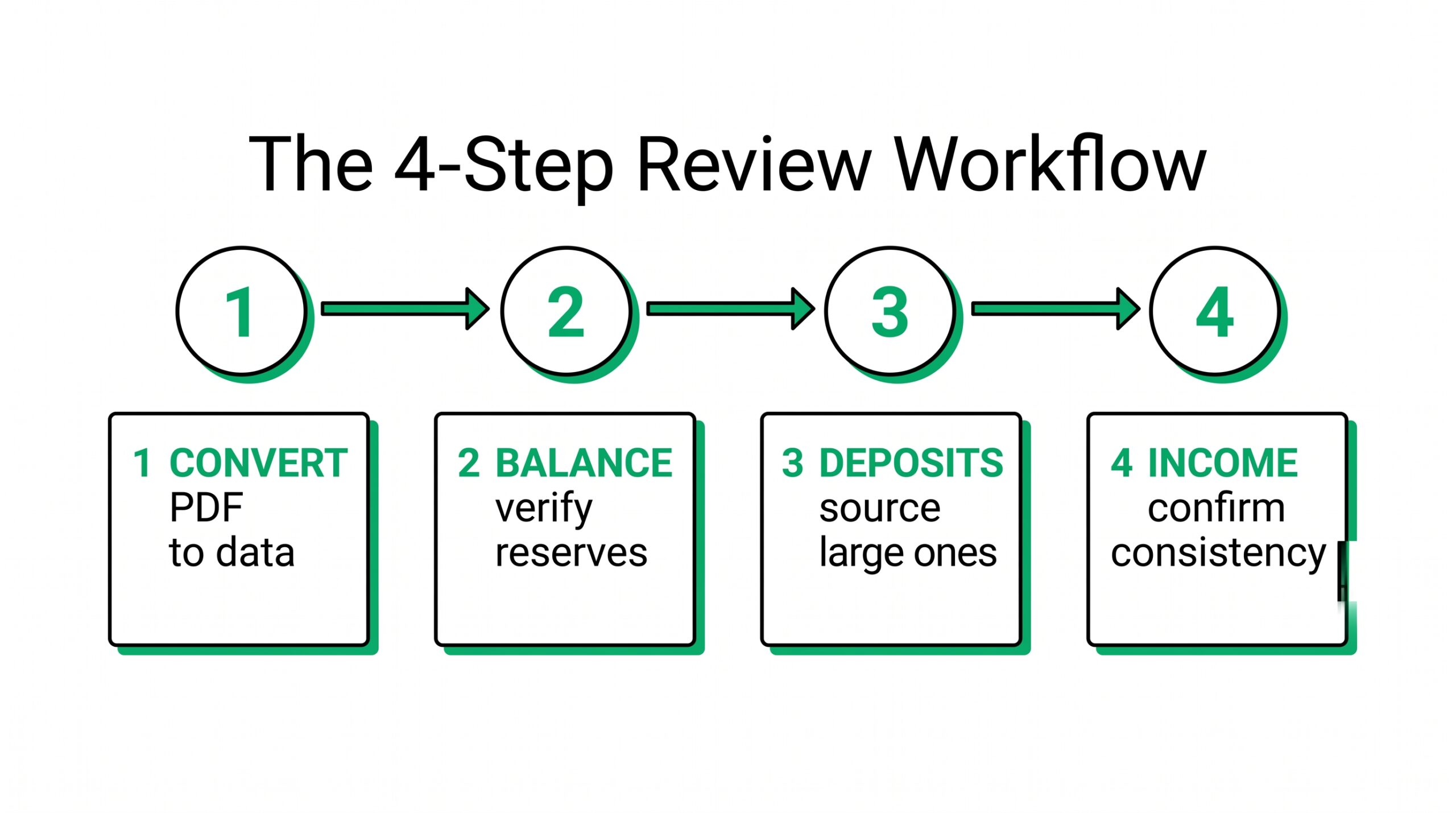
Step 1: Convert the PDF to structured data. The starting point is a PDF bank statement from the client. The broker (or assistant) converts the PDF to Excel, CSV, or QBO using a converter. The output has columns for date, description, amount, balance. The conversion takes 2-5 minutes per statement.
Step 2: Identify the closing balance and reserves. The last transaction in the statement shows the closing balance. This is the reserves figure. The broker notes the date, the amount, and the account. For multi-account borrowers, each account’s closing balance is summed for total reserves.
Step 3: Identify large deposits and source them. The broker filters the transaction list for deposits over the threshold (typically $1,000+ or 50% of monthly income). Each large deposit is flagged for sourcing. The client is asked to document the source (pay stub, savings transfer, gift letter, sale document).
Step 4: Identify regular income. The broker filters for recurring deposits (same amount, same source, every 1-2 weeks). These are the payroll deposits. The pattern is noted: regular amount, regular frequency, no gaps. For self-employed, the broker calculates the average monthly income over 12-24 months.
For the workflow that automates the conversion step, see the bank statement converter. The output is structured data that the broker can analyze in Excel or upload to the loan origination system (LOS).
Turn PDF Bank Statements Into Workable Spreadsheets
Your bank statement is a mess of numbers, but your books shouldn't be. Use our converter to get Excel, CSV, or QBO files — ready for QuickBooks.
Try It Free NowWhat Makes a Bank Statement “Strong” vs “Weak”
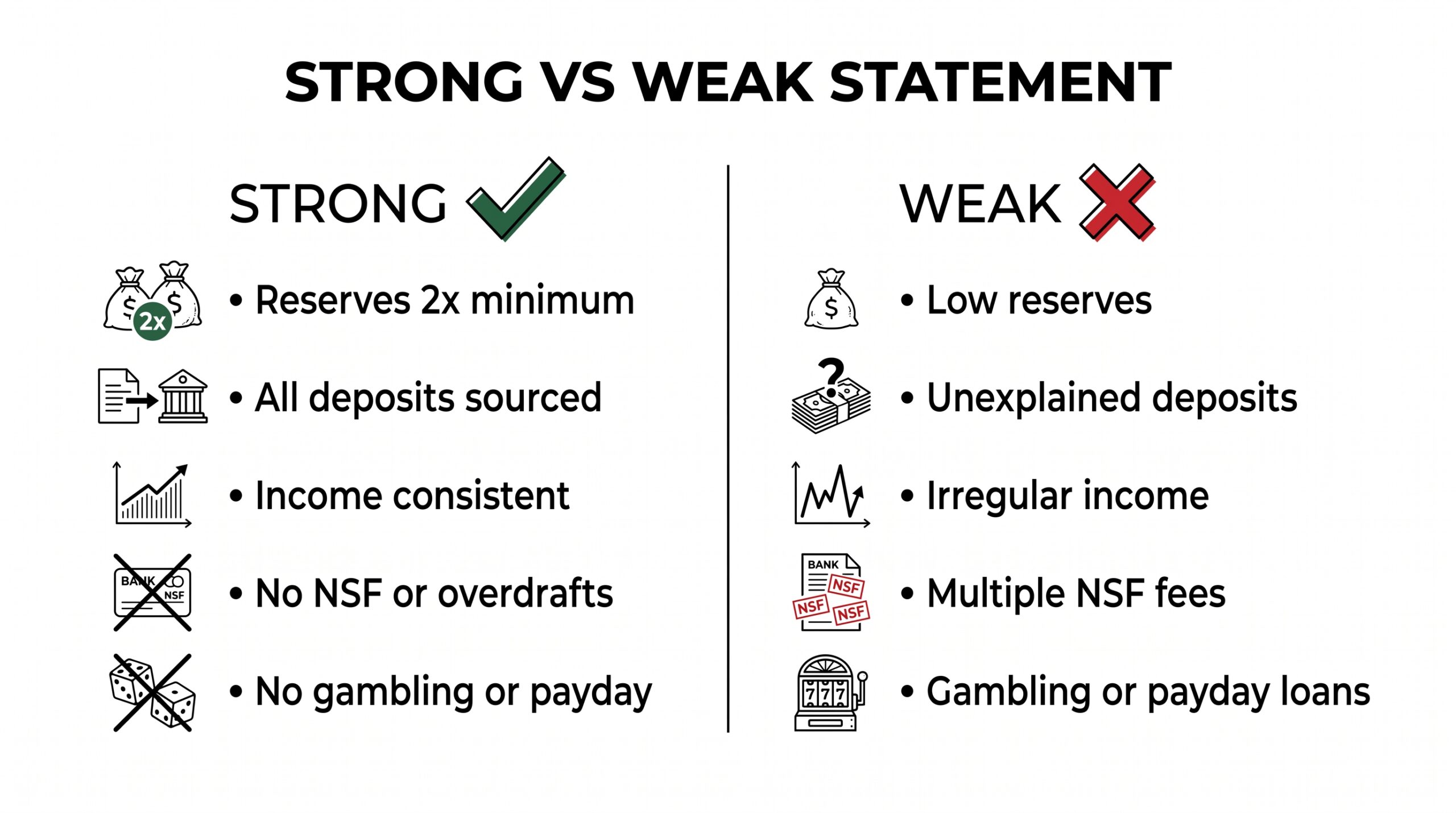
For the underwriter, a strong bank statement shows 3 things: (1) sufficient reserves, (2) documented source for all large deposits, (3) consistent regular income. A weak statement shows 1-3 of: (1) low reserves, (2) undocumented large deposits, (3) irregular or declining income.
The 5 factors that make a statement strong:
1. Reserves 2x the required minimum. The borrower has 2-3 months of PITI in reserves after closing. For a $2,000 PITI payment, that’s $4,000-$6,000 in reserves (the required minimum is 2 months = $4,000).
2. Large deposits are documented. Every deposit over the threshold has a source: payroll (regular), savings (from another account), gift (with gift letter), sale (with sale document), loan (with loan document). No unexplained deposits.
3. Income is consistent and regular. For W-2, the same amount arrives every 1-2 weeks from the same employer. For self-employed, the income is consistent over 12-24 months (variation of 10-20% is acceptable; variation of 50%+ is a red flag).
4. No overdrafts or NSF fees. The statement shows no overdrafts, no non-sufficient funds (NSF) fees, and no returned checks. These indicate cash flow problems.
5. No gambling, payday loans, or unusual expenses. Underwriters view gambling transactions, payday loans, and crypto exchange transfers as risk factors. A statement with no gambling or payday loans is stronger.
For the broader mortgage application requirements, see the mortgage application bank statement guide.
Self-Employed Clients: The 12-24 Month Rule
Self-employed borrowers (1099, S-corp, LLC, sole proprietor) need 12-24 months of bank statements instead of the standard 2-3. The reason: W-2 borrowers have a stable income proven by pay stubs and W-2s, but self-employed borrowers have variable income proven by deposits only. The longer the history, the more reliable the average.
The 3 rules for self-employed bank statement review:
1. Use the lower of 12 or 24 months. Some lenders use 12 months, some use 24. The longer the history, the more stable the average. For new self-employed borrowers (less than 2 years in business), the lender may require both personal and business statements, plus tax returns.
2. Calculate the average monthly income. The lender takes the total deposits over 12 or 24 months and divides by 12. The result is the qualifying monthly income. For irregular income, the lender may use the lower of (12-month average) or (24-month average).
3. Subtract business expenses (for business accounts). If the borrower uses a business account, the lender subtracts business expenses from the deposits to get the net income. The net income is the qualifying amount.
For the self-employed mortgage workflow, see the self-employed mortgage application guide.
Bank Statement Loans: The Alternative Documentation
Bank statement loans (also called “alternative documentation” or “alt-doc” loans) are designed for self-employed borrowers who can’t qualify with traditional documentation (W-2, tax returns). The lender uses the bank statements directly to calculate the income, without requiring tax returns.
The 3 main bank statement loan types:
1. 12-month bank statement loan. The lender uses 12 months of personal or business bank statements to calculate the average monthly income. The qualifying income is the total deposits divided by 12. The lender multiplies by 24-36 to get the annual qualifying income.
2. 24-month bank statement loan. The lender uses 24 months of statements. The qualifying income is the lower of (12-month average) or (24-month average). This is more conservative than the 12-month program.
3. DSCR loan (for investors). The lender qualifies based on the property’s income, not the borrower’s W-2. The bank statement is used to verify the down payment and reserves, not the income. See the DSCR loan guide for the full workflow.
Bank statement loans typically have higher rates (0.5-1.5% above conventional) and higher down payment requirements (15-25% vs 3-20% for conventional). The trade-off is faster approval and qualification without tax returns.
The 7 Most Common Mortgage Broker Mistakes
7 mistakes that consistently cause problems for mortgage brokers reviewing bank statements:
1. Missing a large deposit. A deposit of $5,000+ (or 50% of monthly income) that goes undocumented will cause the loan to be denied or delayed. The fix: filter for large deposits and document each one.
2. Using gross deposits instead of net deposits. For self-employed borrowers, the gross deposits include business expenses, transfers, and refunds. The qualifying income is the net (after expenses). The fix: identify business expenses and subtract from deposits.
3. Missing the seasonal pattern. A self-employed borrower with $20,000/month average might have $5,000 in slow months and $40,000 in busy months. The lender may use the lower of (12-month average) or (lowest 3 months). The fix: identify the seasonal pattern and use the appropriate average.
4. Failing to flag NSF or overdraft fees. A borrower with multiple NSF fees in the last 3 months indicates cash flow problems. The fix: count NSF and overdraft fees, flag the borrower for cash flow discussion.
5. Not verifying the source for a gift. A $20,000 deposit labeled “gift” needs a gift letter, proof of the donor’s funds, and proof of transfer. The fix: require the gift letter and verify the donor’s account.
6. Using the wrong statement cycle. The closing balance is from the most recent statement, not the most recent transaction. The statement must be the latest one available. The fix: use the most recent statement (typically 2-3 weeks old).
7. Ignoring crypto transactions. A borrower with $30,000 in crypto exchange transactions may be a crypto investor, which is acceptable but requires documentation. The fix: identify crypto transactions and verify the source of funds.
A common failure mode brokers report is missing a large deposit that the underwriter catches later, causing a denial at the last minute. The fix: use a consistent review workflow that filters for large deposits and documents each one. The bank statement converter can flag deposits over a configurable threshold.
The 3 Tools for Bank Statement Review
3 tools that speed up the bank statement review workflow:
1. Bank statement converter. Converts PDF to Excel/CSV/QBO in 2-5 minutes. The output has columns for date, description, amount, balance. The broker can then filter, sort, and analyze in Excel. The cost is typically $0-30 per statement (or free for some converters).
2. Loan origination system (LOS). Most LOS platforms (Encompass, LendingPad, Mortgage Cadence) have a bank statement analysis feature. The feature extracts the data, identifies large deposits, and calculates the average income. The broker uploads the PDF and the LOS does the rest.
3. Bank statement analysis service. Some third-party services (like Finicit, BankStatementPro, or similar) specialize in bank statement analysis for mortgage brokers. The service extracts the data, identifies large deposits, calculates income, and produces a report. The cost is typically $20-50 per statement.
For the broker on a budget, the bank statement converter + Excel workflow is the most cost-effective. For the broker on a deadline, the LOS or third-party service is faster but more expensive.
The Memorable Line
The bank statement is the borrower’s story. The balance is the present, the deposits are the past, the consistency is the future. Read all three before the underwriter does.
Related Pages
For the bank statement converter, see the bank statement converter . For the self-employed mortgage application, see the self-employed mortgage application guide . For asset verification, see the asset verification guide . For the mortgage source of funds, see the mortgage source of funds . For the broader mortgage application, see the mortgage application bank statement guide .
For the DSCR loan workflow, see the DSCR loan guide . For the LTV calculation, see the LTV guide . For the bank statement glossary, see the bank statement glossary .
For the workflow that produces clean bank statement data ready for the loan file, see the bank statement converter. The output includes a deposit summary that flags large deposits, a balance history, and a transaction list that the broker can attach to the loan file. For more, see the self-employed mortgage application. For more, see the Fannie Mae bank statement requirements.
Related: complete mortgage application bank statement guide
This topic is one node in the broader mortgage-application bank-statement cluster on this site. he consolidated hub, with the full decision framework covering FHA, VA, conventional Fannie Mae and Freddie Mac, DSCR, and conventional loans, lives in the complete mortgage application bank statement guide.
For related reading on the broader statement-reading clusters, see the complete MCC guide and the complete US bank payment rails guide. he expanded bank statement anatomy pairs naturally with this hub as a primer.
Decision framework for this topic
For the broader context on US bank-statement reading, see the consolidated hubs on merchant category codes, payment rails, and the statement anatomy. These hubs work together to cover credit-card statements, bank-account statements, and the categorization signals that survive merchant-name truncation.
Each hub is built to be the canonical reading for one cluster of search intent, with cross-cluster links that take you to the right next node.
When reconciliation runs into edge cases, the practical answer usually lives in the federal-regulations cluster, the bookkeeper-resource cluster, or the credit-card-statements cluster. Each offers a domain-specific take on the same underlying signal. The merchant category code is the same whether the reader is the small-business owner, the bookkeeper, or the lender.
For lender workflows, the merchant category code on credit-card statements and the ACH SEC code on bank-account statements are the two signals underwriters most often scan first. Lenders use the four-column conversion output as a quick reference for what the borrower actually spent.
Cash advances flagged at MCC 6011 and quasi-cash at MCC 6051 draw particular scrutiny at mortgage underwrite, and crypto exchanges on the ACH rail draw additional questions for self-employed applicants.
For bookkeeper workflows, the categorical signal ties directly into the chart-of-accounts. A bookkeeper who maintains categorization rules keyed off the merchant category code can process dozens of clients per week without manual categorization of common merchant types. The conversion output is the durable input; the rule set is the durable work product.
Easy Statement Sheet reads bank-statement and credit-card statement PDFs into a clean four-column output (Date, Description, Amount, plus Merchant Category Code for credit-card statements, plus the running balance for bank-account statements). Files are never stored. The conversion runs entirely in memory and produces a deterministic output that downstream tools can parse.
The first three statement conversions are free, no card required. Plans start at $15 per month. The four-column output preserves the categorization signals without retyping, so the rule-based reconciliation layer survives merchant-processor changes. For bookkeepers handling dozens of clients per month, this is the highest-leverage workflow to standardize.
Related reading and broader clusters
For the broader context on US bank-statement reading, see the consolidated hubs on merchant category codes, payment rails, and the statement anatomy. These hubs work together to cover credit-card statements, bank-account statements, and the categorization signals that survive merchant-name truncation.
Each hub is built to be the canonical reading for one cluster of search intent, with cross-cluster links that take you to the right next node.
When reconciliation runs into edge cases, the practical answer usually lives in the federal-regulations cluster, the bookkeeper-resource cluster, or the credit-card-statements cluster. Each offers a domain-specific take on the same underlying signal. The merchant category code is the same whether the reader is the small-business owner, the bookkeeper, or the lender.
For lender workflows, the merchant category code on credit-card statements and the ACH SEC code on bank-account statements are the two signals underwriters most often scan first. Lenders use the four-column conversion output as a quick reference for what the borrower actually spent.
Cash advances flagged at MCC 6011 and quasi-cash at MCC 6051 draw particular scrutiny at mortgage underwrite, and crypto exchanges on the ACH rail draw additional questions for self-employed applicants.
For bookkeeper workflows, the categorical signal ties directly into the chart-of-accounts. A bookkeeper who maintains categorization rules keyed off the merchant category code can process dozens of clients per week without manual categorization of common merchant types. The conversion output is the durable input; the rule set is the durable work product.
Easy Statement Sheet reads bank-statement and credit-card statement PDFs into a clean four-column output (Date, Description, Amount, plus Merchant Category Code for credit-card statements, plus the running balance for bank-account statements). Files are never stored. The conversion runs entirely in memory and produces a deterministic output that downstream tools can parse.
The first three statement conversions are free, no card required. Plans start at $15 per month. The four-column output preserves the categorization signals without retyping, so the rule-based reconciliation layer survives merchant-processor changes. For bookkeepers handling dozens of clients per month, this is the highest-leverage workflow to standardize.
From Bank Statement to QuickBooks-Ready File
That manual cleanup you just read about? This tool skips it. Turn your PDF into QBO for QuickBooks without storing your data anywhere.
Start Converting