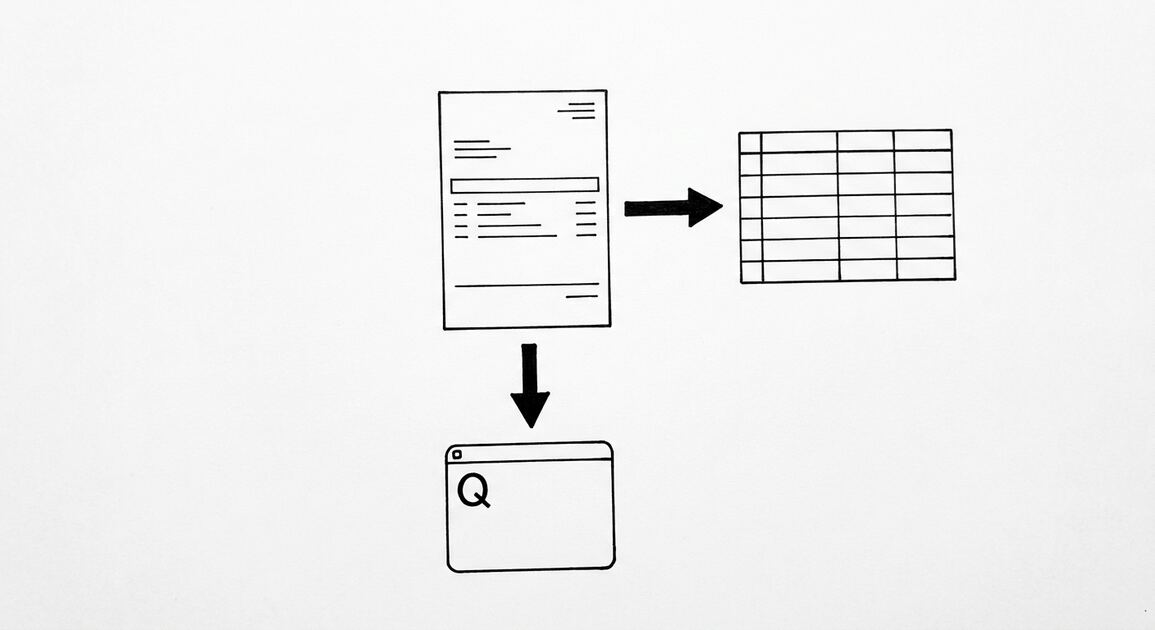

Generating a bank statement means creating a downloadable record of account activity for a date range you choose, usually as a PDF. Most banks let you do this on demand from online banking or the mobile app, with no need to wait for the monthly mailing cycle. You pick the period, download the file, and save it.
For a small business owner, generating on demand is often the difference between a smooth loan application and a stalled one. When a lender asks for the last 60 days, you should not wait for the next paper statement. Pulling the right period in minutes keeps your books and your applications moving.
The best statement is the one you generate the moment you need it, in the format the reader expects.
Key facts. Most banks support on demand statement generation in the portal or app. You can usually choose a custom date range and download a PDF. Some banks require a minimum period, such as 30 days, before a statement can be generated. If generation fails, switching browsers or clearing cache often fixes it. Generated statements are generally identical to mailed statements and accepted by lenders.
Speed is the main advantage: an on demand PDF is ready in seconds, while a mailed or requested copy can take days.
How to generate a bank statement from online banking
Online banking is the standard route for generating a statement. Log in to your bank’s website, select the account, and open the statements or documents section. Most banks list statements by month and year, with a download link beside each.
If you are not sure where the link lives, where can I find bank statement covers the common menu paths across major banks.
Choose the period you need and generate the PDF. Many portals let you request a custom date range instead of a fixed month, which helps when a lender asks for the last 60 or 90 days.
Save the file with a clear name that includes the bank, account, and date range. That habit prevents confusion when you need to send two or three statements later.
Always verify you are on your bank’s real website before logging in. Phishing pages copy the login screen. Use a bookmark or type the address yourself.
If your bank offers two factor authentication, enable it. It protects your statements and your account from unauthorized access.
Some portals let you set a default download format. PDF is the safest choice for sharing, because it preserves the layout and prevents accidental edits.
Some portals also offer a year to date summary. It is useful for tax preparation but does not replace the monthly statements that lenders and auditors expect.
| Step | Action | Tip |
|---|---|---|
| 1 | Log in to online banking | Use a trusted device |
| 2 | Open Statements or Documents | Look under Accounts |
| 3 | Select account and period | Match lender date range |
| 4 | Generate or download the PDF | Save to a secure folder |
| 5 | Verify the file opens | Check closing balance |
How to generate a bank statement in the mobile app
Mobile apps follow the same logic with fewer taps. Open the app, tap the account, then tap Statements or Documents. Many apps let you view, download, or share a PDF directly.
App availability is often shorter than the website. Some banks show only the last 6 to 12 months in the app. If you need an older period, use the full website.
Sharing from your phone is convenient, but be careful where the file lands. Email and messaging apps are not secure storage. Save it to an encrypted folder or your accounting system.
Some apps show a running balance without a formal statement. That view helps for a quick check, but it is not the certified document a lender wants.
If the app does not offer downloads, the website almost always does. Use the browser version when the app falls short.
Download limits vary by app. Some cap the number of statements you can pull per day. If you hit a limit, wait or switch to the website.
Mobile generated PDFs are the same documents as desktop ones. The channel does not change the content or the acceptance by lenders.
Turn any PDF statement into a clean sheet
Skip the typos and the hours of copying. Our converter handles any bank statement format and outputs Excel, CSV, or QBO for QuickBooks. No file retention, free to try.
Convert your statementDate ranges, formats, and minimum periods
Most generated statements are PDFs. A good PDF is text based, which means you can search it and extract the data. Some older archives are scanned images, which require OCR before you can work with the numbers.
Generated statements follow the standard layout. If you are new to them, what is a bank statement explains the layout and each field.
Some banks require a minimum period, such as 30 days, before a statement can be generated. If your requested range is shorter, extend it or use the transaction history instead.
Custom date ranges are common but not universal. If your bank only offers fixed monthly statements, request two or three months to cover the needed window.
Generated statements are typically identical to mailed ones and accepted by lenders. If a lender asks for a certified copy, request it through the bank.
Check the statement period and the closing balance right after generation. Catching a wrong period now saves a repeat request later.
If your bank offers a transaction history export, it can supplement a statement but does not replace it. Lenders and auditors usually want the official statement.
| Format | Searchable | Best use |
|---|---|---|
| Text based PDF | Yes | Standard modern format |
| Scanned image PDF | No | Older archives |
| Paper statement | No | Certified or stamped copy |
What to do if generation fails
Generation can fail for simple reasons. Try a different browser, clear the cache, or disable extensions that block downloads. These steps fix most portal issues.
Check your connection and try again later. Bank portals sometimes limit downloads during maintenance or high traffic.
If the file downloads but will not open, re download it. A partial download is common on slow connections.
If the portal will not generate at all, request the statement by phone or at a branch. Branch staff can usually print recent periods on the spot.
If you are unsure whether your bank supports online access, can I get my bank statement online covers typical options.
For older periods that are not available online, contact the bank and specify the exact date range. Vague requests slow the process.
Keep a record of the error and the steps you tried. That helps customer service resolve the issue faster.
If the problem persists, try a different device or network. Corporate firewalls and VPNs sometimes block bank downloads.
Ask the bank whether the statement is available in a different format. Some portals offer CSV or HTML views that bypass a broken PDF generator.
When to use a branch or phone request
Digital is fastest, but it is not always enough. Use a branch or phone request when you need a certified copy, a very old period, or a paper statement with a bank stamp.
For the full set of channels, including branch and phone, see how to get a bank statement from your bank.
Branch staff can usually print a statement on the spot for recent periods. Older periods may need to be ordered and mailed to your address on file.
Phone requests require identity verification through security questions or a one time passcode. Have your account details ready.
Fees vary. Many banks provide recent statements for free, while older or archived copies may carry a fee. Ask about cost before you confirm.
If you need the statement for a loan application, tell the banker. They can sometimes send it directly to the lender, which speeds up underwriting.
Direct delivery to a lender reduces the risk of tampering questions. It also saves you from handling sensitive files.
When ordering an old period, confirm the exact date range and the delivery method in writing. That avoids a repeat order later.
After you generate: saving, checking, and next steps
Save the PDF with a consistent naming scheme and store it in a secure, organized folder. Consistent folders make retrieval fast during tax season or an audit.
If you need to review or reconcile the statement, start with the opening balance and walk the transactions in order, checking the running balance as you go. If you are new to reading one, how to read a bank statement explains the layout and each field.
When you need the data in a spreadsheet or accounting tool, convert it. Keep the original PDF as the authoritative record.
Reconcile monthly, soon after the statement arrives. A short monthly session prevents a large year end cleanup and catches unauthorized transactions while they are still easy to dispute.
Finally, protect statements like any sensitive document. They contain account numbers and transaction history. Limit who can access them and store them securely.
If you handle statements for a business, set a simple retention rule and follow it. Consistent retention makes audits and reviews less stressful.
When in doubt about a period or a figure, regenerate and compare. A second pull takes seconds and confirms what you have.
Turn That PDF Into a Spreadsheet in Minutes
You've seen how to do it manually — now let the tool handle the heavy lifting. Upload your bank statement and get Excel, CSV, or QBO in a few clicks.
Try It Free