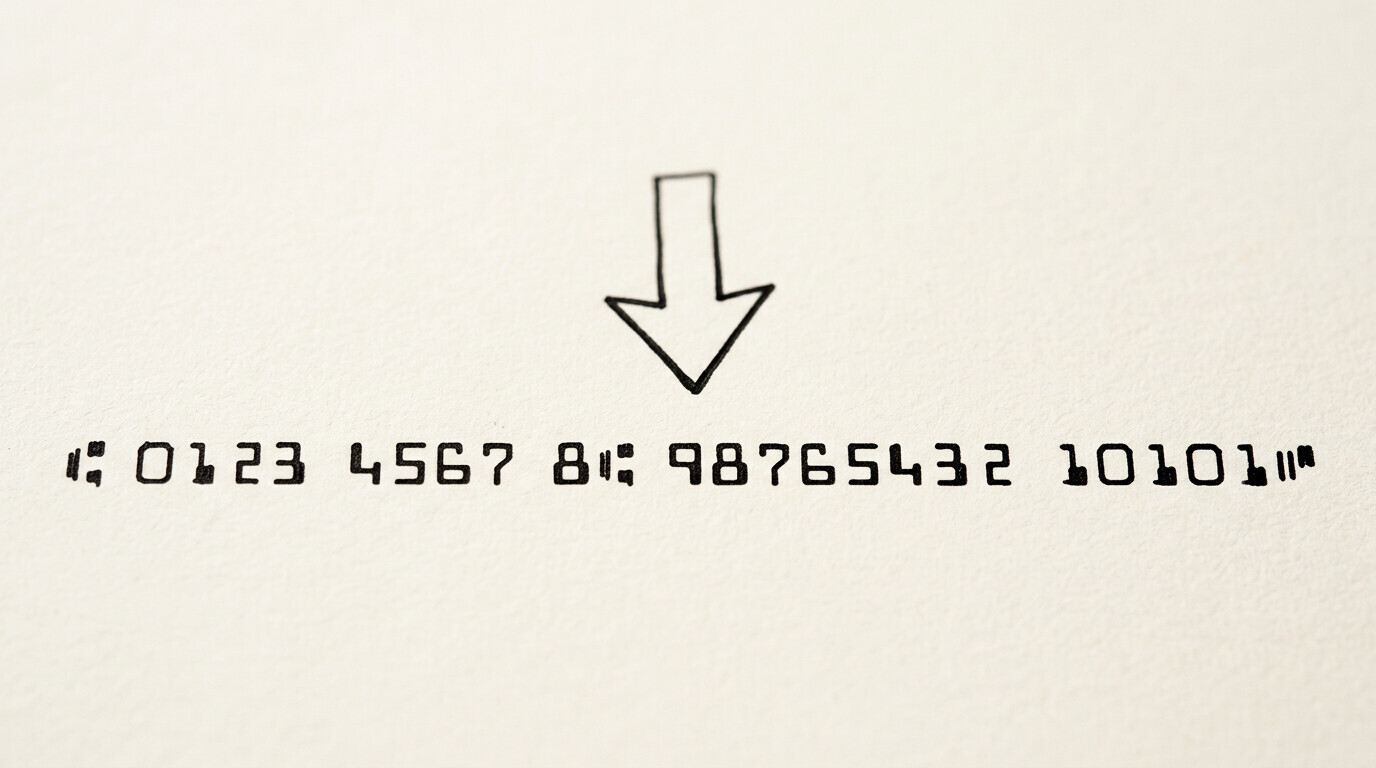

The MICR line is the string of characters at the bottom of a check that contains the routing, account, and check numbers. The short answer: the MICR line has 3 components in a specific order: routing number (9 digits), account number (varies), check number (matches the check number in the top right). The line is read by machine using magnetic ink, which is more reliable than optical character recognition. The 3 use cases: check processing, automated clearing house (ACH) transactions, and bank identification.
TL;DR. MICR line has 3 components: routing number (9 digits, identifies the bank), account number (varies, identifies the account), check number (matches the check number). The 5 symbols: 4 special characters (transit, on-us, amount, dash) and 10 digits. The 3 uses: check processing, ACH, bank identification. The 3 common issues: faded ink, smudged characters, non-MICR fonts.
Why the MICR Line Exists
The MICR line exists because checks need to be processed in high volume (billions per year in the US). Manual processing is too slow and error-prone. The MICR line allows checks to be sorted, routed, and posted automatically by machine. The encoding is in magnetic ink (which can be read by both magnetic and optical readers) and in a specific font (E-13B) that’s optimized for machine reading.
What most guides miss about this workflow is that the quality depends on the mechanism, not on the tool. Two tools that look different on the surface often run the same 4-step process underneath: read, find, parse, verify. The difference is in how well each step handles edge cases (merged cells, missing balances, non-standard date formats, scanned vs digital input). Choosing between tools based on UI alone misses the actual quality lever.
Before MICR, checks were processed manually by bank clerks who read the routing and account numbers from the check. The processing was slow and prone to error. MICR reduced the processing time from days to hours and reduced the error rate to near zero. The system has been in place since the 1950s and is still the standard for check processing today.
The 3 Components
3 components in the MICR line, in a specific order:
1. Routing number. The 9-digit identifier for the bank. The routing number is the same for all checks from the same bank. The first 2 digits indicate the Federal Reserve district, the next 2 indicate the bank’s specific Federal Reserve branch, and the last 5 indicate the specific bank. The routing number is used for check clearing and ACH transactions.
2. Account number. The variable-length identifier for the specific account. The account number is typically 4-17 digits. The account number identifies the customer’s account at the bank. The format varies by bank, but the account number is the second component of the MICR line.
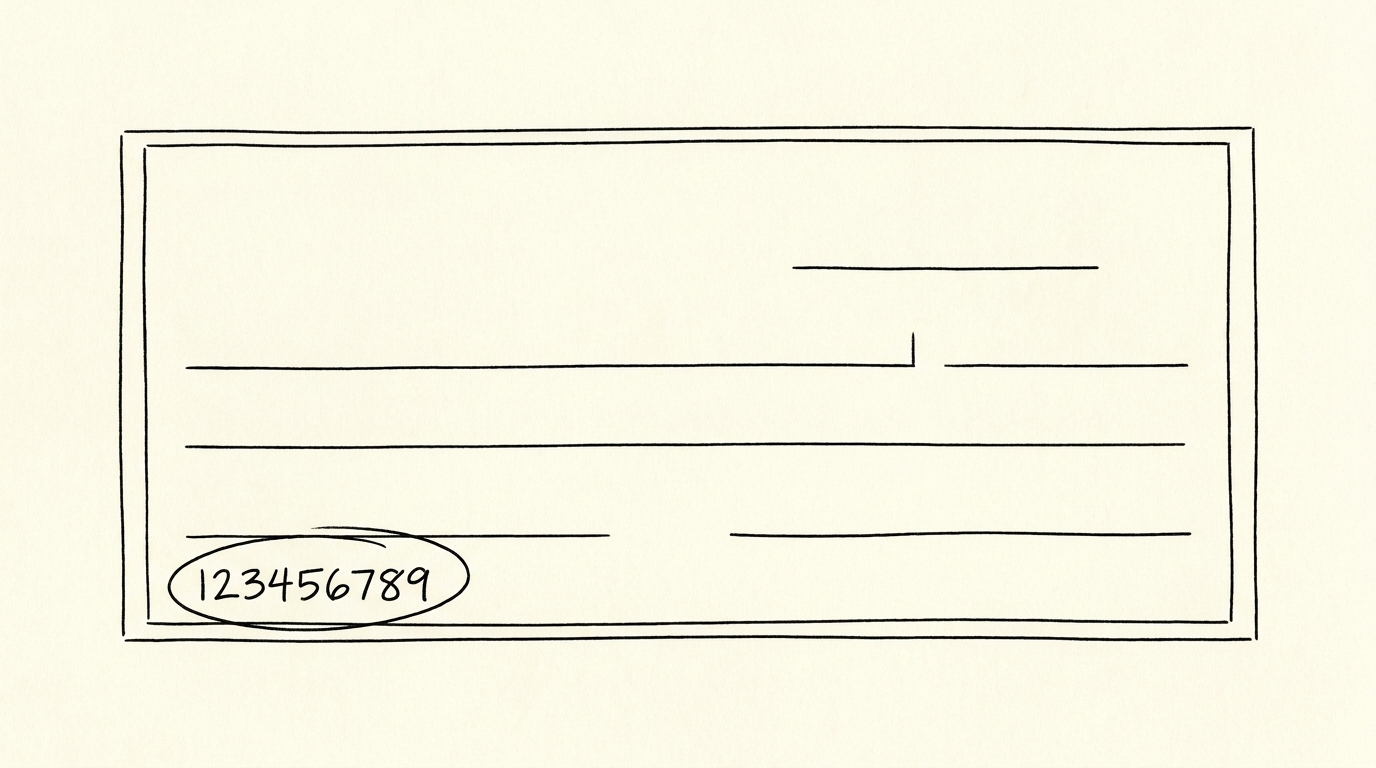
3. Check number. The identifier for the specific check. The check number is typically 3-4 digits and matches the check number in the top right of the check. The check number is used to track the specific check through the processing system.
The 3 components are separated by special MICR characters: the transit character (separates the routing number from the account number), the on-us character (separates the account number from the check number), and the dash character (separates the check number from the amount, in some formats).
From PDF to Excel in one click
Forget retyping line by line. Upload any bank statement, get a spreadsheet you can actually use. Your files are never stored, and you can test the converter with 3 free conversions.
Try it freeThe 5 Symbols
5 symbols in the MICR line:
1-10. Digits 0-9. The standard digits, in the E-13B font. The font is designed for machine reading, with characters that are easily distinguishable by magnetic and optical readers.
11. Transit character (⑆). The character that separates the routing number from the account number. The transit character is a special symbol that doesn’t appear in any other context.
12. On-us character (⑈). The character that separates the account number from the check number. The on-us character is another special symbol.
13. Amount character (⑇). The character that appears before the amount (in some formats). The amount character is a special symbol that indicates the amount field.
14. Dash character (-). The standard dash, used to separate the check number from the amount in some formats.
The 5 symbols (10 digits + 4 special characters) are the entire MICR character set. The character set is standardized across all US banks and is the same for personal and business checks.
The 3 Uses
3 use cases for the MICR line:
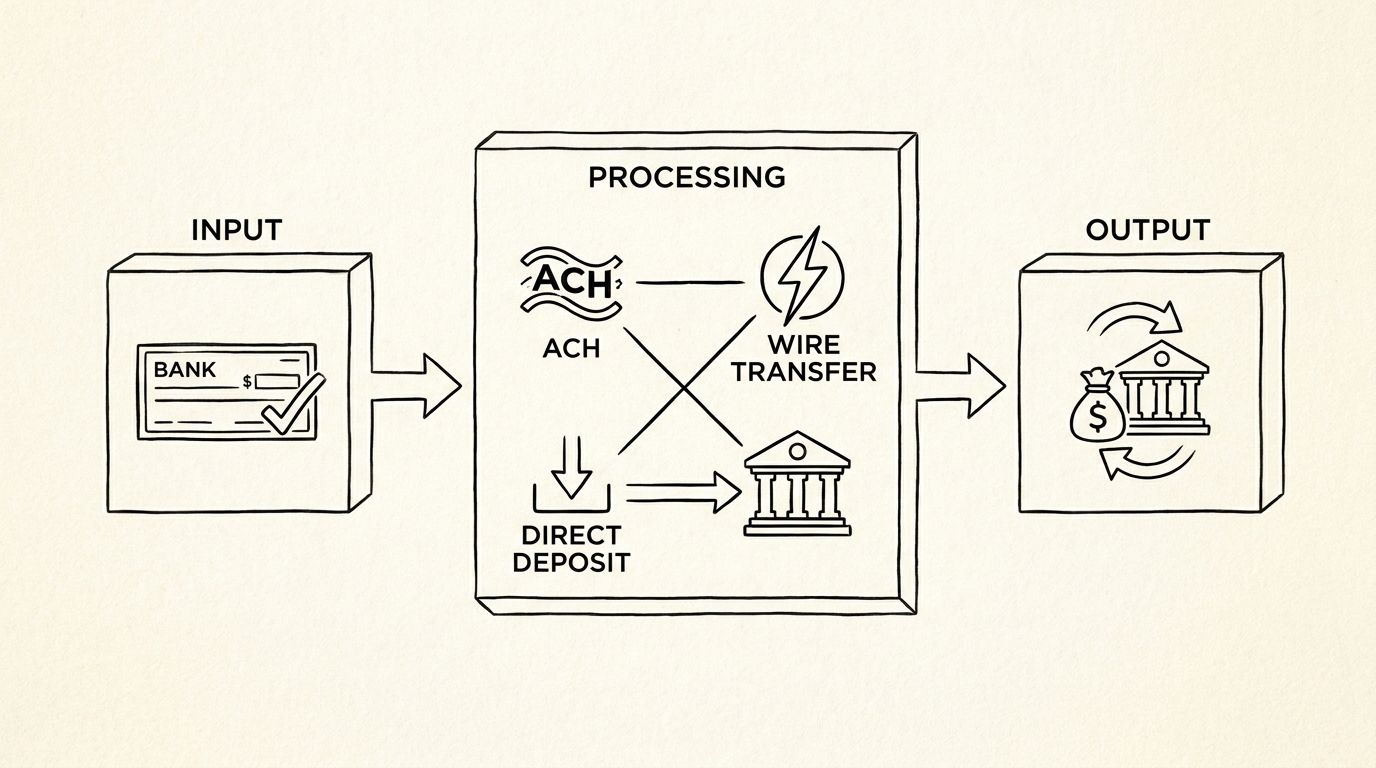
1. Check processing. The primary use. When a check is deposited, the MICR line is read by a machine (called a reader/sorter), which extracts the routing number, account number, and check number. The check is then routed to the appropriate bank, posted to the appropriate account, and tracked through the system. The processing is highly automated and handles billions of checks per year.
2. ACH (Automated Clearing House) transactions. The routing number and account number from the MICR line are used for ACH transactions. The routing number identifies the bank, and the account number identifies the account. The ACH system uses the same numbers as the MICR line, which simplifies the integration.
3. Bank identification. The routing number is the primary identifier for the bank. The routing number is used for wire transfers, direct deposit, online bill pay, and any other transaction that requires bank identification. The routing number is publicly available (the bank publishes it) and is the same for all branches of the bank.
3 Common Issues
3 issues that can cause MICR line read failures:
1. Faded ink. The magnetic ink fades over time, especially for old checks or checks that have been exposed to heat or moisture. The fix: use a check within 6 months of receipt. Banks typically won’t honor checks older than 6 months.
2. Smudged characters. The ink can smudge if the check gets wet or is handled roughly. The fix: store checks in a dry place, and don’t fold or staple them.
3. Non-MICR fonts. Some checks (especially from non-US banks or from custom check printers) may not use the E-13B font. The fix: use a check from a US bank with a standard check printer. The standard printer uses the E-13B font with magnetic ink.
The MICR Line vs the ABA Number
The MICR line contains the routing number (also called the ABA number) and the account number. The routing number is the 9-digit number that identifies the bank. The ABA (American Bankers Association) number is the same as the routing number, just a different name. The terms are interchangeable.
The 9 digits of the routing number are: the first 2 digits are the Federal Reserve district (01-12), the next 2 are the Federal Reserve branch (01-99), and the last 5 are the specific bank (00001-99999). The first 2 digits determine the geographic region (e.g., 01 = Boston, 11 = San Francisco), the next 2 are the specific branch, and the last 5 are the specific bank.
Tools and Resources
3 tools for working with the MICR line:
A common failure mode bookkeepers report is treating this as a single operation rather than a chain of dependent steps. The temptation is to find a tool that ‘just works’ and stop investigating the mechanism. The result is a wrong-fix cycle: the tool gives partial output, the bookkeeper spends 30+ minutes troubleshooting, the fix is for the wrong step, and the same error recurs on the next statement. The fix: identify which step failed and apply the right intervention to that step.
Related Resources
| Resource | What You Get |
|---|---|
| Bank Statement Converter | Convert to Excel |
| What Is A Micr Line | See reference |
| How Micr Line Application | See reference |
| Micr Line Examples | See reference |
| Bank Statement Glossary Expansion | See reference |
- Bank’s routing number lookup: Every bank publishes its routing number on its website. The routing number is also on the bank’s checks (in the MICR line and often printed elsewhere on the check).
- Routing number database: Public databases (e.g., the Federal Reserve’s routing number directory) list all US bank routing numbers.
- Check scanner: For businesses that process checks, a check scanner reads the MICR line and extracts the routing number, account number, and check number automatically.
For the MICR line context, see the what is a MICR line reference. For the application, see the how MICR line is used reference. For the examples, see the MICR line examples page. For the comparison, see the MICR line comparison reference. For the broader context, see the bank statement glossary expansion page. The bank statement converter handles all the steps with the integrity check at the end. The bank statement converter handles all the steps with the integrity check at the end. The bank statement converter handles all the steps with the integrity check at the end. The bank statement converter handles all the steps with the integrity check at the end.
Turn PDF Bank Statements Into Workable Spreadsheets
Your bank statement is a mess of numbers, but your books shouldn't be. Use our converter to get Excel, CSV, or QBO files — ready for QuickBooks.
Try It Free Now