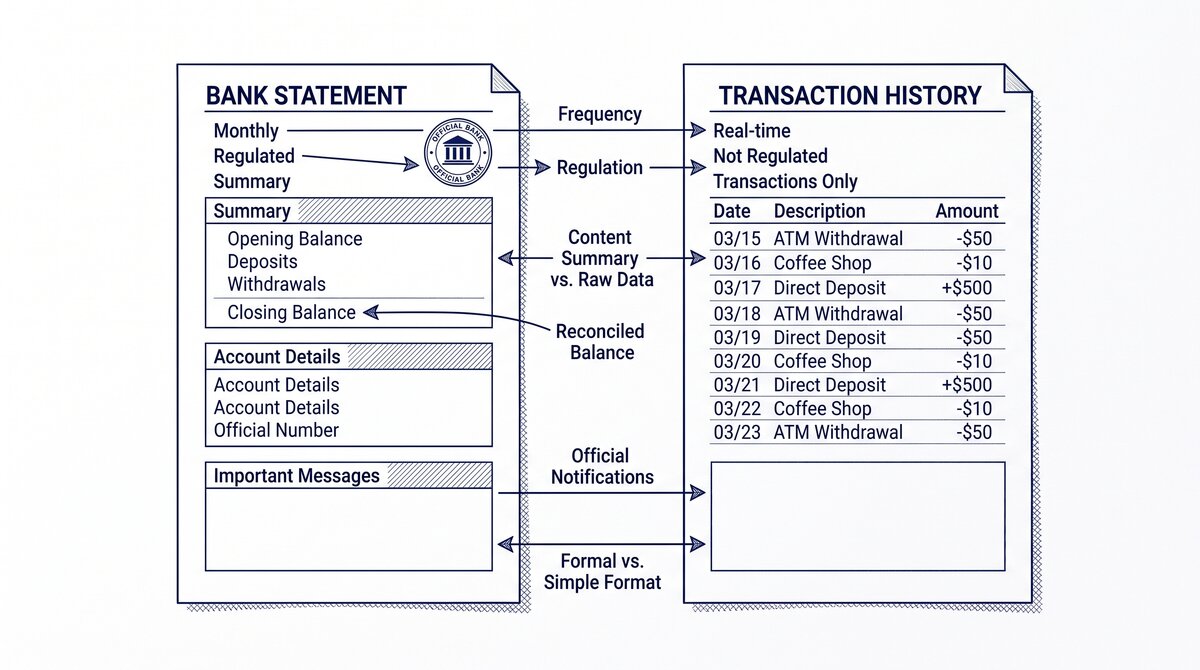

A bank statement is a formal monthly document, while a transaction history is a real-time list of recent transactions. The statement is the official record
The short answer: a statement covers a fixed period (typically a month), includes all transactions, and is the legal record. A transaction history is a real-time view of recent transactions, typically the last 30-90 days, used for daily balance and activity checks. The two are different views of the same underlying data.
TL;DR. A bank statement is the official monthly document with all transactions for a fixed period. A transaction history is a real-time view of recent transactions (last 30-90 days). The 5 differences: period (fixed month vs rolling), legal acceptance (yes vs no), completeness (all vs recent), format (PDF vs online view), and use case (audits vs daily check). The 3 cases to use the statement: loan applications, tax audits, year-end reconciliation. The 3 cases to use the transaction history: balance check, recent purchase verification, fraud alert review.
What Is a Bank Statement
A bank statement is a formal document issued by the bank at the end of each statement cycle (typically monthly). The statement covers a fixed period (e.g., January 1 to January 31), includes all transactions that posted during that period, and is the official record for the account.
What most guides miss about this workflow is that the quality depends on the mechanism, not on the tool. Two tools that look different on the surface often run the same 4-step process underneath: read, find, parse, verify. The difference is in how well each step handles edge cases (merged cells, missing balances, non-standard date formats, scanned vs digital input). Choosing between tools based on UI alone misses the actual quality lever.
The statement has 4 sections:
- Header: Account holder, account number, period, opening balance.
- Transaction table: All transactions for the period, with date, description, amount, balance.
- Footer: Closing balance, total deposits, total withdrawals, fees, interest.
- Account info: Customer service, FDIC notice, error resolution.
The statement is typically 2-5 pages for a personal account and 5-30 pages for a business account. The statement is provided as a PDF (downloadable from online banking) or as a paper document (mailed to the account holder).
The statement is the legal record of the account for the period. It is accepted by the IRS, courts, lenders, and most other institutions as proof of the transactions and balances.
What Is a Transaction History
A transaction history is a real-time list of recent transactions, typically the last 30-90 days, available through the bank’s online banking portal or mobile app. The transaction history is a working view of the account, not a formal document.
The transaction history has 1-2 columns:
- Date: The date the transaction posted to the account.
- Description: The merchant name or transaction memo.
- Amount: The dollar amount (debit or credit).
Some banks also show the running balance, but the balance updates in real-time as transactions post. The transaction history does not include the header, footer, or account info sections of the formal statement.
The transaction history is a screen view, not a downloadable document. Some banks allow you to download the transaction history as a CSV or Excel file, but the format is typically less polished than the statement.
Turn That PDF Into a Spreadsheet in Minutes
You've seen how to do it manually — now let the tool handle the heavy lifting. Upload your bank statement and get Excel, CSV, or QBO in a few clicks.
Try It Free5 Differences Between Statement and Transaction History
5 practical differences that matter for daily use:
1. Period. The statement covers a fixed period (e.g., January 1 to January 31). The transaction history covers a rolling period (e.g., the last 30 days from today). The statement is a snapshot of a closed period. The transaction history is a moving window of recent activity.
2. Legal acceptance. The statement is accepted as the official record by the IRS, courts, lenders, and most other institutions. The transaction history is not accepted as an official record; it’s a working view. For audits, loans, and tax filings, the statement is required.
3. Completeness. The statement includes all transactions that posted during the period, no exceptions. The transaction history shows recent transactions, but may exclude older items or pending transactions. For a complete record, the statement is the authoritative source.
4. Format. The statement is a PDF (or paper), designed for printing, sharing, and conversion. The transaction history is a screen view (HTML), designed for quick reading and balance checks. The statement is portable. The transaction history is not.
5. Use case. The statement is for formal purposes: audits, loans, tax prep, year-end reconciliation. The transaction history is for daily banking: balance check, recent purchase verification, fraud alert review.
3 Cases to Use the Statement

3 formal situations that require the statement:
1. Loan applications. Lenders (mortgage, auto, business) require 2-24 months of bank statements, depending on the loan type. The statement is the only format accepted. The transaction history is not accepted, even if it covers the same period. The fix: download the PDFs from online banking and submit with the application.
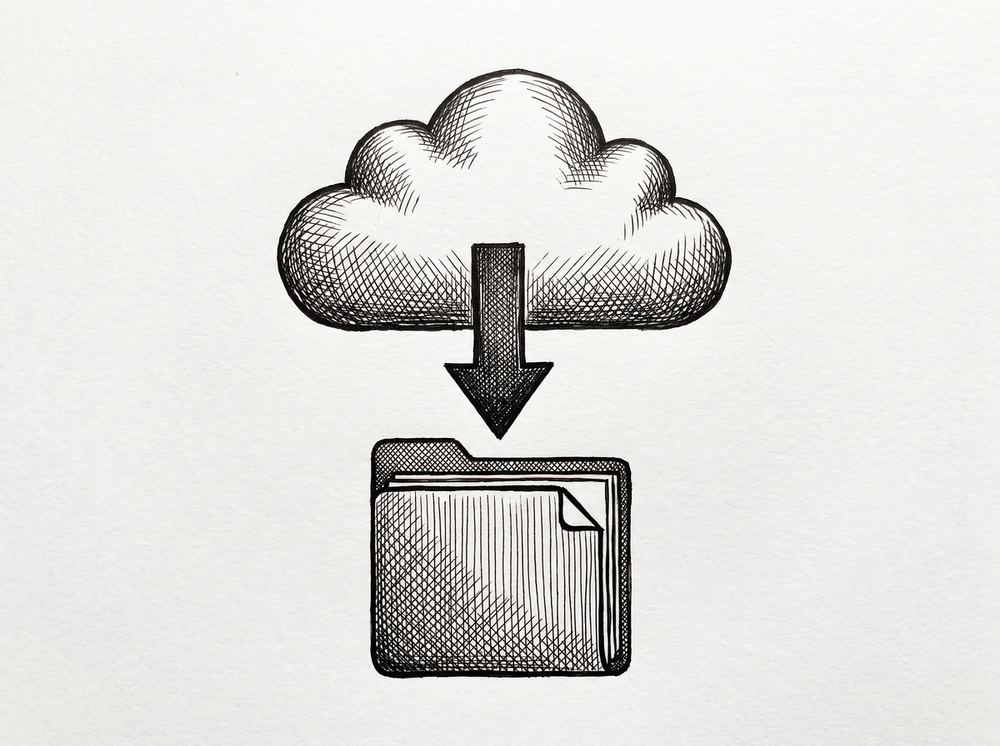
2. Tax audits. If the IRS audits a return, the auditor may request bank statements to verify the income, deductions, or credits claimed. The statement is the accepted format. The transaction history is not accepted. The fix: keep 7 years of statements in a cloud folder, organized by year and account.
3. Year-end reconciliation. For personal and business accounting, the year-end reconciliation requires all 12 monthly statements (or 4 quarterly statements) to verify the books balance with the bank. The transaction history is not sufficient because it may not include all transactions (older items drop off the rolling view). The fix: download all 12 statements at year-end and reconcile.
3 Cases to Use the Transaction History
3 daily situations where the transaction history is enough:
1. Balance check. For a quick check of the current balance, the transaction history is enough. The balance shown is real-time (within minutes of transactions posting). The fix: log into online banking or the mobile app and view the balance.
2. Recent purchase verification. To confirm a specific purchase posted, the transaction history is enough. The transaction history shows the last 30-90 days of transactions, which covers most verification needs. The fix: search the transaction history for the merchant name.
3. Fraud alert review. When a fraud alert arrives (e.g., a suspicious transaction), the transaction history is enough to see the transaction and decide whether to dispute it. The fix: review the transaction history, then contact the bank if the transaction is unauthorized.
Converting Transaction History to Statement Format
If you need a statement format from the transaction history, the conversion process is:
- Download the transaction history: Most banks allow CSV or Excel download of the transaction history. The download is a flat list of transactions with date, description, amount, and sometimes balance.
- Filter to the statement period: Filter the download to the specific period (e.g., January 1 to January 31). The result is the same transactions that would appear on the statement.
- Format as a statement: Add a header (account info, period, opening balance), the transaction table, and a footer (closing balance, totals). The result is a statement-equivalent document.
The conversion is not exactly the same as the actual statement. The actual statement may include some transactions that the transaction history missed (or vice versa) due to timing differences, fee processing, or other system quirks. For 95% of uses, the converted document is sufficient. For 5% of formal uses (IRS audit, legal proceeding), the actual statement is required.
A common failure mode bookkeepers report is treating this as a single operation rather than a chain of dependent steps. The temptation is to find a tool that ‘just works’ and stop investigating the mechanism. The result is a wrong-fix cycle: the tool gives partial output, the bookkeeper spends 30+ minutes troubleshooting, the fix is for the wrong step, and the same error recurs on the next statement. The fix: identify which step failed and apply the right intervention to that step.
Best Practices
3 best practices for managing both:
- Download statements monthly: Set a calendar reminder. Save the PDFs to a cloud folder named “Statements/YYYY/YYYY-MM-bankname.pdf”. The naming convention makes it easy to find any statement later.
- Check transaction history weekly: Use the transaction history for daily balance checks and recent activity. The check takes 2-3 minutes and catches errors or fraud early.
- Keep 7 years of statements: The IRS retention requirement is 3-7 years. The safe practice: keep 7 years. The cost is minimal ($0.10/month cloud storage); the benefit is significant (audit defense, loan applications, year-end reconciliation).
For the underlying conversion workflow, see the bank statement converter page. For the broader statement structure, see the bank statement anatomy reference. For the transaction history vs statement difference in detail, see the bank statement vs transaction history guide. For the broader bank statement glossary, see the bank statement glossary.
From PDF to Excel in one click
Forget retyping line by line. Upload any bank statement, get a spreadsheet you can actually use. Your files are never stored, and you can test the converter with 3 free conversions.
Try it free